
Mo_Qi0116 - Minecraft Skins & Skin History
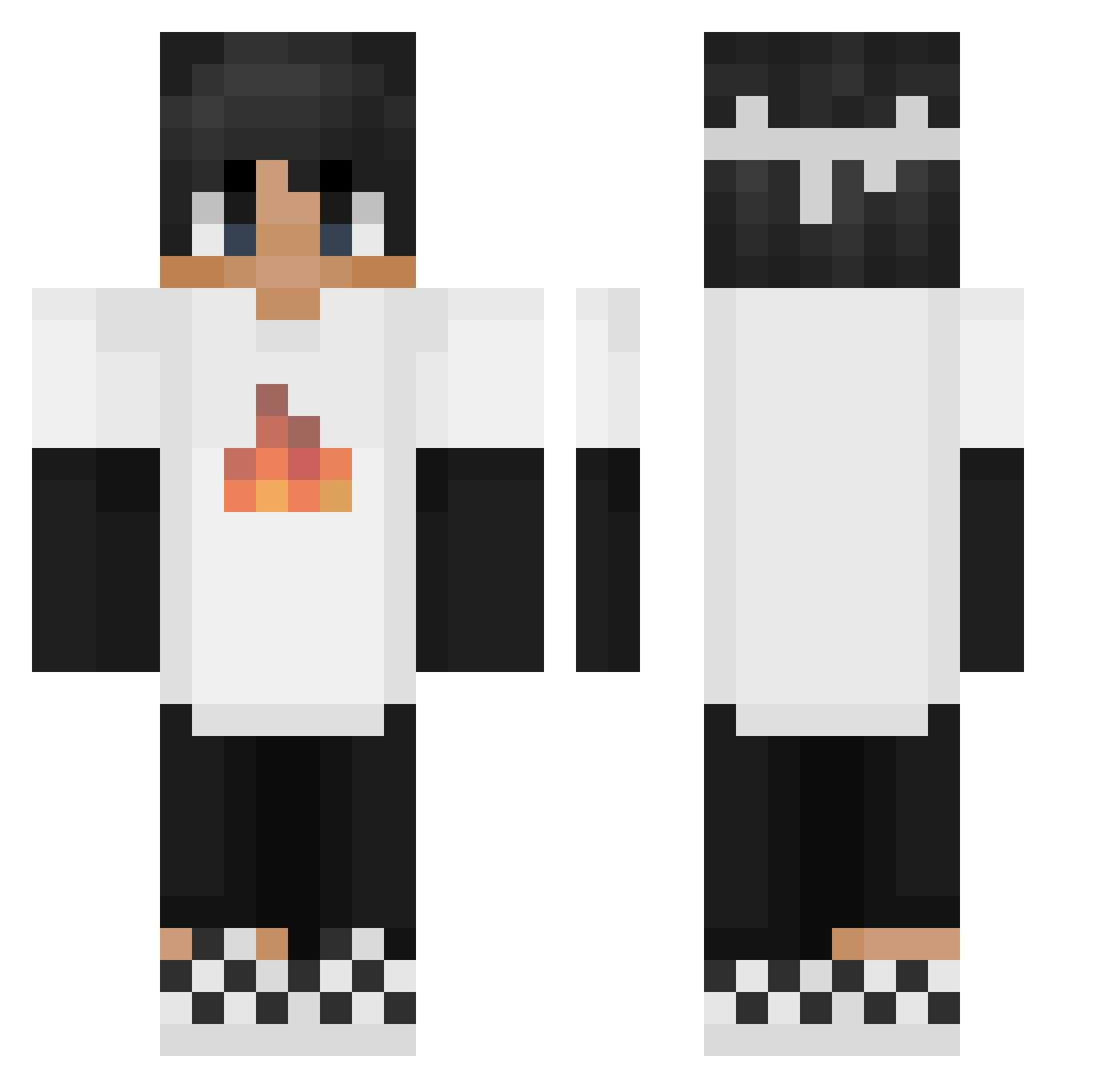
Current Minecraft skin of the player Mo_Qi0116, loaded from the official Mojang API. Rotate the 3D model with your mouse or finger, then download the skin as a PNG file and use it in Minecraft: Bedrock Edition or Java Edition for free. When Mo_Qi0116 changes their skin, this page updates automatically and the old skin stays in the history below.
Other players with this skin (277)
Mo_Qi0116 was the 1st player we have seen with this skin, first spotted on 21.07.2026. The same skin was seen on these players. Open a nickname to see their current skin and skin history.
 assasinbleu nurping Maxfotografie Fries626 BaianoPt Mal1kOfficial Iannve _Mi_Dou_13 DVVLSXROLEX aleksik2121 Mouzy15 Knuutinen_ sebasti1987 zhw6219 Captin_crunch290 kroblast Simba260 EKBLZO DCplays Oktamos Lord_Tuga Silvajah Kevindc6 Pedrin_110 Dream424 Jade_is gravyboat7 awesomegamer0306 saif_alshehhi 69Mois69 SapNap_Enjoyer zThx07 FrOstyOdyssey dino141211 asumah Felipenumer AlterCowboy Crow_Brawl deniz_tetik Ayrez99 matwix98 SapnapNo XvenonYT yeohak KaeKid dimax38 DumBraga_ marcusgabriel22 ZzxOVO Ceba1 sebnemfresh Bright_Fireworks I5kTaby Appleboi85 HauSued72 Topher5 dany2354 Kaanextalia Cooper33010 Anik299
More Checkerboard Shoes Minecraft skins
See all 47 Checkerboard Shoes skins
How to install the Mo_Qi0116 skin
- Press the Download button above to save the skin as a PNG file.
- Minecraft: Bedrock Edition (PE): open the Dressing Room from the main menu (or tap your character → Edit Character), go to Classic Skins → Owned, press the + (new skin) button, choose the downloaded PNG and pick the Classic (Steve) model. Works on PC and mobile; consoles cannot import custom skins.
- Minecraft: Java Edition: open the Minecraft Launcher, go to the Skins tab, click New Skin, load the PNG, pick the Classic (Steve) model and press Save & Use. You can also upload it at minecraft.net → Profile → Change Skin.
The skin does not show up after import - what should I do?
Restart Minecraft and open the Dressing Room again - imported skins sometimes appear only after a restart. Also make sure you selected the imported skin and picked the Classic (Steve) model.
Which model should I choose, Classic or Slim?
This skin is designed for the Classic (Steve) model. If you pick the wrong model, the arms of the skin will look stretched or squeezed.
Is the skin of Mo_Qi0116 free to download?
Yes. Press Download, save the PNG file and use it in Minecraft: Bedrock Edition or Java Edition - no payment or registration needed. The skin also works on multiplayer servers and Realms.
More skins
Looking for more? Go back to all Minecraft skins and check the top skins of the week, month and all time, or find any player's skin by nickname.