
MisterBooya - Minecraft Skins & Skin History
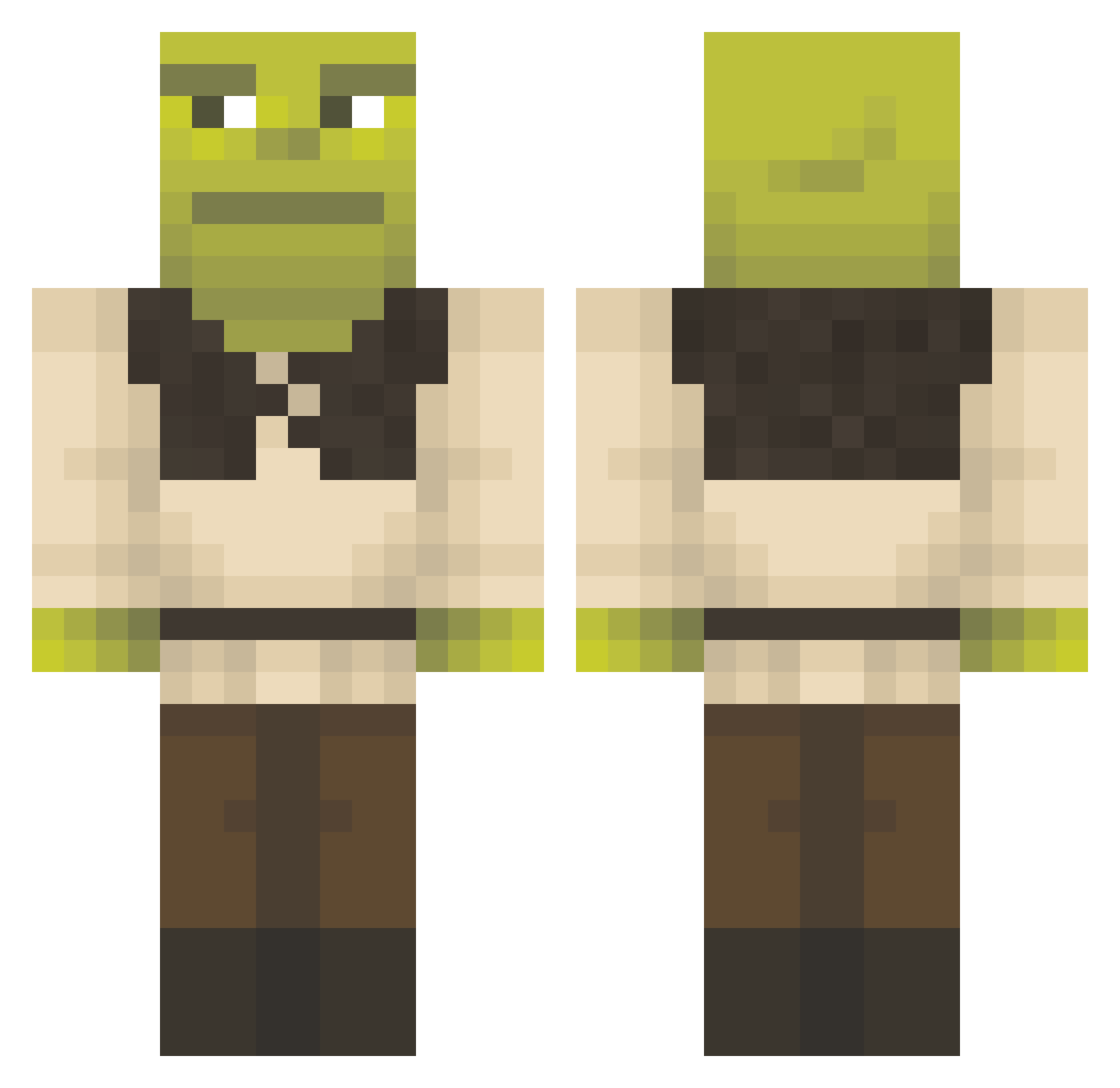
Current Minecraft skin of the player MisterBooya, loaded from the official Mojang API. Rotate the 3D model with your mouse or finger, then download the skin as a PNG file and use it in Minecraft: Bedrock Edition or Java Edition for free. When MisterBooya changes their skin, this page updates automatically and the old skin stays in the history below.
Other players with this skin (1294)
MisterBooya was the 1173rd player we have seen with this skin, first spotted on 23.10.2026. The same skin was seen on these players. Open a nickname to see their current skin and skin history.
 SinndyMarek32 Mysmannen EntiRoksi SlowBurnin Mansdezwans_69 TwistFG r3VITALIZED GibmirdeinKind Gn4bb0r lilnus Ovocl TarsalSugar6042 LookingLlama spicegirls69 AdolfClicker ProblemManTR beratbartu MrShartle ReetheusKhan Aprute Vitam1nC K8oogie QueenBubbles195 maKirby ArmenKass123 WillyW0nka09 ShuxDC Kenzzeau BERGER4325 Zoodoku Pand4Gamer Enric371 leaaron_ Compaq628 vikwinnie2112 mikakakakakakan ssamsii BlackLotos03 Kezo22 PHROSD SHACKATTACK48 dumbl3 ELSaint ChefQuixote Onestewtait Raidveter GuyPatt benbongo OnlyCharliee GremlinHunter762 Landjaeger_5 Dani12344 LUCAS22529 WizardBelt ecologiccc ramengukmul Ajeff15 Zert_fat HamburgerTime_ M5rku4
More Shrek Minecraft skins
How to install the MisterBooya skin
- Press the Download button above to save the skin as a PNG file.
- Minecraft: Bedrock Edition (PE): open the Dressing Room from the main menu (or tap your character → Edit Character), go to Classic Skins → Owned, press the + (new skin) button, choose the downloaded PNG and pick the Classic (Steve) model. Works on PC and mobile; consoles cannot import custom skins.
- Minecraft: Java Edition: open the Minecraft Launcher, go to the Skins tab, click New Skin, load the PNG, pick the Classic (Steve) model and press Save & Use. You can also upload it at minecraft.net → Profile → Change Skin.
The skin does not show up after import - what should I do?
Restart Minecraft and open the Dressing Room again - imported skins sometimes appear only after a restart. Also make sure you selected the imported skin and picked the Classic (Steve) model.
Which model should I choose, Classic or Slim?
This skin is designed for the Classic (Steve) model. If you pick the wrong model, the arms of the skin will look stretched or squeezed.
Is the skin of MisterBooya free to download?
Yes. Press Download, save the PNG file and use it in Minecraft: Bedrock Edition or Java Edition - no payment or registration needed. The skin also works on multiplayer servers and Realms.
More skins
Looking for more? Go back to all Minecraft skins and check the top skins of the week, month and all time, or find any player's skin by nickname.