
MissusOink - Minecraft Skins & Skin History
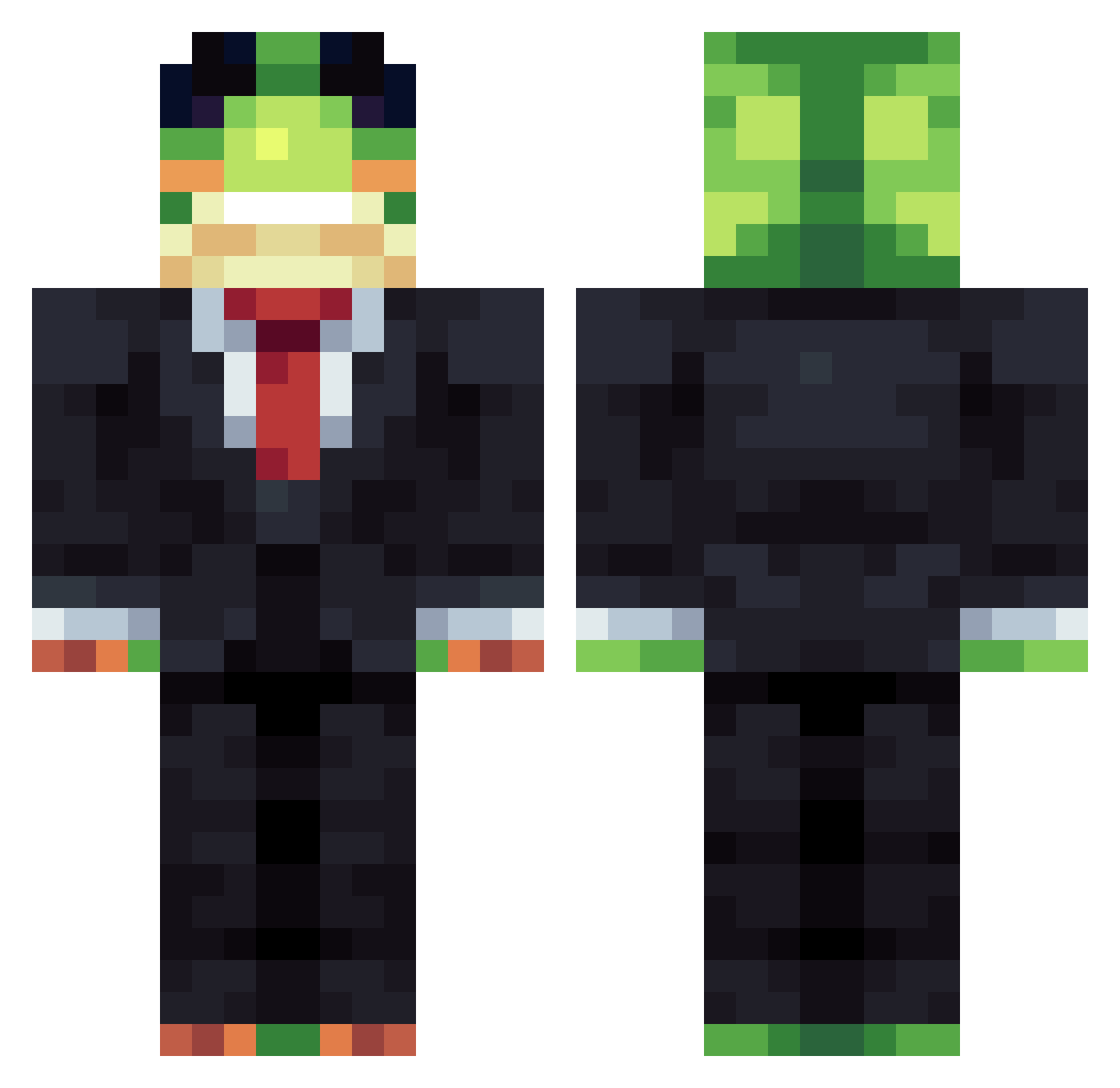
Current Minecraft skin of the player MissusOink, loaded from the official Mojang API. Rotate the 3D model with your mouse or finger, then download the skin as a PNG file and use it in Minecraft: Bedrock Edition or Java Edition for free. When MissusOink changes their skin, this page updates automatically and the old skin stays in the history below.
Other players with this skin (1437)
MissusOink was the 579th player we have seen with this skin, first spotted on 10.09.2026. The same skin was seen on these players. Open a nickname to see their current skin and skin history.
 NightOsprey LILLEVINNE101 Camila_02 RMG700 Adaqu_ Maximov2209 3saRUNSTHEPIT
 Baikun2006 YulTTK gamer125 Call98_5 AnonimoYS Spratone Jhokkas koba_278 DUDE_2137 bobthefiner Cyrus_78 skyheroN69 HOHLIK17 Majlo_gaming THUNDERSHOT1376 Lilbangz lublu_foots bungabinga hallucinationsxd KozaMega1
 kidwinits Macleod1518 Dxmpy_ konred1123 hacadl2 killshiftTHZMINE GoofillyGoobered UNTITLED1159 CUTTAN11 noodpro64 Thrix49 Enchanter34 Caio101 mibombo143 isaaccava PapayPepa hyukg2ay77 sillwdeer _Sanchexzzz RUSTY_074 Phoenix_360 kilomravki FritzlerWitzler LOFI77 ProfDefinitivus Nibs088 HT4White King_12345 Munin__ JudithTurniprose FVDKHJAS RareNormal4 Amargos
Previous skins of MissusOink
Skins that MissusOink wore before, newest first. Click a skin to open its page and download it.
More Frog Minecraft skins
How to install the MissusOink skin
- Press the Download button above to save the skin as a PNG file.
- Minecraft: Bedrock Edition (PE): open the Dressing Room from the main menu (or tap your character → Edit Character), go to Classic Skins → Owned, press the + (new skin) button, choose the downloaded PNG and pick the Classic (Steve) model. Works on PC and mobile; consoles cannot import custom skins.
- Minecraft: Java Edition: open the Minecraft Launcher, go to the Skins tab, click New Skin, load the PNG, pick the Classic (Steve) model and press Save & Use. You can also upload it at minecraft.net → Profile → Change Skin.
The skin does not show up after import - what should I do?
Restart Minecraft and open the Dressing Room again - imported skins sometimes appear only after a restart. Also make sure you selected the imported skin and picked the Classic (Steve) model.
Which model should I choose, Classic or Slim?
This skin is designed for the Classic (Steve) model. If you pick the wrong model, the arms of the skin will look stretched or squeezed.
Is the skin of MissusOink free to download?
Yes. Press Download, save the PNG file and use it in Minecraft: Bedrock Edition or Java Edition - no payment or registration needed. The skin also works on multiplayer servers and Realms.
More skins
Looking for more? Go back to all Minecraft skins and check the top skins of the week, month and all time, or find any player's skin by nickname.