
MischievousRay - Minecraft Skins & Skin History
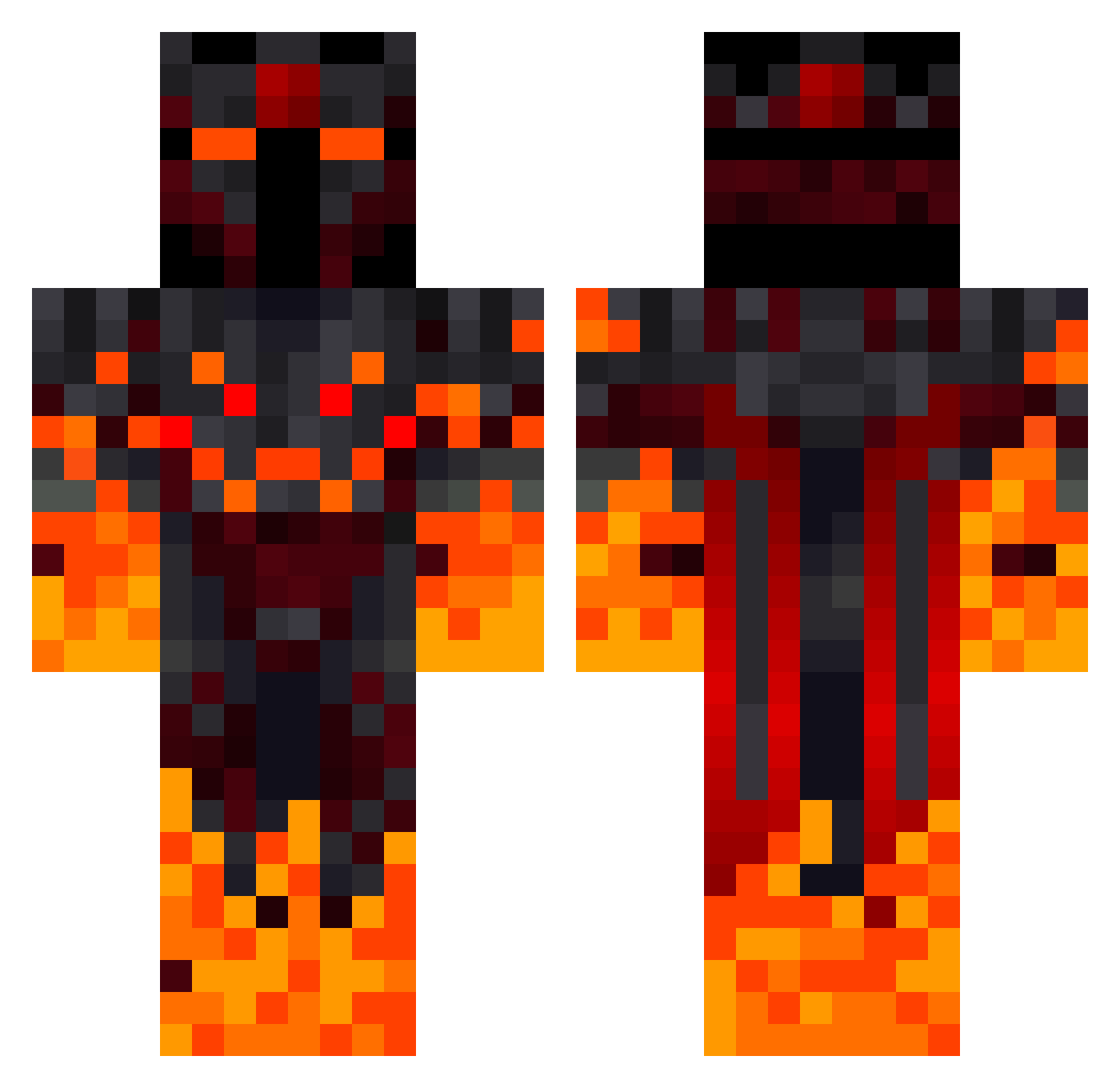
Current Minecraft skin of the player MischievousRay, loaded from the official Mojang API. Rotate the 3D model with your mouse or finger, then download the skin as a PNG file and use it in Minecraft: Bedrock Edition or Java Edition for free. When MischievousRay changes their skin, this page updates automatically and the old skin stays in the history below.
Other players with this skin (392)
MischievousRay was the 289th player we have seen with this skin, first spotted on 09.10.2026. The same skin was seen on these players. Open a nickname to see their current skin and skin history.
 PanditPanda WilmaDi lupiolinho yazicibaba44 Captain_xt Solemya2 Klauernaut thanakij Mucki2021 dangngoctai pimazin MoldyVoldy0508 lacutius1 qubzx MarauderKaiser PirPasta2 Gundamrx782fb IgorDoidao Gossamerkill TommyTHEREAL flyingdrum Slayer_God104 MarkTavia yngstagangster cod106 Heathccliff BlueCross185 LuckyBoy665578 Shupa_htz Lucian123456 OwenDaNoob ThatOneGuy2024_Y xRavenn_ Jacob_cz_ Chris123423 czaczab Eintopfgecko60 alphachet Julimejia07 Bob8422 Bifkin Leni0209 Emo331 Luminodragonar45 ItsQuinten_ Slayraw just_a_gamer123 Tschimjunior MagicMob_YT Colocolofiles 07sns17 t3n3r Ramborllini Element_1181 bennirieger MatHeroe maximdefrumos Bratva01_ Xiooc Deivii01
More Fire Demon Minecraft skins
How to install the MischievousRay skin
- Press the Download button above to save the skin as a PNG file.
- Minecraft: Bedrock Edition (PE): open the Dressing Room from the main menu (or tap your character → Edit Character), go to Classic Skins → Owned, press the + (new skin) button, choose the downloaded PNG and pick the Classic (Steve) model. Works on PC and mobile; consoles cannot import custom skins.
- Minecraft: Java Edition: open the Minecraft Launcher, go to the Skins tab, click New Skin, load the PNG, pick the Classic (Steve) model and press Save & Use. You can also upload it at minecraft.net → Profile → Change Skin.
The skin does not show up after import - what should I do?
Restart Minecraft and open the Dressing Room again - imported skins sometimes appear only after a restart. Also make sure you selected the imported skin and picked the Classic (Steve) model.
Which model should I choose, Classic or Slim?
This skin is designed for the Classic (Steve) model. If you pick the wrong model, the arms of the skin will look stretched or squeezed.
Is the skin of MischievousRay free to download?
Yes. Press Download, save the PNG file and use it in Minecraft: Bedrock Edition or Java Edition - no payment or registration needed. The skin also works on multiplayer servers and Realms.
More skins
Looking for more? Go back to all Minecraft skins and check the top skins of the week, month and all time, or find any player's skin by nickname.