
Minerman48 - Minecraft Skins & Skin History
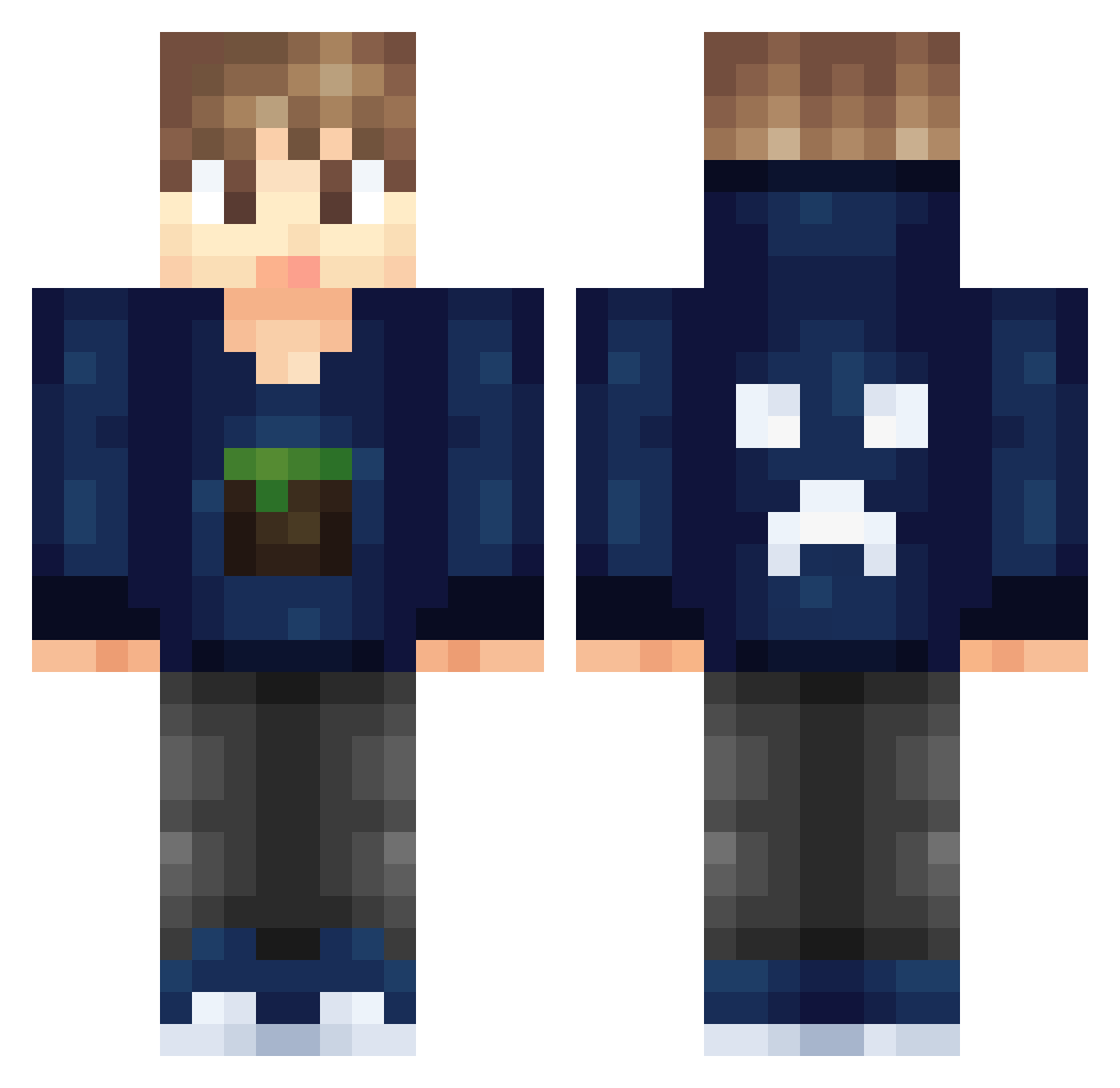
Current Minecraft skin of the player Minerman48, loaded from the official Mojang API. Rotate the 3D model with your mouse or finger, then download the skin as a PNG file and use it in Minecraft: Bedrock Edition or Java Edition for free. When Minerman48 changes their skin, this page updates automatically and the old skin stays in the history below.
Other players with this skin (326)
Minerman48 was the 15th player we have seen with this skin, first spotted on 28.07.2026. The same skin was seen on these players. Open a nickname to see their current skin and skin history.
 teletubbieswag12 ZAV5 ToxicHurricane17 ChromeJoshua Meggadino XxRBGamerBossxX Sapi888alex Matato_Gaming Mistune bobbykinz74 is100 xxbikbokxx tnt147 TheBlaster9848 Astrokreep23 mohammedts HuTzInITV92 kaplan007 jordy_rooms123 Kirkland08 _Im_Ricky_ gasten02 Delphax Kingsly_Shmitt Mackjqg ManoWKP Sharkcat888 MrMessore BetterTNothing geronobis Legion2299 Christonator32 Shellshock2813 adel227 WDemon7 Juangonzalez21 TheSeaOfRoyalty TyWeb16 kindberry masterArmandas1 FullArk FaZeUpppppp NetflixandChills gaminglegend165 Rocky_General ygbuntu ashwin2011 shaivym buzzin108 boss1236 DoublinBrown DadDad JIIZheR Rooster079 Y8GAMING Bube731 SkyAlli s1studios xXJ0AOXx fpt4
More Creeper Minecraft skins
How to install the Minerman48 skin
- Press the Download button above to save the skin as a PNG file.
- Minecraft: Bedrock Edition (PE): open the Dressing Room from the main menu (or tap your character → Edit Character), go to Classic Skins → Owned, press the + (new skin) button, choose the downloaded PNG and pick the Classic (Steve) model. Works on PC and mobile; consoles cannot import custom skins.
- Minecraft: Java Edition: open the Minecraft Launcher, go to the Skins tab, click New Skin, load the PNG, pick the Classic (Steve) model and press Save & Use. You can also upload it at minecraft.net → Profile → Change Skin.
The skin does not show up after import - what should I do?
Restart Minecraft and open the Dressing Room again - imported skins sometimes appear only after a restart. Also make sure you selected the imported skin and picked the Classic (Steve) model.
Which model should I choose, Classic or Slim?
This skin is designed for the Classic (Steve) model. If you pick the wrong model, the arms of the skin will look stretched or squeezed.
Is the skin of Minerman48 free to download?
Yes. Press Download, save the PNG file and use it in Minecraft: Bedrock Edition or Java Edition - no payment or registration needed. The skin also works on multiplayer servers and Realms.
More skins
Looking for more? Go back to all Minecraft skins and check the top skins of the week, month and all time, or find any player's skin by nickname.