
Mimikritt - Minecraft Skins & Skin History
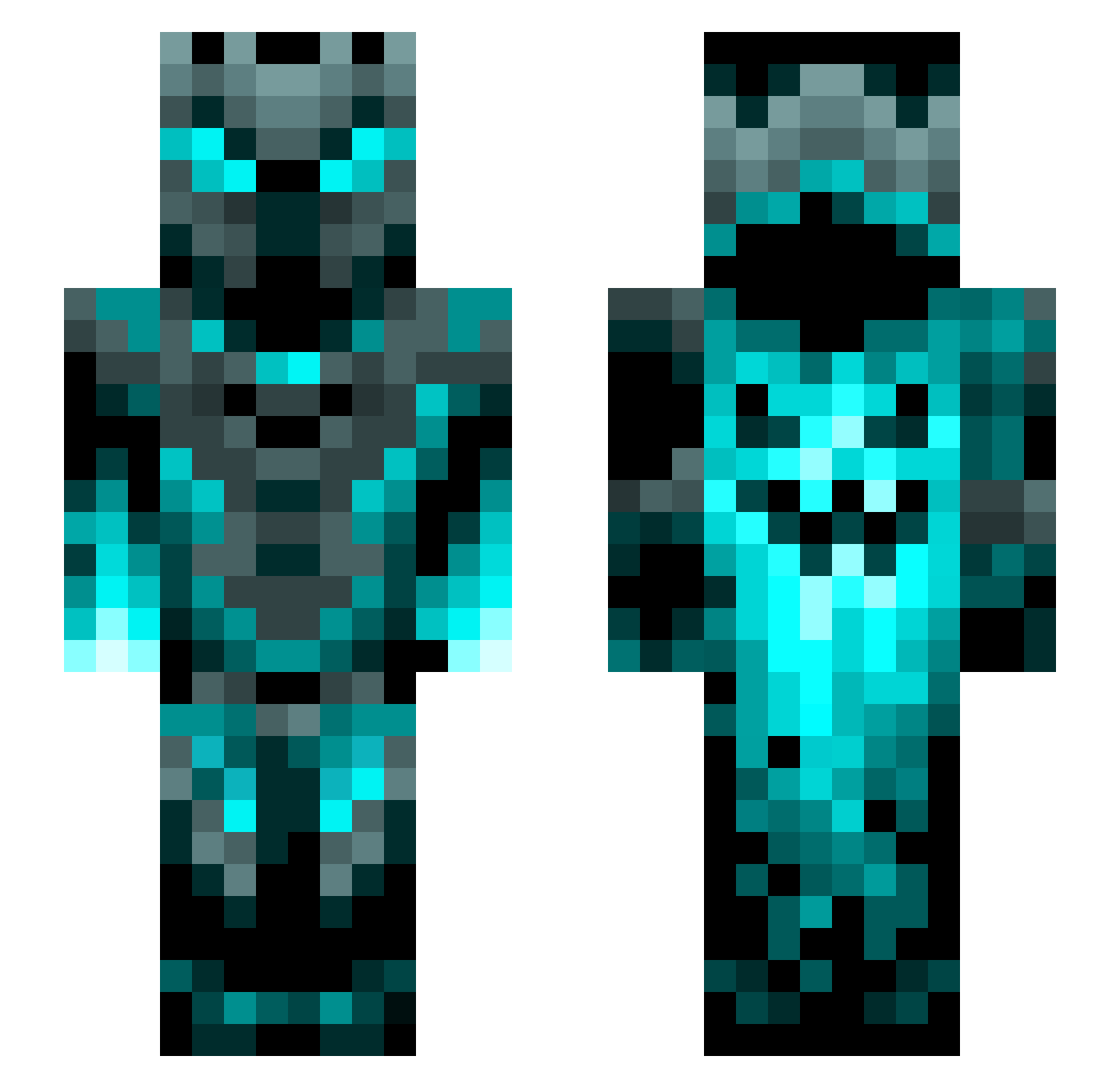
Current Minecraft skin of the player Mimikritt, loaded from the official Mojang API. Rotate the 3D model with your mouse or finger, then download the skin as a PNG file and use it in Minecraft: Bedrock Edition or Java Edition for free. When Mimikritt changes their skin, this page updates automatically and the old skin stays in the history below.
Other players with this skin (1201)
Mimikritt was the 718th player we have seen with this skin, first spotted on 26.09.2026. The same skin was seen on these players. Open a nickname to see their current skin and skin history.
 nazrac123 acidmattia153 stynn_81 ThyDredgen LorenzoRodriguez TenHyperion0672 futgrase1leu_kg Bobsniper99 Ander223 cygnus420 sSmoress Egamer_9o FonnTaa bbarisyagci nonamedev akblack2 PsychoVenom741 Schlaubee21 ljh001 VIPerCreeper209 VexXper a_pitchy_boi 0G_Slayer9 DragonKnight23 bulldog6187 Armed_Sandwich KingofServus tanyan69 DarkRascal bemax SamarPartisi CaptainLerner mizsterjr dragon_2674 exoarn Crasherjjjjjh132 n0oken19 creeper1899 ThanosDex LordPanther39 der_Barbar03 BOUDDHAAA Stixy TheKingsComet Askeroth94 Herobrine2567 evilalien6 Tropicaltomm1234 TiagoGroot Cyberpunk9480 XNAVIX3 kangarookid4 Nebula2525 Umbreon4Life87 DaNoah0604 Axelempereur CodeEdgeYT Marcus_Mural JaJe1208 BlueflameKnight_
More Phantom Minecraft skins
How to install the Mimikritt skin
- Press the Download button above to save the skin as a PNG file.
- Minecraft: Bedrock Edition (PE): open the Dressing Room from the main menu (or tap your character → Edit Character), go to Classic Skins → Owned, press the + (new skin) button, choose the downloaded PNG and pick the Slim (Alex) model. Works on PC and mobile; consoles cannot import custom skins.
- Minecraft: Java Edition: open the Minecraft Launcher, go to the Skins tab, click New Skin, load the PNG, pick the Slim (Alex) model and press Save & Use. You can also upload it at minecraft.net → Profile → Change Skin.
The skin does not show up after import - what should I do?
Restart Minecraft and open the Dressing Room again - imported skins sometimes appear only after a restart. Also make sure you selected the imported skin and picked the Slim (Alex) model.
Which model should I choose, Classic or Slim?
This skin is designed for the Slim (Alex) model. If you pick the wrong model, the arms of the skin will look stretched or squeezed.
Is the skin of Mimikritt free to download?
Yes. Press Download, save the PNG file and use it in Minecraft: Bedrock Edition or Java Edition - no payment or registration needed. The skin also works on multiplayer servers and Realms.
More skins
Looking for more? Go back to all Minecraft skins and check the top skins of the week, month and all time, or find any player's skin by nickname.