
MidnightRip - Minecraft Skins & Skin History
Current Minecraft skin of the player MidnightRip, loaded from the official Mojang API. Rotate the 3D model with your mouse or finger, then download the skin as a PNG file and use it in Minecraft: Bedrock Edition or Java Edition for free. When MidnightRip changes their skin, this page updates automatically and the old skin stays in the history below.
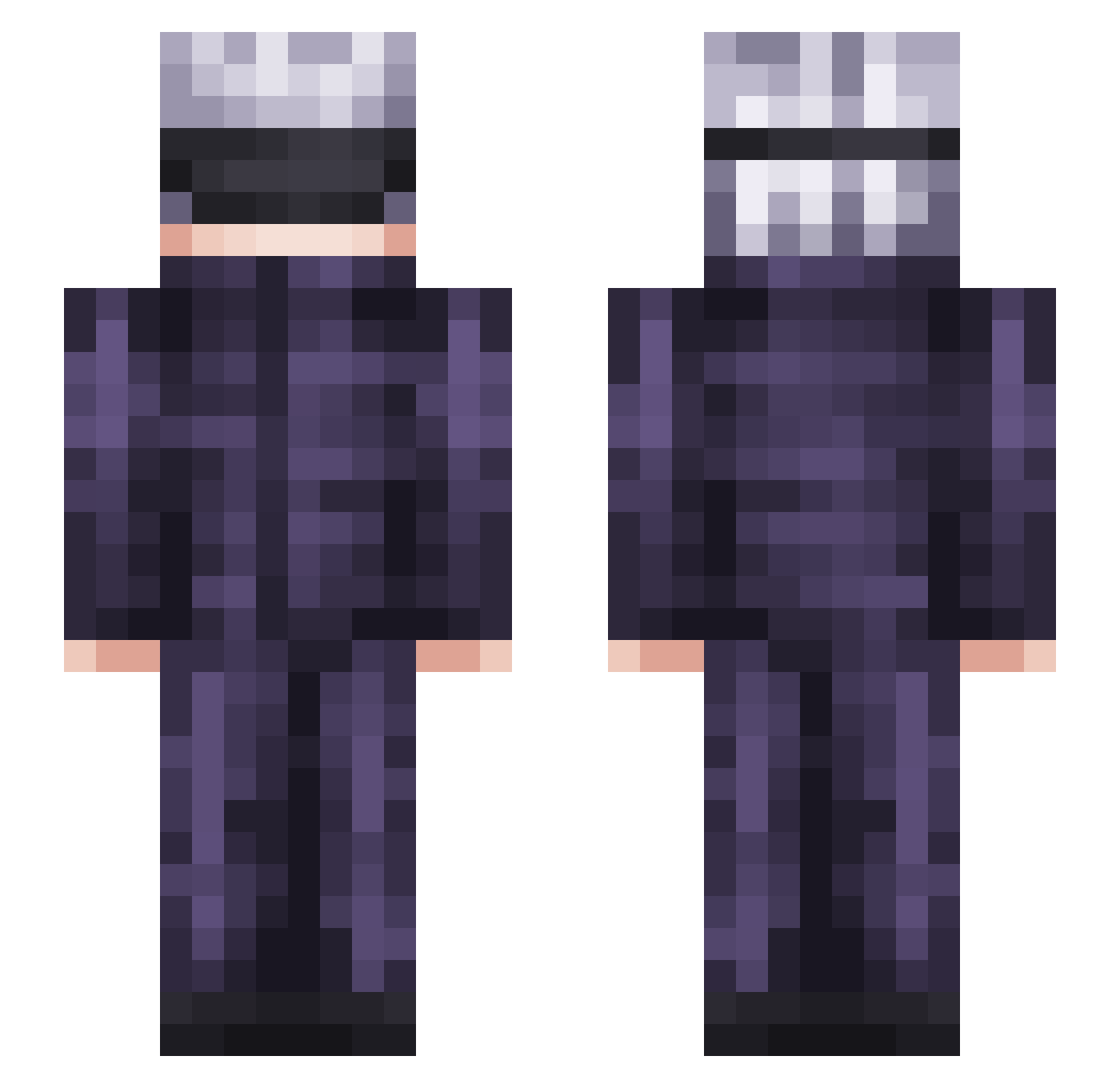
Other players with this skin (350)
MidnightRip was the 59th player we have seen with this skin, first spotted on 15.08.2026. The same skin was seen on these players. Open a nickname to see their current skin and skin history.
 vivid1 AKA_SPEEDY ItsSwixx Anjuro Skim505 zico0204 VenomBlast500 Berrtyy Ice_Ballon1000 Meliodon megumiishot Qwindx ProgressiveLuka Isaac_Chow Laakooo Guubba itaby hddPQ RobKardashian Jhyn_ Blanc0w chrsxhu keryandra Ahspirine Benzaiten_sama Lancelot2233 IsaWookie Hianzin JimeAH Laqsa caiocr10 Queyonce fantasyeven NVITSVBES1 ceder0113 Radiant_Raptor _Riell Mischiif Zafe_Galion Hasan68 sosiso4ka_ru_rtx Chuckyman13 NoktoNoir Skrealder Brinkleyirl ZERO96070 Crabsss SilvericAnito DuckythatDuck Manpurple_97 JPtheChip Wiracle daniel_2907 kamryn1101 sergeitop15 Mystical622 Mugiwaranov drogacalle Ryong02 itsssMoney
More Satoru Gojo Minecraft skins
See all 1375 Satoru Gojo skins
How to install the MidnightRip skin
- Press the Download button above to save the skin as a PNG file.
- Minecraft: Bedrock Edition (PE): open the Dressing Room from the main menu (or tap your character → Edit Character), go to Classic Skins → Owned, press the + (new skin) button, choose the downloaded PNG and pick the Slim (Alex) model. Works on PC and mobile; consoles cannot import custom skins.
- Minecraft: Java Edition: open the Minecraft Launcher, go to the Skins tab, click New Skin, load the PNG, pick the Slim (Alex) model and press Save & Use. You can also upload it at minecraft.net → Profile → Change Skin.
The skin does not show up after import - what should I do?
Restart Minecraft and open the Dressing Room again - imported skins sometimes appear only after a restart. Also make sure you selected the imported skin and picked the Slim (Alex) model.
Which model should I choose, Classic or Slim?
This skin is designed for the Slim (Alex) model. If you pick the wrong model, the arms of the skin will look stretched or squeezed.
Is the skin of MidnightRip free to download?
Yes. Press Download, save the PNG file and use it in Minecraft: Bedrock Edition or Java Edition - no payment or registration needed. The skin also works on multiplayer servers and Realms.
More skins
Looking for more? Go back to all Minecraft skins and check the top skins of the week, month and all time, or find any player's skin by nickname.