
Michael_Parker_3 - Minecraft Skins & Skin History
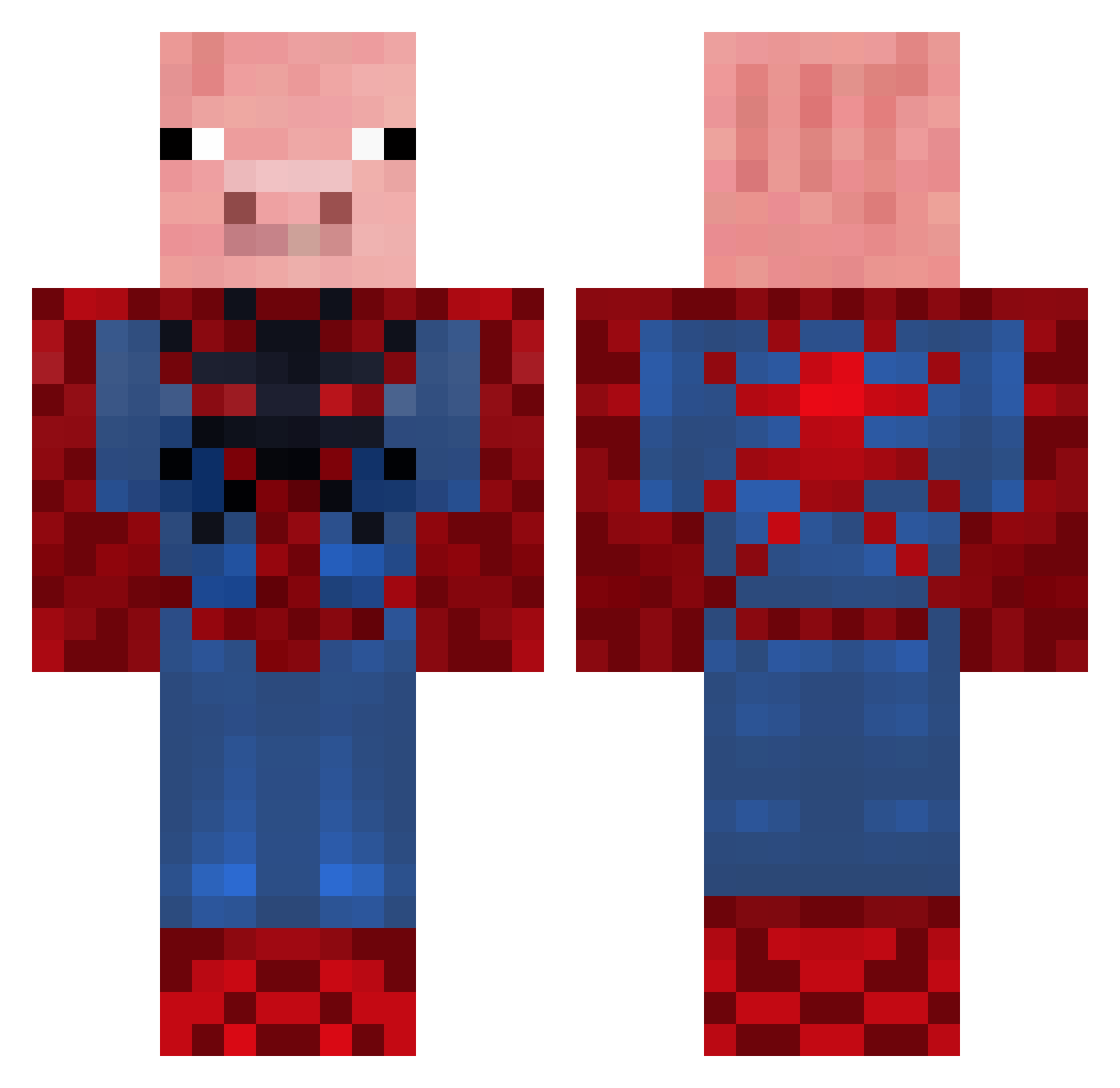
Current Minecraft skin of the player Michael_Parker_3, loaded from the official Mojang API. Rotate the 3D model with your mouse or finger, then download the skin as a PNG file and use it in Minecraft: Bedrock Edition or Java Edition for free. When Michael_Parker_3 changes their skin, this page updates automatically and the old skin stays in the history below.
Other players with this skin (655)
Michael_Parker_3 was the 409th player we have seen with this skin, first spotted on 01.10.2026. The same skin was seen on these players. Open a nickname to see their current skin and skin history.
 blakemine777 Method_III trulsksa duffless13 expertx1 killzaka tacten Velocitydrive Vanilla_Master Luckeh_ MrNachoGuacamole Mr_saber scooby2210 TheArod1353 ollywolly22 way2manyllamas BRAND0NISBEAST Slopy525 pigbert04 daxterdan inko99 Bumbercl1t xsanjix spiderpig012303 Giant442 unibike Karsenator swagmoneysofia Cherubimh21a Schweinepig BLACKRACINGCAR97 Danman66 nedyah18 kinghales HVW03 death_cookie101 tuckertiger KaptainPlays Parakoto beastalishous DylanMackay10 lawyerman23 cambill Max_the_Magestic BilLybObMINES Nicmat31 Mandario repsaj2002 bigbadhog macman1010 huntdawg100 Far5 JRB1315 JamesM826 Natalie_25 Gucci_Lime FluffyVigilante JuhBoiMike grw78 Crazyegg369
More Pig Minecraft skins
How to install the Michael_Parker_3 skin
- Press the Download button above to save the skin as a PNG file.
- Minecraft: Bedrock Edition (PE): open the Dressing Room from the main menu (or tap your character → Edit Character), go to Classic Skins → Owned, press the + (new skin) button, choose the downloaded PNG and pick the Classic (Steve) model. Works on PC and mobile; consoles cannot import custom skins.
- Minecraft: Java Edition: open the Minecraft Launcher, go to the Skins tab, click New Skin, load the PNG, pick the Classic (Steve) model and press Save & Use. You can also upload it at minecraft.net → Profile → Change Skin.
The skin does not show up after import - what should I do?
Restart Minecraft and open the Dressing Room again - imported skins sometimes appear only after a restart. Also make sure you selected the imported skin and picked the Classic (Steve) model.
Which model should I choose, Classic or Slim?
This skin is designed for the Classic (Steve) model. If you pick the wrong model, the arms of the skin will look stretched or squeezed.
Is the skin of Michael_Parker_3 free to download?
Yes. Press Download, save the PNG file and use it in Minecraft: Bedrock Edition or Java Edition - no payment or registration needed. The skin also works on multiplayer servers and Realms.
More skins
Looking for more? Go back to all Minecraft skins and check the top skins of the week, month and all time, or find any player's skin by nickname.