
Mezereon - Minecraft Skins & Skin History
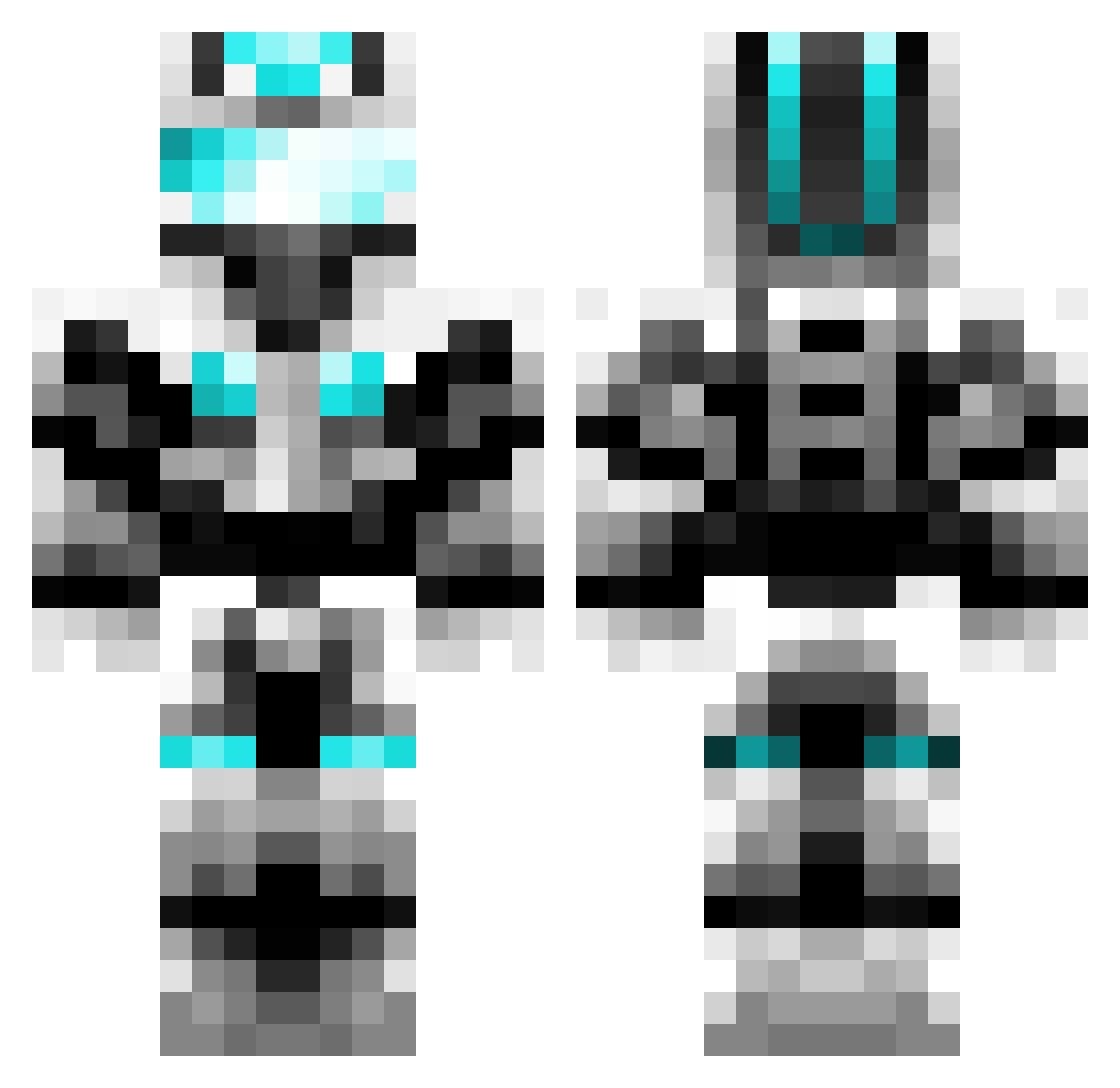
Current Minecraft skin of the player Mezereon, loaded from the official Mojang API. Rotate the 3D model with your mouse or finger, then download the skin as a PNG file and use it in Minecraft: Bedrock Edition or Java Edition for free. When Mezereon changes their skin, this page updates automatically and the old skin stays in the history below.
Other players with this skin (451)
Mezereon was the 18th player we have seen with this skin, first spotted on 29.07.2026. The same skin was seen on these players. Open a nickname to see their current skin and skin history.
 SharkBake fiercar Kasern9527 MagicGortex Killertjie yfuui guge888 DkkdyD whitesabermaster Alioet Brktaga ChinaTown312 Plumbumer willcutt XIAO_yao1 TReXtaL PIYAN222 Night0931 Yurifan19420 tljs6 LOVELYYUAN MESF2020 zhangjijiji jidong0309 Liagenn anddy090312 RimU_H GFHXGI LinQuan408 Telnet HRC186 zhikk apelym xiaoyang0411 MingBaobao yuntian888 Perfectkk lijun520 Formidable599 ramoo20061 Kicoder15 pgk0723 SuperSorry Daniel_Elvis FelixWuZB Du_Lynch ilunye HouJN 1xiaobai1 AVAST007 CN_Laka YUNLAIFANG
 GaryCao SouthWood233 aceboy706 nan_lan CryXandra anyeZ666 DongChuWu better6397
More Cyber Soldier Minecraft skins
See all 49 Cyber Soldier skins
How to install the Mezereon skin
- Press the Download button above to save the skin as a PNG file.
- Minecraft: Bedrock Edition (PE): open the Dressing Room from the main menu (or tap your character → Edit Character), go to Classic Skins → Owned, press the + (new skin) button, choose the downloaded PNG and pick the Classic (Steve) model. Works on PC and mobile; consoles cannot import custom skins.
- Minecraft: Java Edition: open the Minecraft Launcher, go to the Skins tab, click New Skin, load the PNG, pick the Classic (Steve) model and press Save & Use. You can also upload it at minecraft.net → Profile → Change Skin.
The skin does not show up after import - what should I do?
Restart Minecraft and open the Dressing Room again - imported skins sometimes appear only after a restart. Also make sure you selected the imported skin and picked the Classic (Steve) model.
Which model should I choose, Classic or Slim?
This skin is designed for the Classic (Steve) model. If you pick the wrong model, the arms of the skin will look stretched or squeezed.
Is the skin of Mezereon free to download?
Yes. Press Download, save the PNG file and use it in Minecraft: Bedrock Edition or Java Edition - no payment or registration needed. The skin also works on multiplayer servers and Realms.
More skins
Looking for more? Go back to all Minecraft skins and check the top skins of the week, month and all time, or find any player's skin by nickname.