
MeshBox1024 - Minecraft Skins & Skin History
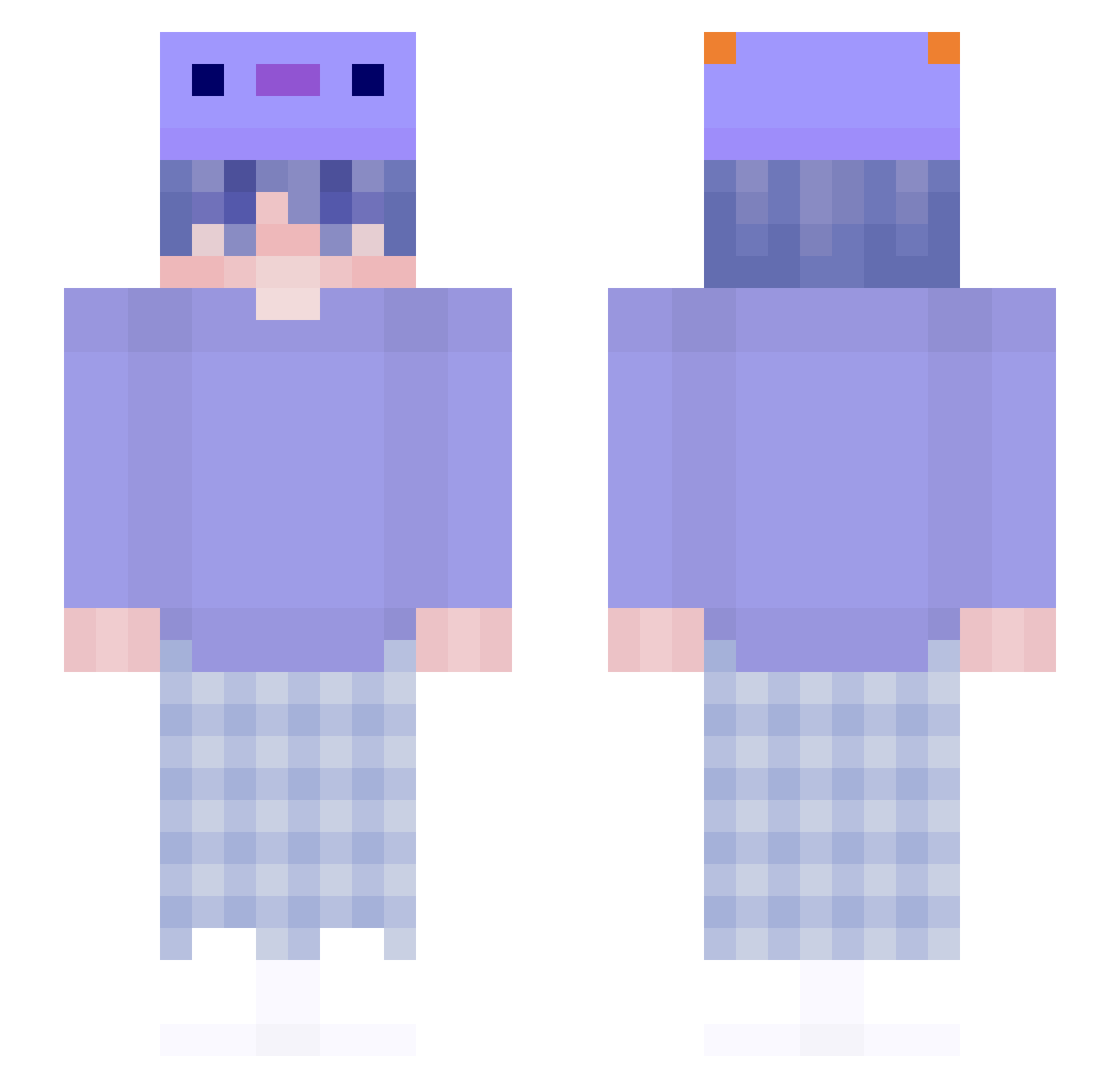
Current Minecraft skin of the player MeshBox1024, loaded from the official Mojang API. Rotate the 3D model with your mouse or finger, then download the skin as a PNG file and use it in Minecraft: Bedrock Edition or Java Edition for free. When MeshBox1024 changes their skin, this page updates automatically and the old skin stays in the history below.
Other players with this skin (167)
MeshBox1024 was the 21st player we have seen with this skin, first spotted on 07.08.2026. The same skin was seen on these players. Open a nickname to see their current skin and skin history.
 billbo_D_baggins SupermanFG Dsbrn MirutoMiru MrMoneyMaker69 UNBANVERB DenizTe naelong lamantekka adamjaxxon Icygdog Zodyaak Lubinounours ModzDrnoname sejr012 KouKoTony Clatte Mumrnby gadra YUKO_sama Gabriel9250 axolotlez SADVO1223 HaughtyBow49110 PrimalBeing legangdenemo fasthusky1 Radmaster95 iguswillbeok MUWUSA gojuhyeon n1demi Celtanie rey9223 puddin_coz KENIELN Kulfy PatrickOAO Blue_Shadows_ skittlesaur Shyd_U cry3pt Koriganku_ TripsHD HOSHIx AreWater CptMurica13
 LaraCletteChaude MaskedKitten weiii087 Lyzy01 LuccaTheFish Dong_Ni FireFishy_11 Chaufan_916 e1Liter SimpleArts _1q_ AlexelByN picklemaster24
More Axolotl Hat Minecraft skins
How to install the MeshBox1024 skin
- Press the Download button above to save the skin as a PNG file.
- Minecraft: Bedrock Edition (PE): open the Dressing Room from the main menu (or tap your character → Edit Character), go to Classic Skins → Owned, press the + (new skin) button, choose the downloaded PNG and pick the Slim (Alex) model. Works on PC and mobile; consoles cannot import custom skins.
- Minecraft: Java Edition: open the Minecraft Launcher, go to the Skins tab, click New Skin, load the PNG, pick the Slim (Alex) model and press Save & Use. You can also upload it at minecraft.net → Profile → Change Skin.
The skin does not show up after import - what should I do?
Restart Minecraft and open the Dressing Room again - imported skins sometimes appear only after a restart. Also make sure you selected the imported skin and picked the Slim (Alex) model.
Which model should I choose, Classic or Slim?
This skin is designed for the Slim (Alex) model. If you pick the wrong model, the arms of the skin will look stretched or squeezed.
Is the skin of MeshBox1024 free to download?
Yes. Press Download, save the PNG file and use it in Minecraft: Bedrock Edition or Java Edition - no payment or registration needed. The skin also works on multiplayer servers and Realms.
More skins
Looking for more? Go back to all Minecraft skins and check the top skins of the week, month and all time, or find any player's skin by nickname.