
LaraCletteChaude - Minecraft Skins & Skin History
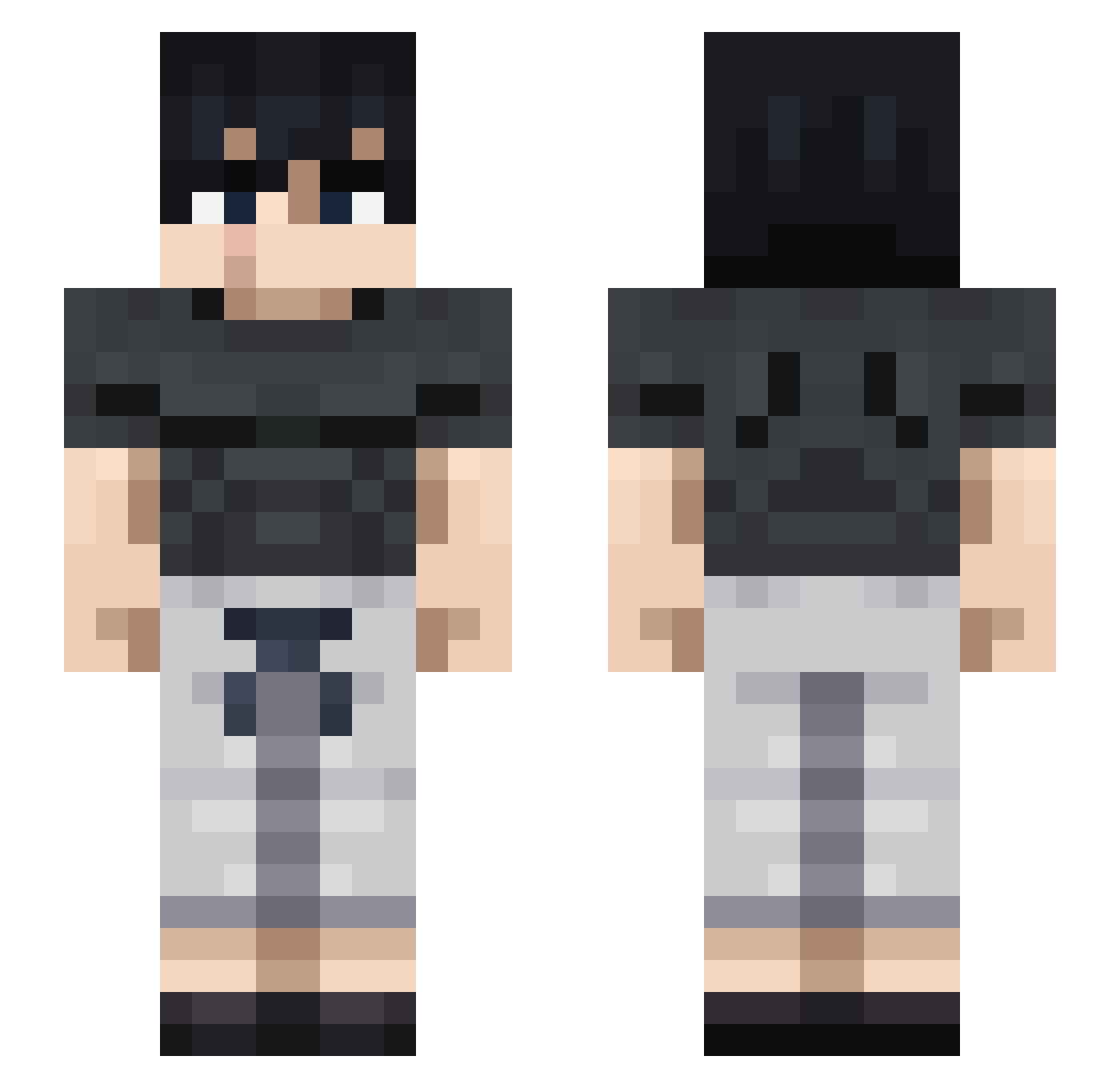
Current Minecraft skin of the player LaraCletteChaude, loaded from the official Mojang API. Rotate the 3D model with your mouse or finger, then download the skin as a PNG file and use it in Minecraft: Bedrock Edition or Java Edition for free. When LaraCletteChaude changes their skin, this page updates automatically and the old skin stays in the history below.
Other players with this skin (710)
LaraCletteChaude was the 384th player we have seen with this skin, first spotted on 12.09.2026. The same skin was seen on these players. Open a nickname to see their current skin and skin history.
 DannyMurcia Tigersnova Camilo011 Fuullweevil44583 DiamoKun chaamss raion314 momobrXD Diastree GDA_54 StoneCold19 Jere360 Justhinat leywinz1 ARCANGELD20 J3nda_ KlassBetterThenJ ShilohD Kalash297 frylolong Ninjaxs edyoo Denotess_ chewymonkey StenderMan69 W33D0tters blazetroop Terraviterra JKJK46 SOAIPER yrezure Muller629 drilldad Shaineless Rihanno JiJi3414 eveysom Jeezy1z SirSpicyLemon AnthoSeb Zeiko99 ChefPing Topjohnny17 FakeVoodoo RawTruth Todih shushumir LordAlioth DarkKnightX80 ADaughterFigure Psychoo58 Ph2x Kitsune_22 ItsJustWik MESHO502 Dismarts BarouShorts bobbeh_tv LION837 KristianKristian
Previous skins of LaraCletteChaude
Skins that LaraCletteChaude wore before, newest first. Click a skin to open its page and download it.
More Casual Minecraft skins
How to install the LaraCletteChaude skin
- Press the Download button above to save the skin as a PNG file.
- Minecraft: Bedrock Edition (PE): open the Dressing Room from the main menu (or tap your character → Edit Character), go to Classic Skins → Owned, press the + (new skin) button, choose the downloaded PNG and pick the Slim (Alex) model. Works on PC and mobile; consoles cannot import custom skins.
- Minecraft: Java Edition: open the Minecraft Launcher, go to the Skins tab, click New Skin, load the PNG, pick the Slim (Alex) model and press Save & Use. You can also upload it at minecraft.net → Profile → Change Skin.
The skin does not show up after import - what should I do?
Restart Minecraft and open the Dressing Room again - imported skins sometimes appear only after a restart. Also make sure you selected the imported skin and picked the Slim (Alex) model.
Which model should I choose, Classic or Slim?
This skin is designed for the Slim (Alex) model. If you pick the wrong model, the arms of the skin will look stretched or squeezed.
Is the skin of LaraCletteChaude free to download?
Yes. Press Download, save the PNG file and use it in Minecraft: Bedrock Edition or Java Edition - no payment or registration needed. The skin also works on multiplayer servers and Realms.
More skins
Looking for more? Go back to all Minecraft skins and check the top skins of the week, month and all time, or find any player's skin by nickname.