
MerlinSven - Minecraft Skins & Skin History
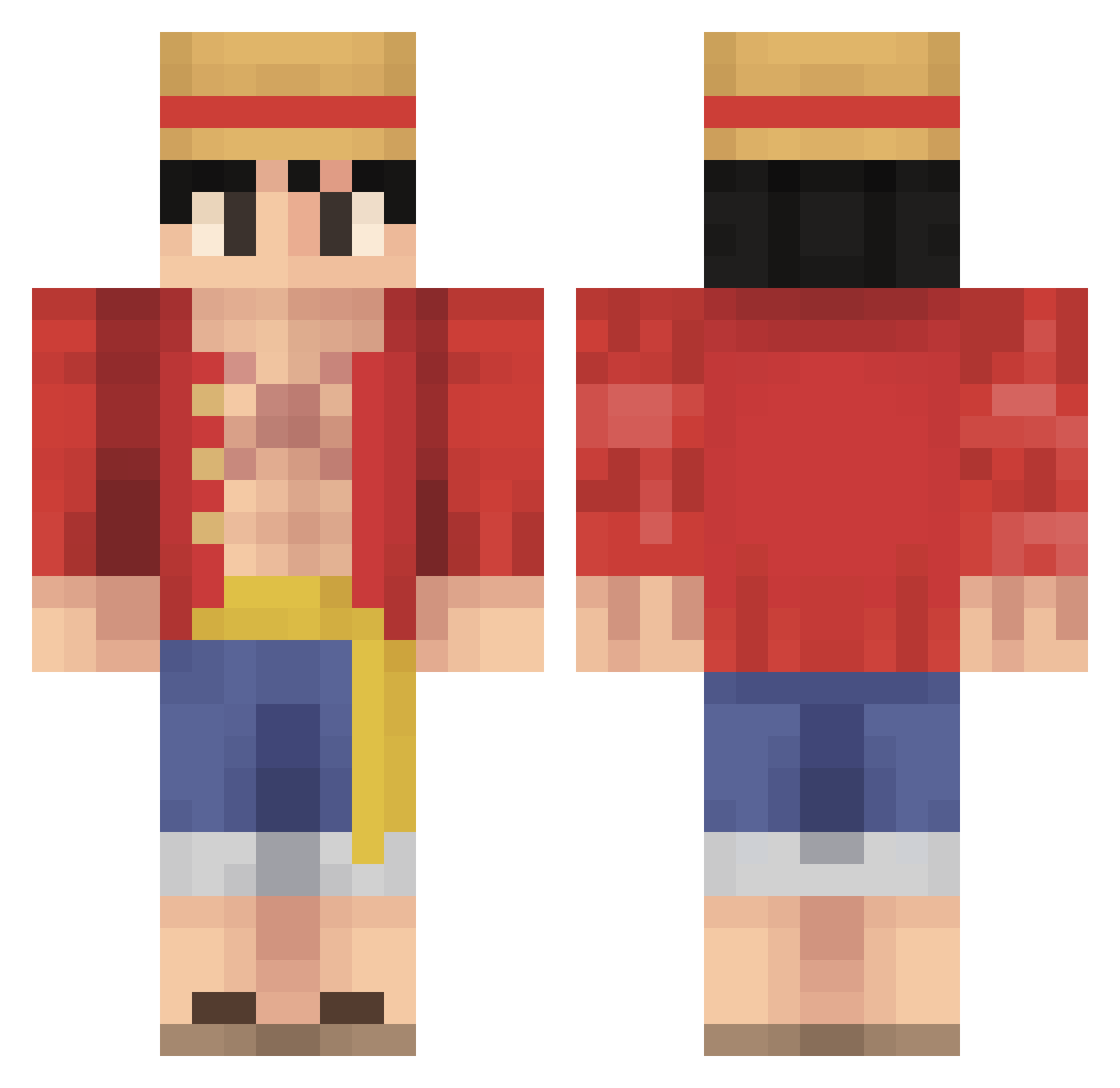
Current Minecraft skin of the player MerlinSven, loaded from the official Mojang API. Rotate the 3D model with your mouse or finger, then download the skin as a PNG file and use it in Minecraft: Bedrock Edition or Java Edition for free. When MerlinSven changes their skin, this page updates automatically and the old skin stays in the history below.
Other players with this skin (485)
MerlinSven was the 91st player we have seen with this skin, first spotted on 13.08.2026. The same skin was seen on these players. Open a nickname to see their current skin and skin history.
 Pallethegang ChrispyCream_ Llewswag PolarBear2487 Hayato420 uwukissme kaselakhs Mister_Cooldude jmb_101 jBonten SRIO1631 bekirbrah Marko6464 Luke628 Honeyl3uns Saita_mama King_Haak PauTorta Kev_Ygz SoupCat78 Blue_Boy44 osarunojojo Soup_98 spacer3333 bmrickyy Kritikoh SoNiiCZz Kingcrabbe Alexmg815 nagk1011 SKADOWXX LocoJO0
 TheBlueSkywalker kyreezey DandemFire ridiculouschris Hua1337 drac0on123 teeter5163 darkghost465 Wulffie_
 Sitthaarth Shobell NxtHxdes M0ndBlauHD AnubhabSK julienmauri Zekrox ntxin CYisus DISTRUCTO27 songfull1999 SumoJr22 MrCrispyP ltu1020 Lyarun TheSickBoi Nereo3144 DouglasDang golddino21
More Monkey D Luffy Minecraft skins
See all 860 Monkey D Luffy skins
How to install the MerlinSven skin
- Press the Download button above to save the skin as a PNG file.
- Minecraft: Bedrock Edition (PE): open the Dressing Room from the main menu (or tap your character → Edit Character), go to Classic Skins → Owned, press the + (new skin) button, choose the downloaded PNG and pick the Classic (Steve) model. Works on PC and mobile; consoles cannot import custom skins.
- Minecraft: Java Edition: open the Minecraft Launcher, go to the Skins tab, click New Skin, load the PNG, pick the Classic (Steve) model and press Save & Use. You can also upload it at minecraft.net → Profile → Change Skin.
The skin does not show up after import - what should I do?
Restart Minecraft and open the Dressing Room again - imported skins sometimes appear only after a restart. Also make sure you selected the imported skin and picked the Classic (Steve) model.
Which model should I choose, Classic or Slim?
This skin is designed for the Classic (Steve) model. If you pick the wrong model, the arms of the skin will look stretched or squeezed.
Is the skin of MerlinSven free to download?
Yes. Press Download, save the PNG file and use it in Minecraft: Bedrock Edition or Java Edition - no payment or registration needed. The skin also works on multiplayer servers and Realms.
More skins
Looking for more? Go back to all Minecraft skins and check the top skins of the week, month and all time, or find any player's skin by nickname.