
Mellowhype52 - Minecraft Skins & Skin History
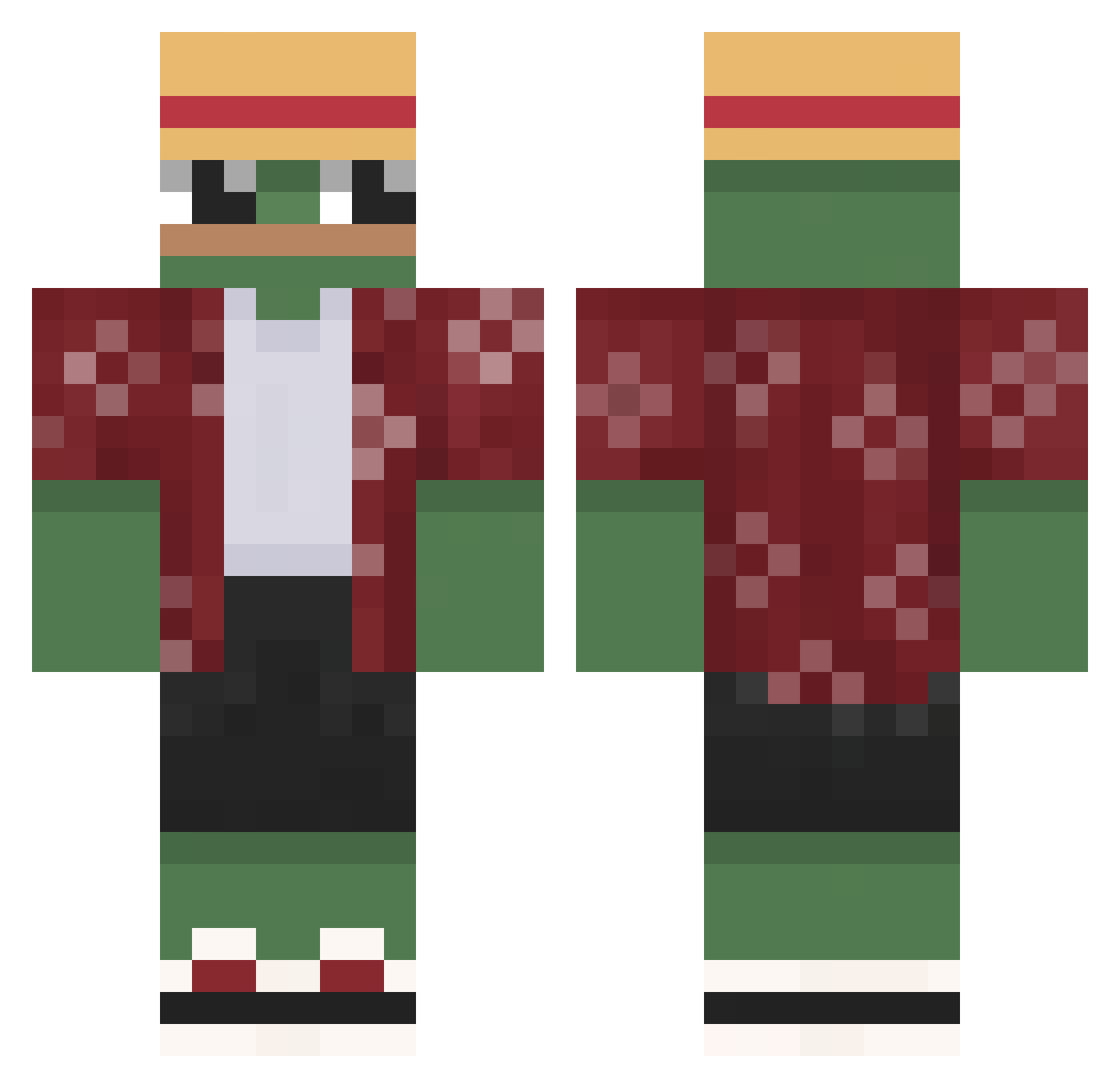
Current Minecraft skin of the player Mellowhype52, loaded from the official Mojang API. Rotate the 3D model with your mouse or finger, then download the skin as a PNG file and use it in Minecraft: Bedrock Edition or Java Edition for free. When Mellowhype52 changes their skin, this page updates automatically and the old skin stays in the history below.
Other players with this skin (644)
Mellowhype52 was the 27th player we have seen with this skin, first spotted on 27.07.2026. The same skin was seen on these players. Open a nickname to see their current skin and skin history.
 Boi939 Beyzaa TammTamm6017 youngjea Lurk_med_Burk Milly2Smoove
 Termilala FreshhDoodz fmetze ahmetyasinn JSTSID_ Duke_1231 Muschelkaiser68 JZRH69 lizardoll
 Duner_Lover MBandoz RJMfresh 291Luciano Marv1953dresden mozo76 StarCola3 Judawongnega Josanllomo DosenbierDieter Vilside MartinWham Mvrk_151 Just_Apfel Kubaren Excalibur_287 Chriskovski Actually_Jack Loganator9666 ShmrDmr Bibenz Okurka9852 Jamsty Izba_Przyjec itsKhaosss L_AKAKA Narkopop420 FenniFood LordBrisket ChrisBrayfield
 LordStarco Sofia0829 Gloskiii Rickc144 zorro95 cartoontz55 Zackwyd ValentinSus SchneiderBypass JanZubr19 piratehamster FlawedElement
 SiManOverload ABSTEVEN1 Misk11n
More Monkey D Luffy Minecraft skins
See all 925 Monkey D Luffy skins
How to install the Mellowhype52 skin
- Press the Download button above to save the skin as a PNG file.
- Minecraft: Bedrock Edition (PE): open the Dressing Room from the main menu (or tap your character → Edit Character), go to Classic Skins → Owned, press the + (new skin) button, choose the downloaded PNG and pick the Classic (Steve) model. Works on PC and mobile; consoles cannot import custom skins.
- Minecraft: Java Edition: open the Minecraft Launcher, go to the Skins tab, click New Skin, load the PNG, pick the Classic (Steve) model and press Save & Use. You can also upload it at minecraft.net → Profile → Change Skin.
The skin does not show up after import - what should I do?
Restart Minecraft and open the Dressing Room again - imported skins sometimes appear only after a restart. Also make sure you selected the imported skin and picked the Classic (Steve) model.
Which model should I choose, Classic or Slim?
This skin is designed for the Classic (Steve) model. If you pick the wrong model, the arms of the skin will look stretched or squeezed.
Is the skin of Mellowhype52 free to download?
Yes. Press Download, save the PNG file and use it in Minecraft: Bedrock Edition or Java Edition - no payment or registration needed. The skin also works on multiplayer servers and Realms.
More skins
Looking for more? Go back to all Minecraft skins and check the top skins of the week, month and all time, or find any player's skin by nickname.