
MediocreJ - Minecraft Skins & Skin History
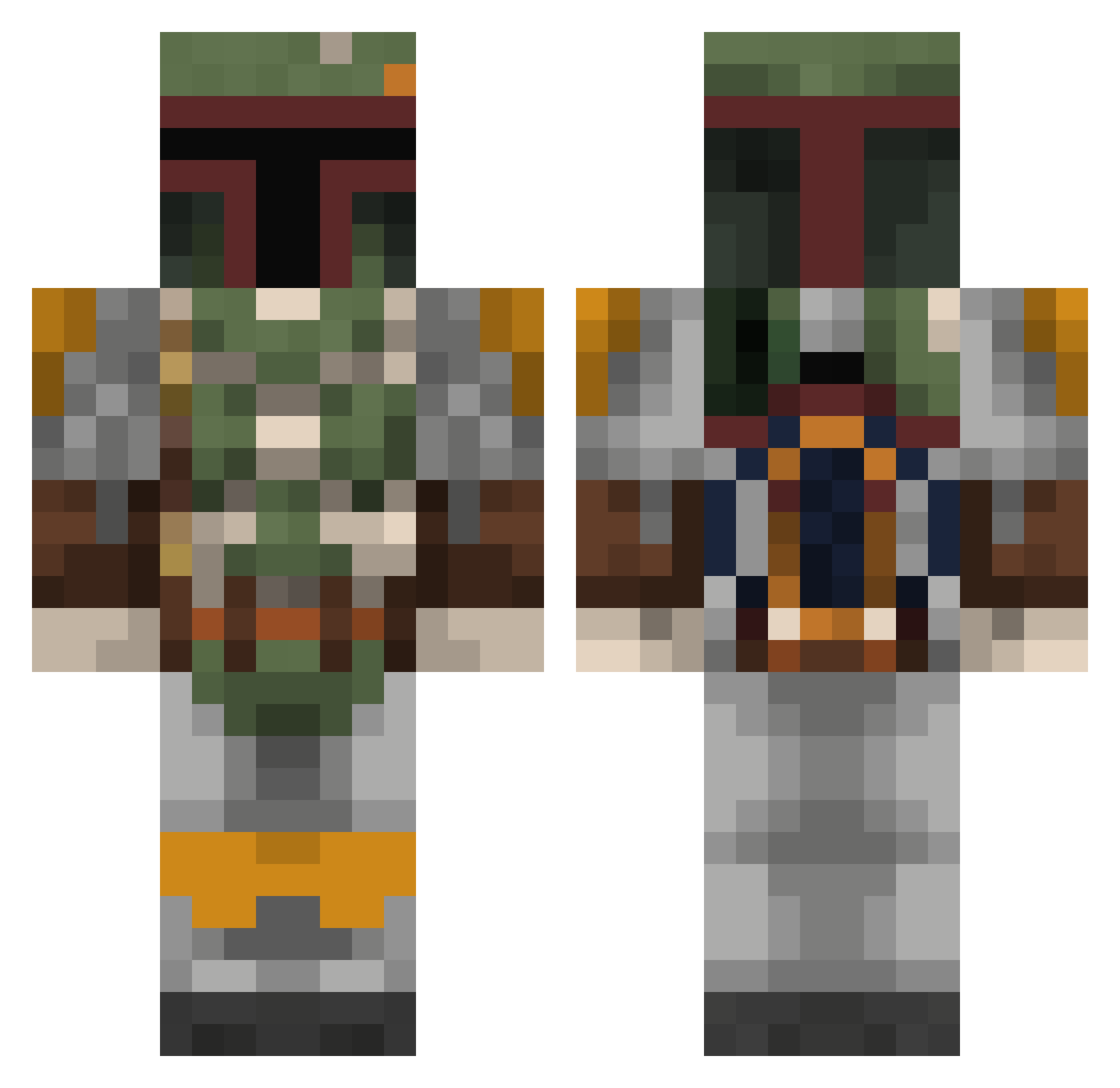
Current Minecraft skin of the player MediocreJ, loaded from the official Mojang API. Rotate the 3D model with your mouse or finger, then download the skin as a PNG file and use it in Minecraft: Bedrock Edition or Java Edition for free. When MediocreJ changes their skin, this page updates automatically and the old skin stays in the history below.
Other players with this skin (806)
MediocreJ was the 448th player we have seen with this skin, first spotted on 26.09.2026. The same skin was seen on these players. Open a nickname to see their current skin and skin history.
 Asky04 Beef_Strokinoff BigFatSweat SirGlenroy TheWitherKiller1 JohnnyBGoode355 crackedknuckles susox98 vil21 Lostfolk TTASlayer TheStarWarsNerdx Vallestero RedBanan4 MBAN2016 GECrusty Meesta_ Lille_Traktor TeVerd Guffy1972 tadhgro VariedDeceptions Gaiscioch prolex2000 Jandals_ Beatlist9 Mamusch HausDeHavok socodog Terrancrafter rebelspy9 ogbog22 Digitalpawn GhostBasix TheHero05 yoonducky SigmaChiRuben_22 GizmoGadJet OptimusRhyme538 MisfitMidas supersouth RoonDogg125 skx779 KANGAJ00115 Deadlii Mhawk04 Nasal_Vaccine Alienmechanic Darth_Wez sammyd517 erikstahl Heph_A_Lumph CesseDW JackTheRipper_21 SNWBDR23 rskarvan spiderman754 buzzkillingtion teague5905 PimpMyBlock
More Boba Fett Minecraft skins
How to install the MediocreJ skin
- Press the Download button above to save the skin as a PNG file.
- Minecraft: Bedrock Edition (PE): open the Dressing Room from the main menu (or tap your character → Edit Character), go to Classic Skins → Owned, press the + (new skin) button, choose the downloaded PNG and pick the Classic (Steve) model. Works on PC and mobile; consoles cannot import custom skins.
- Minecraft: Java Edition: open the Minecraft Launcher, go to the Skins tab, click New Skin, load the PNG, pick the Classic (Steve) model and press Save & Use. You can also upload it at minecraft.net → Profile → Change Skin.
The skin does not show up after import - what should I do?
Restart Minecraft and open the Dressing Room again - imported skins sometimes appear only after a restart. Also make sure you selected the imported skin and picked the Classic (Steve) model.
Which model should I choose, Classic or Slim?
This skin is designed for the Classic (Steve) model. If you pick the wrong model, the arms of the skin will look stretched or squeezed.
Is the skin of MediocreJ free to download?
Yes. Press Download, save the PNG file and use it in Minecraft: Bedrock Edition or Java Edition - no payment or registration needed. The skin also works on multiplayer servers and Realms.
More skins
Looking for more? Go back to all Minecraft skins and check the top skins of the week, month and all time, or find any player's skin by nickname.