
Maxdestroyer1230 - Minecraft Skins & Skin History
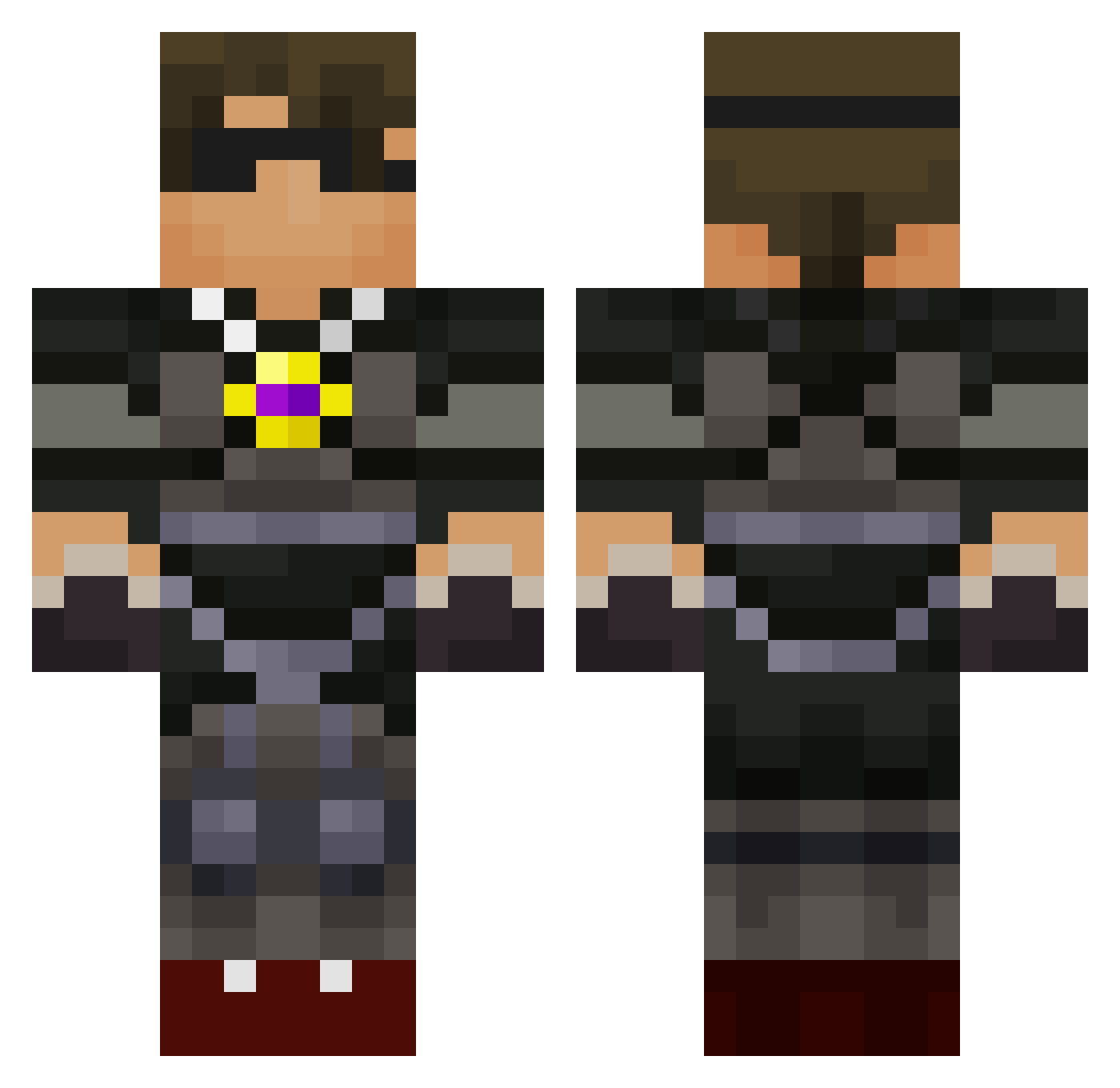
Current Minecraft skin of the player Maxdestroyer1230, loaded from the official Mojang API. Rotate the 3D model with your mouse or finger, then download the skin as a PNG file and use it in Minecraft: Bedrock Edition or Java Edition for free. When Maxdestroyer1230 changes their skin, this page updates automatically and the old skin stays in the history below.
Other players with this skin (589)
Maxdestroyer1230 was the 381st player we have seen with this skin, first spotted on 25.09.2026. The same skin was seen on these players. Open a nickname to see their current skin and skin history.
 Warriorkid168 kccoop skythekidmu Hockeyman234 joshp405 modshots jacobtmm uclanoah DigD0ug Hopper72 HappyJack04 EurockZa coolkidDOPE CorbinL matthewkick123 JakeWilliams50 SkyChris1 elliottmaxman SuperFozzy detrey123 grant12606 dmine765 VikingWarrior9 Chocolate_Panda9 SkyDoesMin3cr4ft ES1221 mcloving05 BNGbarnar Flash0402 BadBoy7985 carmine1221 aepanora Antrax701 AJRAWA 1Creepkiller Skythekidr06 DyeBoys2 bluebird107 way2kule SonicSull12 Fiona_Evans skylersteven PVP_Boss4 reidd90 mastercow123 RudiShire donnelly77 shirshutan LewisIsland MrJonRichard WanderingTiger Lordkiller96 2016creeper SSS57 N_Rasmussen SynHD19 jwdig Madmatt25 lnytune1 Parkey6
More Necklace Minecraft skins
How to install the Maxdestroyer1230 skin
- Press the Download button above to save the skin as a PNG file.
- Minecraft: Bedrock Edition (PE): open the Dressing Room from the main menu (or tap your character → Edit Character), go to Classic Skins → Owned, press the + (new skin) button, choose the downloaded PNG and pick the Classic (Steve) model. Works on PC and mobile; consoles cannot import custom skins.
- Minecraft: Java Edition: open the Minecraft Launcher, go to the Skins tab, click New Skin, load the PNG, pick the Classic (Steve) model and press Save & Use. You can also upload it at minecraft.net → Profile → Change Skin.
The skin does not show up after import - what should I do?
Restart Minecraft and open the Dressing Room again - imported skins sometimes appear only after a restart. Also make sure you selected the imported skin and picked the Classic (Steve) model.
Which model should I choose, Classic or Slim?
This skin is designed for the Classic (Steve) model. If you pick the wrong model, the arms of the skin will look stretched or squeezed.
Is the skin of Maxdestroyer1230 free to download?
Yes. Press Download, save the PNG file and use it in Minecraft: Bedrock Edition or Java Edition - no payment or registration needed. The skin also works on multiplayer servers and Realms.
More skins
Looking for more? Go back to all Minecraft skins and check the top skins of the week, month and all time, or find any player's skin by nickname.