
Matik123456 - Minecraft Skins & Skin History
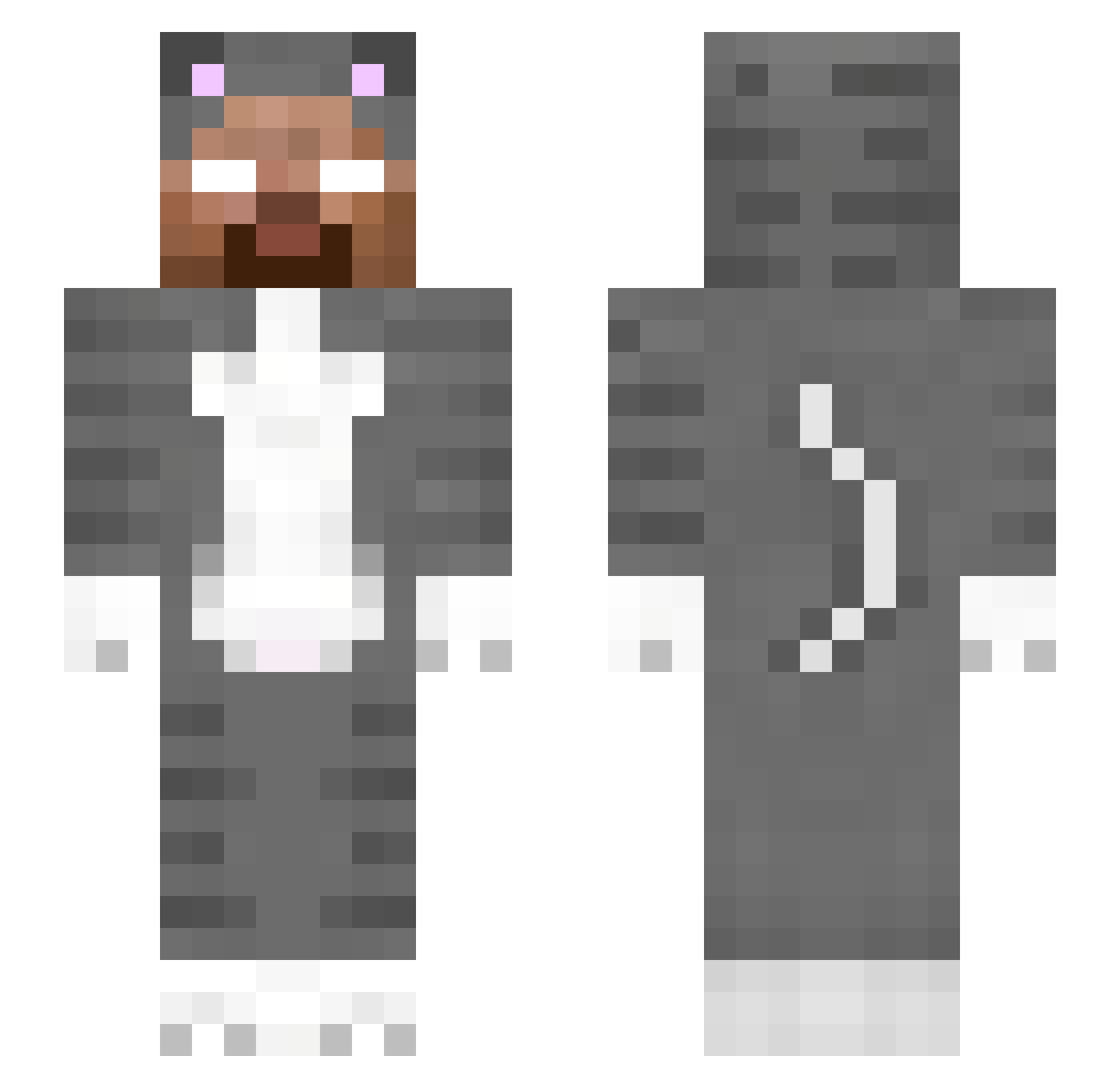
Current Minecraft skin of the player Matik123456, loaded from the official Mojang API. Rotate the 3D model with your mouse or finger, then download the skin as a PNG file and use it in Minecraft: Bedrock Edition or Java Edition for free. When Matik123456 changes their skin, this page updates automatically and the old skin stays in the history below.
Other players with this skin (250)
Matik123456 was the 108th player we have seen with this skin, first spotted on 08.09.2026. The same skin was seen on these players. Open a nickname to see their current skin and skin history.
 LordyyGT cookiepants355
 Janek070707 Bdqgy Suj28 falco6160 herobrine1__ Szwarcuv ilanaisthebest Kurumi_s_Pet denim12346 DaniLai2317 PL00MZY MrJohansson49 dungaxd MIOiscat DJzhang233 Antschul4K olivlia ilovela rowdypoopsthebed Javaheart MarqBruh vibezxmaddie Pheonix1032 TooMuchNostalgia ChampionofSpades vcxbbvcv Kflop redcherryjello RamenNoods82 Exoduz
 Halfpintspin11 wqewqeqwewqeqeq
 Alessandrox6 JKPSKLOL carnisine Haiohei DustyGroove GodCat099 MaiKyaKaru Entera Rheinee joaongp Pose_Pung
 FBM_Nugget thePTF25 Foooooodpanda ikiesfire zoiak p504e2 zGh9xST Guilindo4131 revitali SkyZZ___ TUBBSITA Emprazzs_ ToshaOne Shane60500 CovenantGrunts
More Herobrine Minecraft skins
How to install the Matik123456 skin
- Press the Download button above to save the skin as a PNG file.
- Minecraft: Bedrock Edition (PE): open the Dressing Room from the main menu (or tap your character → Edit Character), go to Classic Skins → Owned, press the + (new skin) button, choose the downloaded PNG and pick the Slim (Alex) model. Works on PC and mobile; consoles cannot import custom skins.
- Minecraft: Java Edition: open the Minecraft Launcher, go to the Skins tab, click New Skin, load the PNG, pick the Slim (Alex) model and press Save & Use. You can also upload it at minecraft.net → Profile → Change Skin.
The skin does not show up after import - what should I do?
Restart Minecraft and open the Dressing Room again - imported skins sometimes appear only after a restart. Also make sure you selected the imported skin and picked the Slim (Alex) model.
Which model should I choose, Classic or Slim?
This skin is designed for the Slim (Alex) model. If you pick the wrong model, the arms of the skin will look stretched or squeezed.
Is the skin of Matik123456 free to download?
Yes. Press Download, save the PNG file and use it in Minecraft: Bedrock Edition or Java Edition - no payment or registration needed. The skin also works on multiplayer servers and Realms.
More skins
Looking for more? Go back to all Minecraft skins and check the top skins of the week, month and all time, or find any player's skin by nickname.