
Mataki007 - Minecraft Skins & Skin History
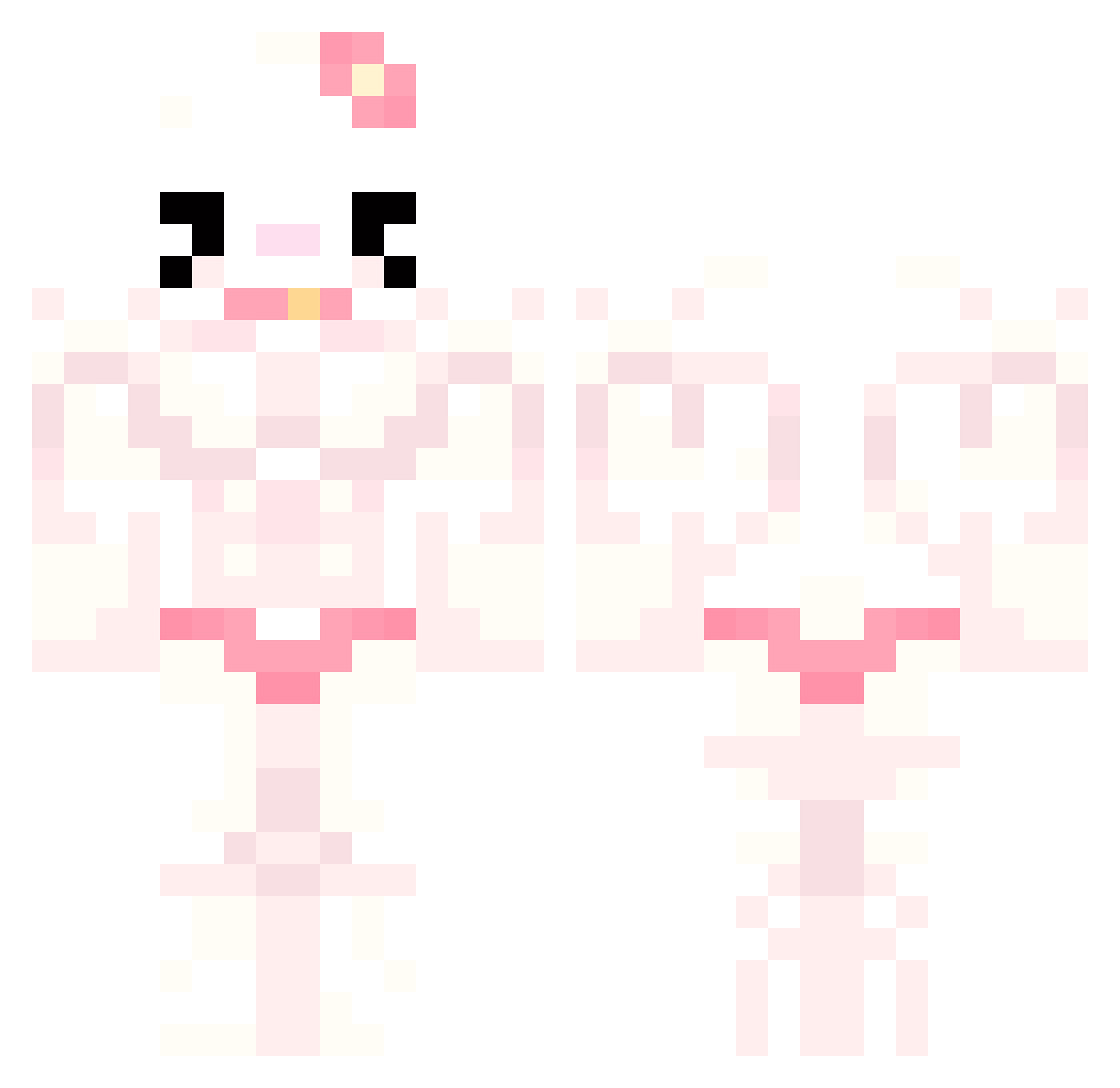
Current Minecraft skin of the player Mataki007, loaded from the official Mojang API. Rotate the 3D model with your mouse or finger, then download the skin as a PNG file and use it in Minecraft: Bedrock Edition or Java Edition for free. When Mataki007 changes their skin, this page updates automatically and the old skin stays in the history below.
Other players with this skin (777)
Mataki007 was the 258th player we have seen with this skin, first spotted on 31.08.2026. The same skin was seen on these players. Open a nickname to see their current skin and skin history.
 fairybee123 wjddms1304 Ms_Dookie calculator_ havana_hell BigBib2 SinochaaMNS _Sephire_ H4nnahw RAMJI0 Ipercarbon13 Lucy3068 phatbacc69 Epicprospiderboy aithles LapiiiN nearq8 qweriya1 Cargicha babyboysinochaa ThzAbreu EDUARDOVIDRIO nanettte JOEUNMI 216_m isaa02 RottenTurtle fxnn7658 inozth_ magiquesysteme luke_jacquier safasdfasdf Raptorito Claudiaxxd VietSubsAreYummy duchessss7 Luc0_0 uiBeck aur0ree Haribo_Jun lizaay hihera CorgiMelek kogwei sosillykitty hanaplay haminimi elaf_ EpicPaulyp mellanoche Neymar16 FengMeii Ariadna1234 Nico72_ GOTYGhostfn michaelawalsh elmaco76 H20WoodenHoe SorryIHaveNoName GaripAdam12
More Hello Kitty Minecraft skins
How to install the Mataki007 skin
- Press the Download button above to save the skin as a PNG file.
- Minecraft: Bedrock Edition (PE): open the Dressing Room from the main menu (or tap your character → Edit Character), go to Classic Skins → Owned, press the + (new skin) button, choose the downloaded PNG and pick the Classic (Steve) model. Works on PC and mobile; consoles cannot import custom skins.
- Minecraft: Java Edition: open the Minecraft Launcher, go to the Skins tab, click New Skin, load the PNG, pick the Classic (Steve) model and press Save & Use. You can also upload it at minecraft.net → Profile → Change Skin.
The skin does not show up after import - what should I do?
Restart Minecraft and open the Dressing Room again - imported skins sometimes appear only after a restart. Also make sure you selected the imported skin and picked the Classic (Steve) model.
Which model should I choose, Classic or Slim?
This skin is designed for the Classic (Steve) model. If you pick the wrong model, the arms of the skin will look stretched or squeezed.
Is the skin of Mataki007 free to download?
Yes. Press Download, save the PNG file and use it in Minecraft: Bedrock Edition or Java Edition - no payment or registration needed. The skin also works on multiplayer servers and Realms.
More skins
Looking for more? Go back to all Minecraft skins and check the top skins of the week, month and all time, or find any player's skin by nickname.