
Marszeria - Minecraft Skins & Skin History
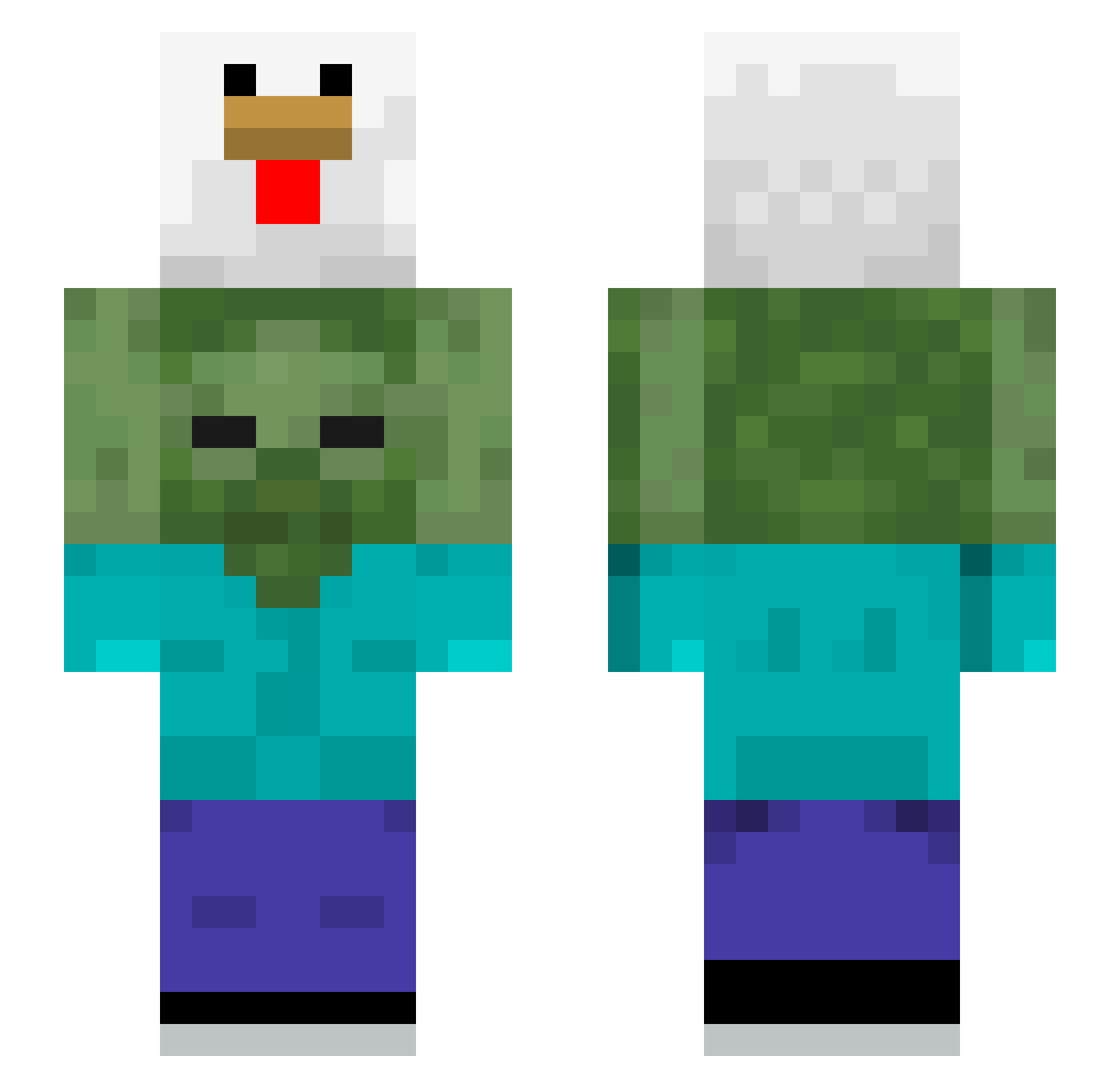
Current Minecraft skin of the player Marszeria, loaded from the official Mojang API. Rotate the 3D model with your mouse or finger, then download the skin as a PNG file and use it in Minecraft: Bedrock Edition or Java Edition for free. When Marszeria changes their skin, this page updates automatically and the old skin stays in the history below.
Other players with this skin (510)
Marszeria was the 183rd player we have seen with this skin, first spotted on 05.09.2026. The same skin was seen on these players. Open a nickname to see their current skin and skin history.
 purgue geony0i Iamgoodre
 Bdog5134 ThatFlipFlopGuy Afskhar sung_bae seob12 wondonghai DeadlyDogg hu_niii Fl_lckUMicrosoft Nothing_Bad 912toro brazzzy_ xABIBIx Miemtuch kobe98 Mobeom VulgoPredador sianmasterTV atonmic nome_top chans0407 mc23zandvliet Nat_Jumper69 RUNName Uprise225 LrNee Apensnitzel Beams357 JabberwockJh police0604 yinzen0 Doudou_Barbaro porra_nehuma FloppishFishy pr0oplayer SEJI1101 biscked Kermiteee zapco7 daluz2 Fyzli DerpySano PiewPayLack Daniel_Miclos 0979k0 Luqui59750 jman1406 robsom964 Ge0rge03 Funkeeeuuuuuurr jw1028 CuriousGamerrr kchrist24 AlloBasssem Fak3o OglumKalkCayGeti lovedalju
More Chicken Minecraft skins
How to install the Marszeria skin
- Press the Download button above to save the skin as a PNG file.
- Minecraft: Bedrock Edition (PE): open the Dressing Room from the main menu (or tap your character → Edit Character), go to Classic Skins → Owned, press the + (new skin) button, choose the downloaded PNG and pick the Slim (Alex) model. Works on PC and mobile; consoles cannot import custom skins.
- Minecraft: Java Edition: open the Minecraft Launcher, go to the Skins tab, click New Skin, load the PNG, pick the Slim (Alex) model and press Save & Use. You can also upload it at minecraft.net → Profile → Change Skin.
The skin does not show up after import - what should I do?
Restart Minecraft and open the Dressing Room again - imported skins sometimes appear only after a restart. Also make sure you selected the imported skin and picked the Slim (Alex) model.
Which model should I choose, Classic or Slim?
This skin is designed for the Slim (Alex) model. If you pick the wrong model, the arms of the skin will look stretched or squeezed.
Is the skin of Marszeria free to download?
Yes. Press Download, save the PNG file and use it in Minecraft: Bedrock Edition or Java Edition - no payment or registration needed. The skin also works on multiplayer servers and Realms.
More skins
Looking for more? Go back to all Minecraft skins and check the top skins of the week, month and all time, or find any player's skin by nickname.