
MarliG10 - Minecraft Skins & Skin History
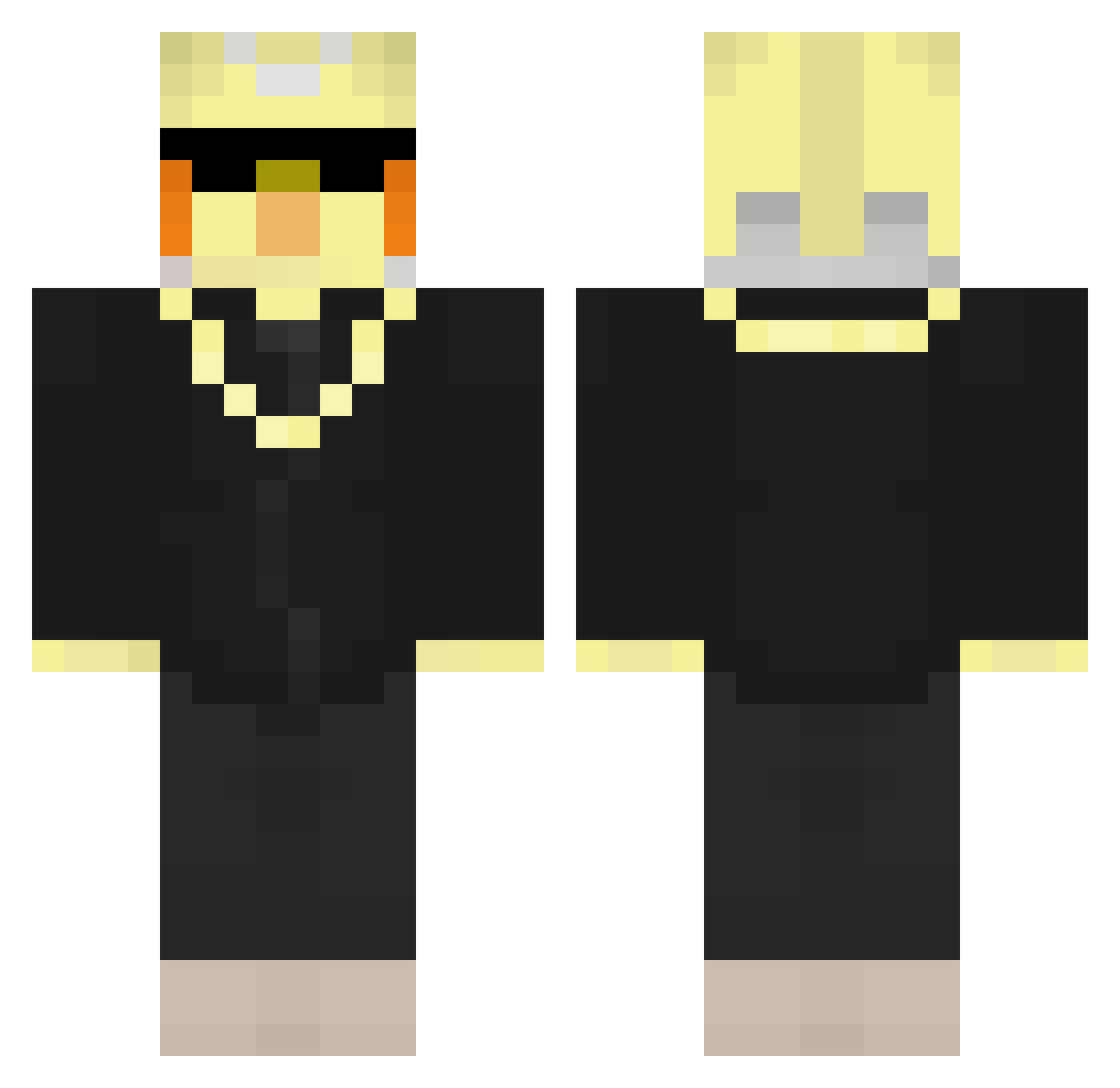
Current Minecraft skin of the player MarliG10, loaded from the official Mojang API. Rotate the 3D model with your mouse or finger, then download the skin as a PNG file and use it in Minecraft: Bedrock Edition or Java Edition for free. When MarliG10 changes their skin, this page updates automatically and the old skin stays in the history below.
Other players with this skin (207)
MarliG10 was the 108th player we have seen with this skin, first spotted on 12.09.2026. The same skin was seen on these players. Open a nickname to see their current skin and skin history.
 EarthTurtle113 cartzy07 Harryharrrrrrrry thobaldthebird SGLowestPing milahvr jord_412 theoxdthetheo NeatKetchup9563 IpadKidd101 omap203 Ao_Ashi Ikomhoog Harulash IcyMental zzDarkLofzz BlakebaldTheBird Fafagoo Lizarazux CongoX2 PaulWurms Hvidvaskning NotStiger ailleeeu
 mmuo lD4rkN3ss Peetu_pelaa666 BypassCoach bwery
 Gliching42 Lettucepuff theobalddabird SweetSeph Leshaun22 Mzr46
 DRShadow1507 not_founder Ethanmc120 PlazmaDrone TimV100 dreamy_bull225 Crathon DreamerKing957 jBmonEY1123 Gxstav0s7 widebutwhole
 luna_ping Legendidor Benjagoman Krzysztof2643 HakuDoTridente Ysgamer95 gen_freecs Halo1034
 fxyfoxy JasonbaldTheBird yeetmaster674 CubitOn MrMuovipullo LeonardoRTF
Previous skins of MarliG10
Skins that MarliG10 wore before, newest first. Click a skin to open its page and download it.
More Bird Minecraft skins
How to install the MarliG10 skin
- Press the Download button above to save the skin as a PNG file.
- Minecraft: Bedrock Edition (PE): open the Dressing Room from the main menu (or tap your character → Edit Character), go to Classic Skins → Owned, press the + (new skin) button, choose the downloaded PNG and pick the Classic (Steve) model. Works on PC and mobile; consoles cannot import custom skins.
- Minecraft: Java Edition: open the Minecraft Launcher, go to the Skins tab, click New Skin, load the PNG, pick the Classic (Steve) model and press Save & Use. You can also upload it at minecraft.net → Profile → Change Skin.
The skin does not show up after import - what should I do?
Restart Minecraft and open the Dressing Room again - imported skins sometimes appear only after a restart. Also make sure you selected the imported skin and picked the Classic (Steve) model.
Which model should I choose, Classic or Slim?
This skin is designed for the Classic (Steve) model. If you pick the wrong model, the arms of the skin will look stretched or squeezed.
Is the skin of MarliG10 free to download?
Yes. Press Download, save the PNG file and use it in Minecraft: Bedrock Edition or Java Edition - no payment or registration needed. The skin also works on multiplayer servers and Realms.
More skins
Looking for more? Go back to all Minecraft skins and check the top skins of the week, month and all time, or find any player's skin by nickname.