
Malzivomoachberg - Minecraft Skins & Skin History
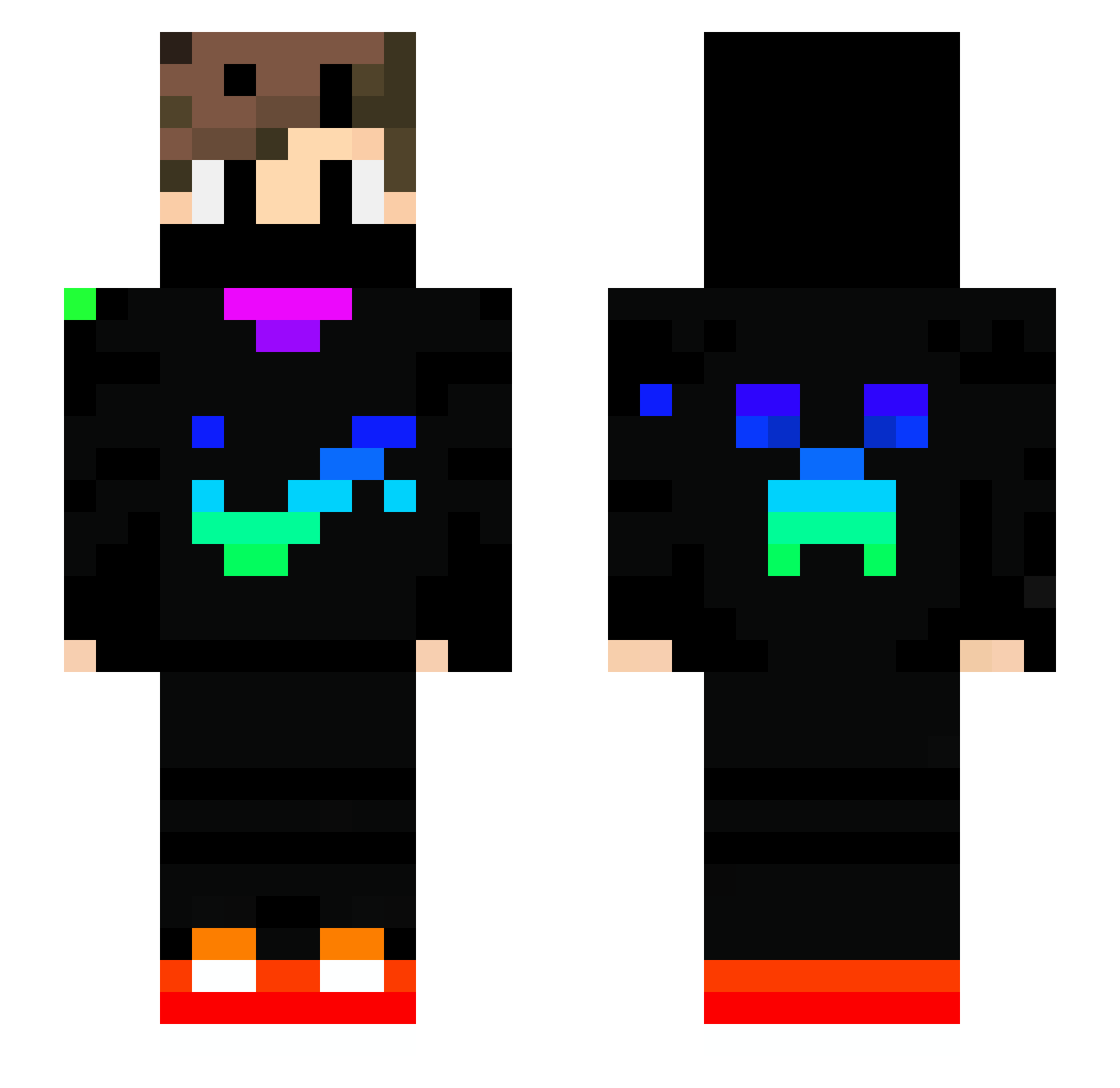
Current Minecraft skin of the player Malzivomoachberg, loaded from the official Mojang API. Rotate the 3D model with your mouse or finger, then download the skin as a PNG file and use it in Minecraft: Bedrock Edition or Java Edition for free. When Malzivomoachberg changes their skin, this page updates automatically and the old skin stays in the history below.
Other players with this skin (739)
Malzivomoachberg was the 146th player we have seen with this skin, first spotted on 14.08.2026. The same skin was seen on these players. Open a nickname to see their current skin and skin history.
 Arda_A2 Paco_Tous007 Sajmon576 xDraaKO
 ninjamann1 fr0sty3009 Gwappa skizy___ thomasduck2007 Dima7613 KeviBot norokaji Juncky_Style m_a_x007_ TicoDragon311 ByBrunoo kryptoniteclark neunauge008 Rafaelgame12366 RRGGBB Mmoullle mrDoubys TristanJohann emirkaya1905 akeremertas Jason1y5 AlexandreRUSH
 Monkeyljs DweebFishy javerikr Brhay wlkena n_l_16 OliveVerte403 Robertdias SamuTop12 myszakysz123 InSeRt_C Raphhh___ TAMSUS Pfannekuchen666 fynn1243 Mrkickdown DJ_Party1000 ichigoyama Geburtstag9480
 croissantxtx IBUKING_bb Flitzi250 Krassjj AK47974 PrOAndi SLX11 MarcosGamerPlays NiciBlueEye Cluterington NoobWeedy Diobiesel1303 Matyinko_HUN RLzzzn11
More Creeper Minecraft skins
How to install the Malzivomoachberg skin
- Press the Download button above to save the skin as a PNG file.
- Minecraft: Bedrock Edition (PE): open the Dressing Room from the main menu (or tap your character → Edit Character), go to Classic Skins → Owned, press the + (new skin) button, choose the downloaded PNG and pick the Slim (Alex) model. Works on PC and mobile; consoles cannot import custom skins.
- Minecraft: Java Edition: open the Minecraft Launcher, go to the Skins tab, click New Skin, load the PNG, pick the Slim (Alex) model and press Save & Use. You can also upload it at minecraft.net → Profile → Change Skin.
The skin does not show up after import - what should I do?
Restart Minecraft and open the Dressing Room again - imported skins sometimes appear only after a restart. Also make sure you selected the imported skin and picked the Slim (Alex) model.
Which model should I choose, Classic or Slim?
This skin is designed for the Slim (Alex) model. If you pick the wrong model, the arms of the skin will look stretched or squeezed.
Is the skin of Malzivomoachberg free to download?
Yes. Press Download, save the PNG file and use it in Minecraft: Bedrock Edition or Java Edition - no payment or registration needed. The skin also works on multiplayer servers and Realms.
More skins
Looking for more? Go back to all Minecraft skins and check the top skins of the week, month and all time, or find any player's skin by nickname.