
MagoShelby - Minecraft Skins & Skin History
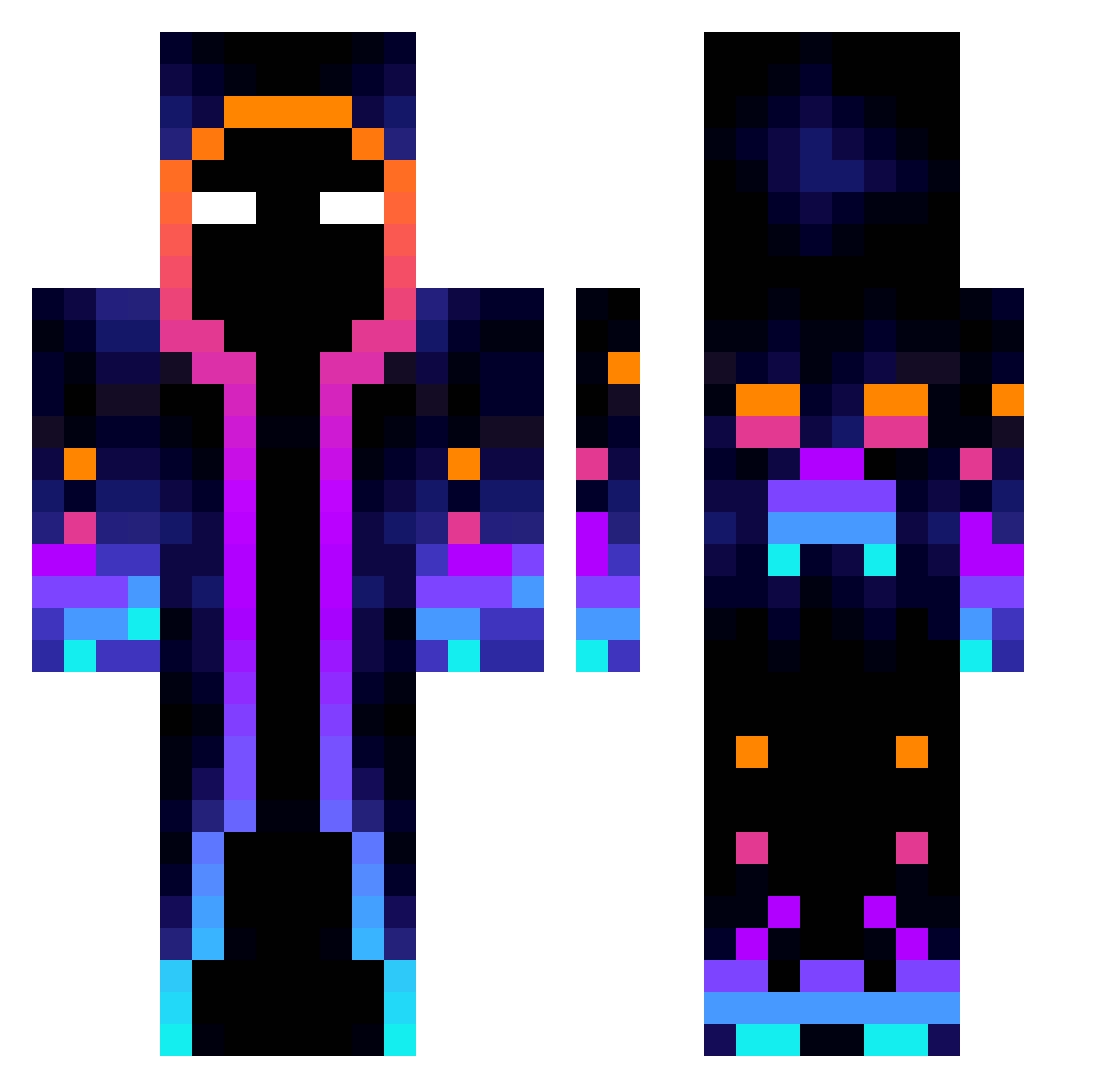
Current Minecraft skin of the player MagoShelby, loaded from the official Mojang API. Rotate the 3D model with your mouse or finger, then download the skin as a PNG file and use it in Minecraft: Bedrock Edition or Java Edition for free. When MagoShelby changes their skin, this page updates automatically and the old skin stays in the history below.
Other players with this skin (824)
MagoShelby was the 434th player we have seen with this skin, first spotted on 26.09.2026. The same skin was seen on these players. Open a nickname to see their current skin and skin history.
 Lacoolique FastBH AffeWaff3 wwddssjj noavalt DarkSouth_10 NateLucario cham1cham ThisBrake893406 Kiririn_chan REDBIGBIRD SijiWork lhwdps Cataclyn TiTlE_SAMA X1nQi yaatunaa MIGUEL_B2011 HannonGT SdfShadow SeleZeytini MrBojang Ellpot27 Boostergta dnlemd komqqqqqq Alex5XX Erick2525 BrotRolle camobaby AtsukoMiyuki HappySnekWitHat amayo152 Torigum RubinTropf98963 sheep4200 eyalavnery yop0 RFenix0220 RBvodka Popik35 WAELIES BiG_FeNt Dragonyt27 tygajason Bandersn4tch SoanCallen nono_1er Bandino1070 SoyDavid23 SoLo_Universe Rjia7 Papasage69 jhkjhj PurpleVoltage11 Sinde530 Crawfoas123 MrHiggs1 MrHuang_TW Nobbyyz
More Galaxy Minecraft skins
How to install the MagoShelby skin
- Press the Download button above to save the skin as a PNG file.
- Minecraft: Bedrock Edition (PE): open the Dressing Room from the main menu (or tap your character → Edit Character), go to Classic Skins → Owned, press the + (new skin) button, choose the downloaded PNG and pick the Classic (Steve) model. Works on PC and mobile; consoles cannot import custom skins.
- Minecraft: Java Edition: open the Minecraft Launcher, go to the Skins tab, click New Skin, load the PNG, pick the Classic (Steve) model and press Save & Use. You can also upload it at minecraft.net → Profile → Change Skin.
The skin does not show up after import - what should I do?
Restart Minecraft and open the Dressing Room again - imported skins sometimes appear only after a restart. Also make sure you selected the imported skin and picked the Classic (Steve) model.
Which model should I choose, Classic or Slim?
This skin is designed for the Classic (Steve) model. If you pick the wrong model, the arms of the skin will look stretched or squeezed.
Is the skin of MagoShelby free to download?
Yes. Press Download, save the PNG file and use it in Minecraft: Bedrock Edition or Java Edition - no payment or registration needed. The skin also works on multiplayer servers and Realms.
More skins
Looking for more? Go back to all Minecraft skins and check the top skins of the week, month and all time, or find any player's skin by nickname.