
Maggy7199 - Minecraft Skins & Skin History
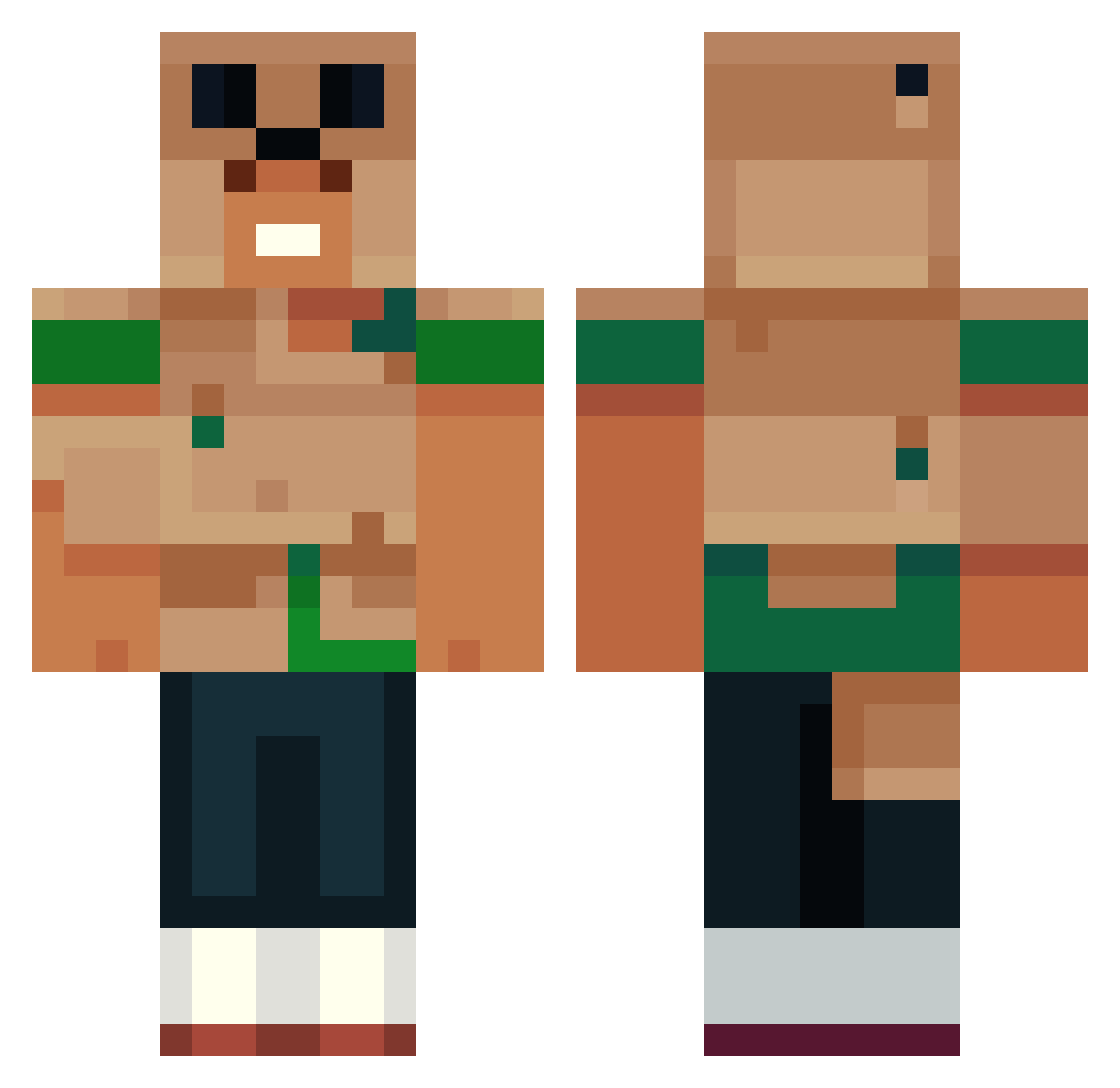
Current Minecraft skin of the player Maggy7199, loaded from the official Mojang API. Rotate the 3D model with your mouse or finger, then download the skin as a PNG file and use it in Minecraft: Bedrock Edition or Java Edition for free. When Maggy7199 changes their skin, this page updates automatically and the old skin stays in the history below.
Other players with this skin (448)
Maggy7199 was the 39th player we have seen with this skin, first spotted on 31.07.2026. The same skin was seen on these players. Open a nickname to see their current skin and skin history.
 Boyzer15 Tsuk06 DumplinEater PretendWizard TheOrphanStomper
 Rio20160 Willynho24 Lxwspuce ConduitLover Mydogsrich1
 kilomravki Mattkin_Wndrbut Devil1809 Borrichh DeathBear001 RAMNO5 TheOneAsian ParroEscobar molocks slayinPaul FritzlerWitzler PLP_2014 Myles129 xoaxoa VanDeFuga Drunkenmedic Frogman001 Rappelz0
 YajatKaul Je_Ti waraxxe dhdhdh1231231231 P3T3M4N oguzozshn YoiKitsune
 Najojar
 i8melons ErenJeager36 HGM_NoProDZ aloushi151 OincoincBoy KIROOOOOOOOOOOO AceArkell Himoryia ryneeds Elri1337 Bl4ckBolt thatmexican13
 oooomer seabass2345 Banchit0 DLIVE64 MCLaggin1164 DillyDabbin lucky070705 Odenathus1337 FindSomeoneNow 3AEME Koalaboi305 muhammed5834
More Animal Minecraft skins
How to install the Maggy7199 skin
- Press the Download button above to save the skin as a PNG file.
- Minecraft: Bedrock Edition (PE): open the Dressing Room from the main menu (or tap your character → Edit Character), go to Classic Skins → Owned, press the + (new skin) button, choose the downloaded PNG and pick the Classic (Steve) model. Works on PC and mobile; consoles cannot import custom skins.
- Minecraft: Java Edition: open the Minecraft Launcher, go to the Skins tab, click New Skin, load the PNG, pick the Classic (Steve) model and press Save & Use. You can also upload it at minecraft.net → Profile → Change Skin.
The skin does not show up after import - what should I do?
Restart Minecraft and open the Dressing Room again - imported skins sometimes appear only after a restart. Also make sure you selected the imported skin and picked the Classic (Steve) model.
Which model should I choose, Classic or Slim?
This skin is designed for the Classic (Steve) model. If you pick the wrong model, the arms of the skin will look stretched or squeezed.
Is the skin of Maggy7199 free to download?
Yes. Press Download, save the PNG file and use it in Minecraft: Bedrock Edition or Java Edition - no payment or registration needed. The skin also works on multiplayer servers and Realms.
More skins
Looking for more? Go back to all Minecraft skins and check the top skins of the week, month and all time, or find any player's skin by nickname.