
Mafia1860 - Minecraft Skins & Skin History
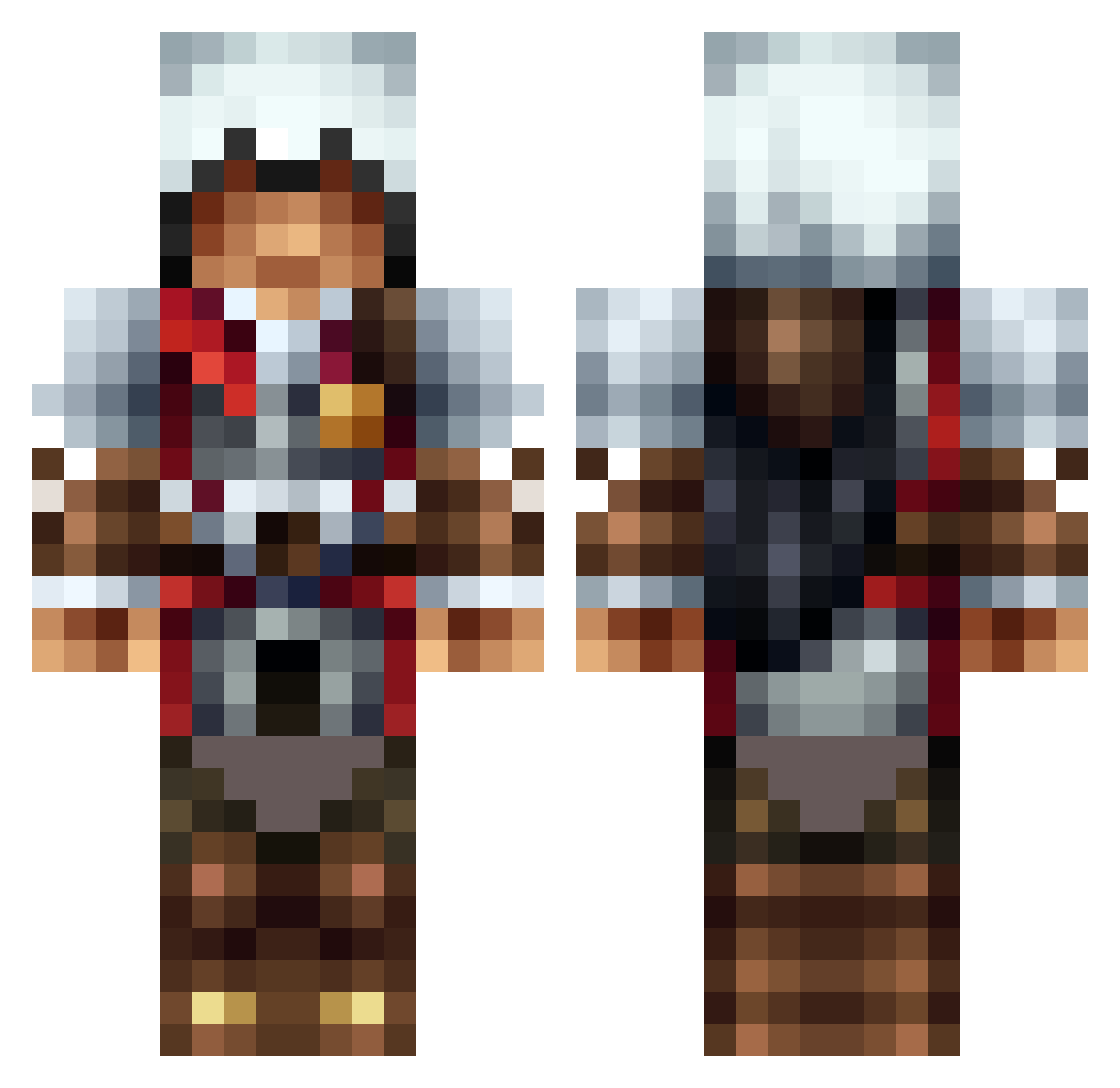
Current Minecraft skin of the player Mafia1860, loaded from the official Mojang API. Rotate the 3D model with your mouse or finger, then download the skin as a PNG file and use it in Minecraft: Bedrock Edition or Java Edition for free. When Mafia1860 changes their skin, this page updates automatically and the old skin stays in the history below.
Other players with this skin (1316)
Mafia1860 was the 590th player we have seen with this skin, first spotted on 16.09.2026. The same skin was seen on these players. Open a nickname to see their current skin and skin history.
 JingTing101 Caesar1214 bigchasetm Suncyaam parlise Frentik 544149 Miscarly arsenalcorp Ducko1103 jFreezey hammerstabs CTYoungblood CableWolf SuperHappyHippos Wingofzero91 Viper4840 ParanoiaOrigins jshadow14 babossa2000 Jordan_comer goalman60 Asuko nicolaibm LyBic HDForceHD Razbit Selathoi DarkShadowKing42 Hairymonster981 La_cuenta ILLicitdesigns catfood123 oggeFISK Lo_Nerr Blootooth95 SecretScar Davenport12505 Mr_P1bb ScarletRift SOMERANDOMGUY2 Moulders KillCreepers182 TomtenOscar bobsta90 BlackCommandoXI Topgun4466 CR3AT0R_ matenal IcExLynchie10 Tom_Da_Bomb2978 HitxManx xXSlickXx00 byssel94 Etzel_E ventilateurs mcnultybeast6 victor4victory MrB0mp BigSchwag
More Altair Minecraft skins
How to install the Mafia1860 skin
- Press the Download button above to save the skin as a PNG file.
- Minecraft: Bedrock Edition (PE): open the Dressing Room from the main menu (or tap your character → Edit Character), go to Classic Skins → Owned, press the + (new skin) button, choose the downloaded PNG and pick the Classic (Steve) model. Works on PC and mobile; consoles cannot import custom skins.
- Minecraft: Java Edition: open the Minecraft Launcher, go to the Skins tab, click New Skin, load the PNG, pick the Classic (Steve) model and press Save & Use. You can also upload it at minecraft.net → Profile → Change Skin.
The skin does not show up after import - what should I do?
Restart Minecraft and open the Dressing Room again - imported skins sometimes appear only after a restart. Also make sure you selected the imported skin and picked the Classic (Steve) model.
Which model should I choose, Classic or Slim?
This skin is designed for the Classic (Steve) model. If you pick the wrong model, the arms of the skin will look stretched or squeezed.
Is the skin of Mafia1860 free to download?
Yes. Press Download, save the PNG file and use it in Minecraft: Bedrock Edition or Java Edition - no payment or registration needed. The skin also works on multiplayer servers and Realms.
More skins
Looking for more? Go back to all Minecraft skins and check the top skins of the week, month and all time, or find any player's skin by nickname.