
Maclover101 - Minecraft Skins & Skin History
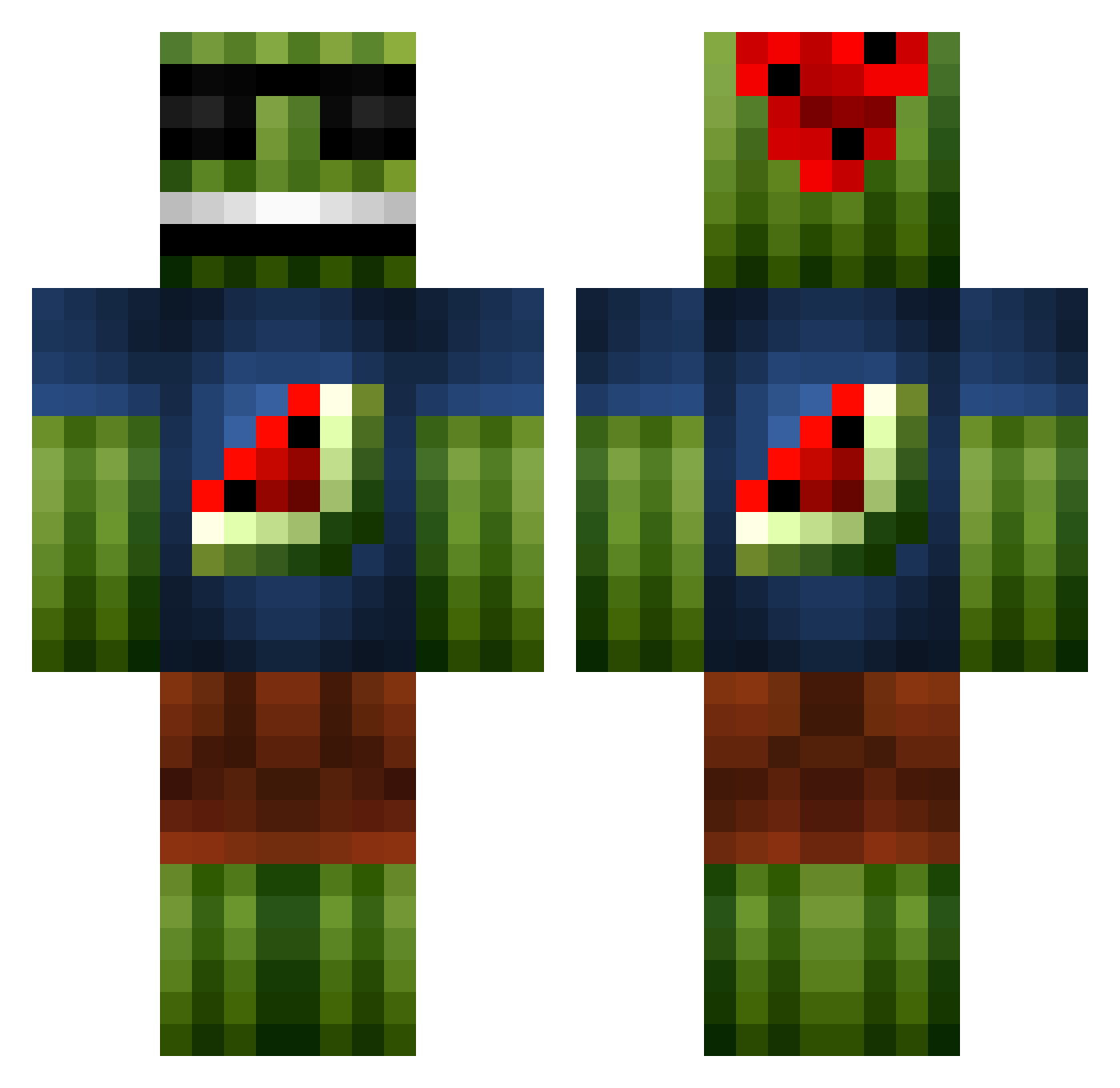
Current Minecraft skin of the player Maclover101, loaded from the official Mojang API. Rotate the 3D model with your mouse or finger, then download the skin as a PNG file and use it in Minecraft: Bedrock Edition or Java Edition for free. When Maclover101 changes their skin, this page updates automatically and the old skin stays in the history below.
Other players with this skin (1101)
Maclover101 was the 87th player we have seen with this skin, first spotted on 01.08.2026. The same skin was seen on these players. Open a nickname to see their current skin and skin history.
 patfan99 hen6767 soli470 connorchilds6 CaptainSquishy8 MortenEA Bizzers mini_viking2 ohhVarial Madshansen708 N0cK0uT XxPandaBoY4x LeftToFall Robin123910 EwanSmithERC Jihad_Joe911 Therenote tobyezz11 Thecheater00 Tamilboys magnuzOo _CAMP1NG7ROLL_ Gatekeeper0830 Hancraft04 cyborg8797 carlossniper12 RioWolf14 Bolrick SillyPat aoem awsomephyco789 Twitchy2891 jonahpickle Charlie078 limecorp JustEasy69 frost1991 NoteColdIce ReToX94 Jayce005 alfaabc Xylykyas Terry_Beefington yUnoSMD Super_Wart XminTheG TJDTJD lukie088 Miny14
 pro4gam3r99 vzskiraly dounut05 PJH12 NIGEL6666 deadlock2008 miksuha GabeMarshall XxyoshislayerxX wat3rmelon5 Swish03
More Watermelon Minecraft skins
How to install the Maclover101 skin
- Press the Download button above to save the skin as a PNG file.
- Minecraft: Bedrock Edition (PE): open the Dressing Room from the main menu (or tap your character → Edit Character), go to Classic Skins → Owned, press the + (new skin) button, choose the downloaded PNG and pick the Classic (Steve) model. Works on PC and mobile; consoles cannot import custom skins.
- Minecraft: Java Edition: open the Minecraft Launcher, go to the Skins tab, click New Skin, load the PNG, pick the Classic (Steve) model and press Save & Use. You can also upload it at minecraft.net → Profile → Change Skin.
The skin does not show up after import - what should I do?
Restart Minecraft and open the Dressing Room again - imported skins sometimes appear only after a restart. Also make sure you selected the imported skin and picked the Classic (Steve) model.
Which model should I choose, Classic or Slim?
This skin is designed for the Classic (Steve) model. If you pick the wrong model, the arms of the skin will look stretched or squeezed.
Is the skin of Maclover101 free to download?
Yes. Press Download, save the PNG file and use it in Minecraft: Bedrock Edition or Java Edition - no payment or registration needed. The skin also works on multiplayer servers and Realms.
More skins
Looking for more? Go back to all Minecraft skins and check the top skins of the week, month and all time, or find any player's skin by nickname.