
MZu271 - Minecraft Skins & Skin History
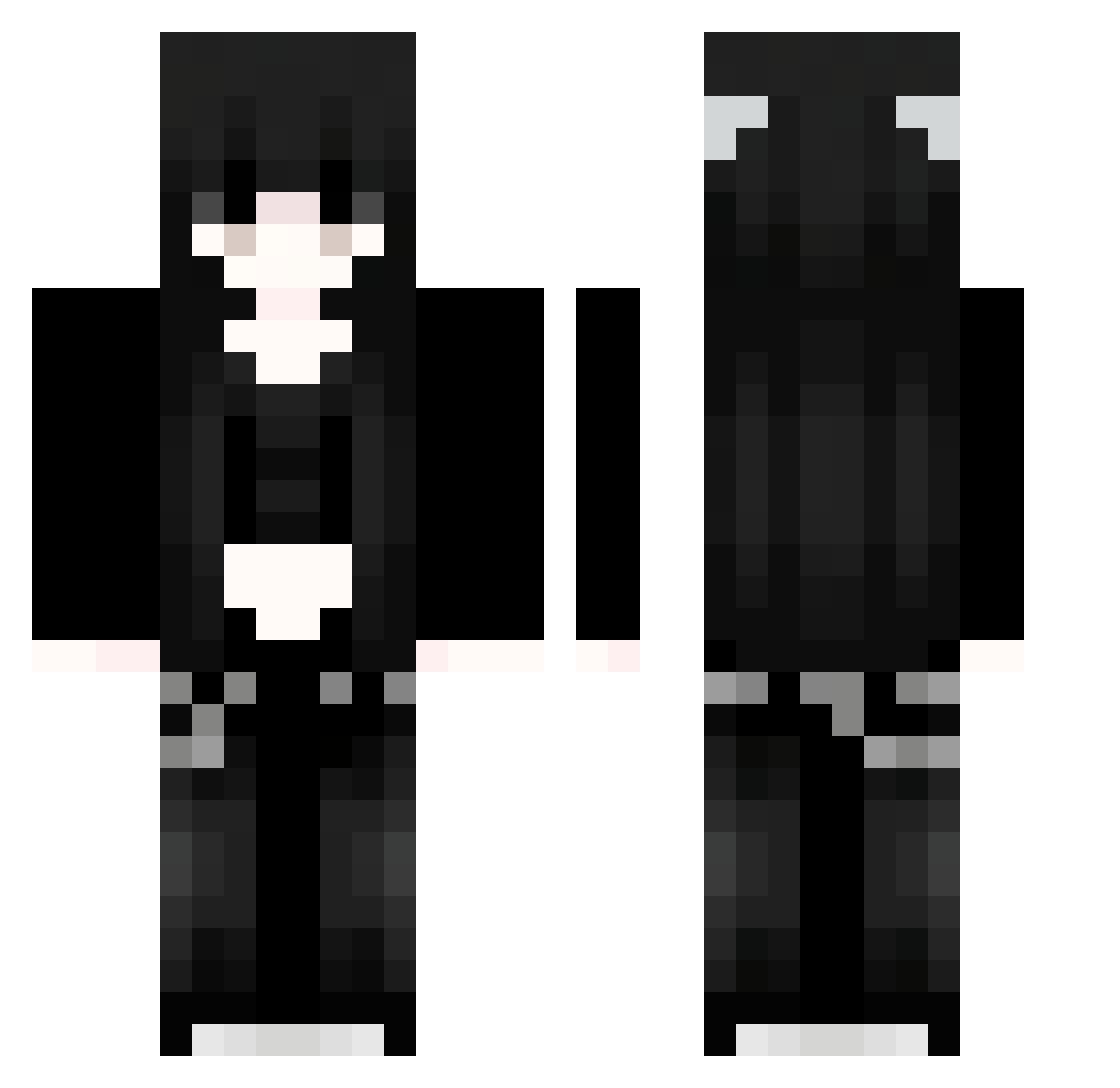
Current Minecraft skin of the player MZu271, loaded from the official Mojang API. Rotate the 3D model with your mouse or finger, then download the skin as a PNG file and use it in Minecraft: Bedrock Edition or Java Edition for free. When MZu271 changes their skin, this page updates automatically and the old skin stays in the history below.
Other players with this skin (1126)
MZu271 was the 581st player we have seen with this skin, first spotted on 25.09.2026. The same skin was seen on these players. Open a nickname to see their current skin and skin history.
 yKb423 RAZZLE____DAZZLE RTSSkY18 Sakura_dlYYSh713 jadziak YoD318 mKF678 xSj463 TobyCheng24 UMm884 rHf326 MlM750 ZAbUimaNxXCkX913 GRT276 mmg746 Sakura_cNbeTK859 lIS735 HdB177 PYP955 cQq102 Jhu503 pFGfDPvlAJZUb672 Xdn515 ehv423 JUd444 hcF413 XWA991 eHo406 pEi367 OBi661 WOm192 Sakura_FYdkHx659 SwaggyRogers413 mlH546 PcL514 BpR865 Temorey iUl342 IHy617 91_crLauKohvY174 FwH342 HIh882 killah_bunnie GdR685 hgZ447 qjB601 91_nkLyqiQQab239 akzw0123 DTe545 BBi565 pHJ303 vSn399 91_GKfQBQfhWj605 xzj818 91_fGHMVyUShP800 Sakura_spOfQx217 91_nETDWAASRu460 YlZ446 GHp910 Ahk552
More Emo Minecraft skins
How to install the MZu271 skin
- Press the Download button above to save the skin as a PNG file.
- Minecraft: Bedrock Edition (PE): open the Dressing Room from the main menu (or tap your character → Edit Character), go to Classic Skins → Owned, press the + (new skin) button, choose the downloaded PNG and pick the Classic (Steve) model. Works on PC and mobile; consoles cannot import custom skins.
- Minecraft: Java Edition: open the Minecraft Launcher, go to the Skins tab, click New Skin, load the PNG, pick the Classic (Steve) model and press Save & Use. You can also upload it at minecraft.net → Profile → Change Skin.
The skin does not show up after import - what should I do?
Restart Minecraft and open the Dressing Room again - imported skins sometimes appear only after a restart. Also make sure you selected the imported skin and picked the Classic (Steve) model.
Which model should I choose, Classic or Slim?
This skin is designed for the Classic (Steve) model. If you pick the wrong model, the arms of the skin will look stretched or squeezed.
Is the skin of MZu271 free to download?
Yes. Press Download, save the PNG file and use it in Minecraft: Bedrock Edition or Java Edition - no payment or registration needed. The skin also works on multiplayer servers and Realms.
More skins
Looking for more? Go back to all Minecraft skins and check the top skins of the week, month and all time, or find any player's skin by nickname.