
MRrige - Minecraft Skins & Skin History
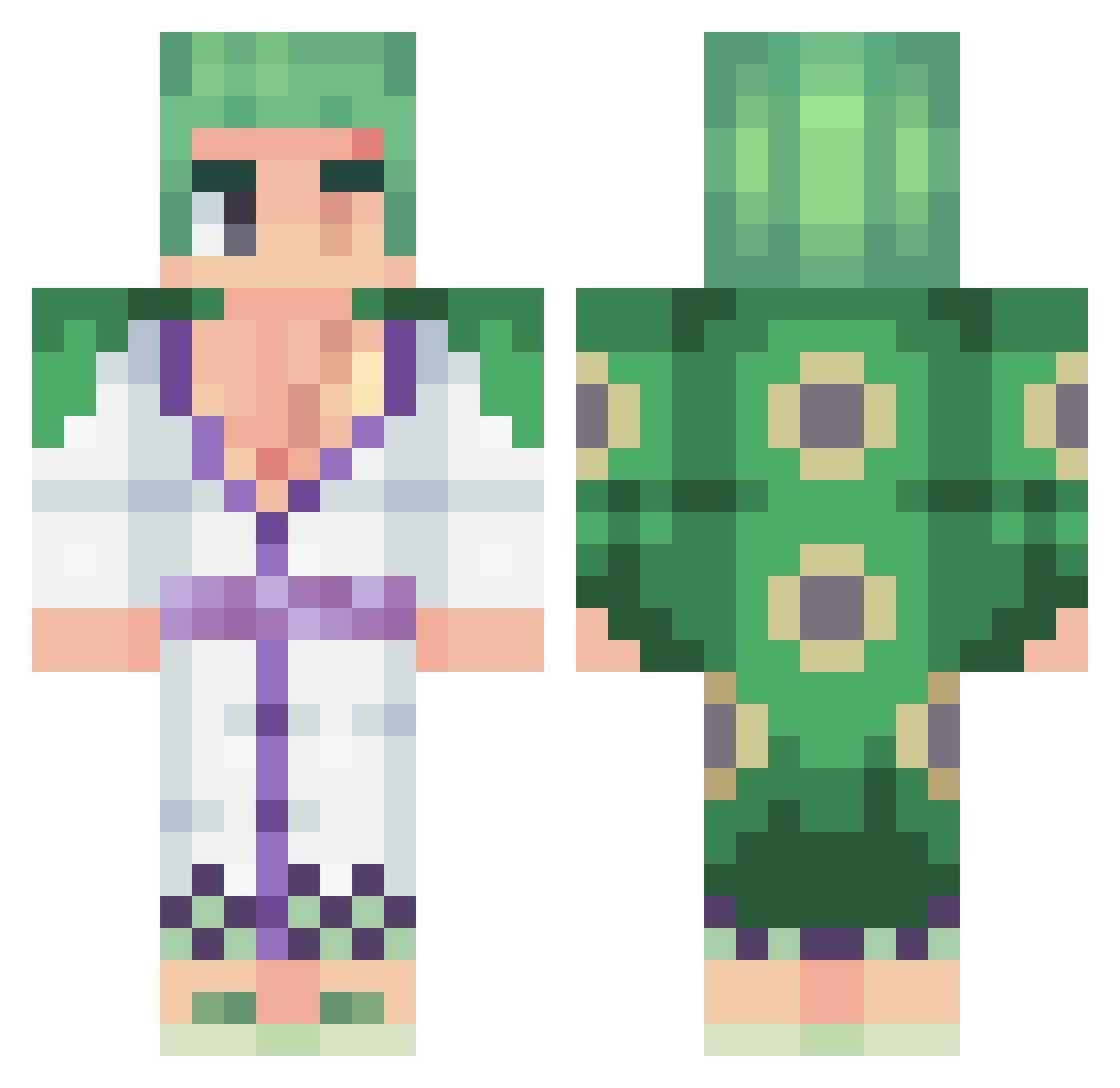
Current Minecraft skin of the player MRrige, loaded from the official Mojang API. Rotate the 3D model with your mouse or finger, then download the skin as a PNG file and use it in Minecraft: Bedrock Edition or Java Edition for free. When MRrige changes their skin, this page updates automatically and the old skin stays in the history below.
Other players with this skin (449)
MRrige was the 321st player we have seen with this skin, first spotted on 09.10.2026. The same skin was seen on these players. Open a nickname to see their current skin and skin history.
 _shinmen_takezo_ Dapaferr sharpsh00ter950 Technotaku8 _Furyyy_ sellersd techno_7813 Formosa268 ChidoriiGaming lulu5064 ItIsMeJerry Clederoxx squa1623 Brakinha le_bakari LeSpectre PortgasDRayDeN KCarsizzle Chanks023 toingg ValeBoss recsayd Boly_Le_Vrai UmutRock Kaneykh qDiaBloX Paatrikee Malinqui SirLandLubba Yagu1n zoro_88 Texugosz Madara_ZK Weex0 theo_hrb TodoMomo2 Baldrok BlackSheet panconqueso6380 Shad0w08150 Mielemilos RayzerDEnzel TrueSandwichBoy ByMestral Jhonatan_Hope Klemeko Whitey304 hobbinaero GabrielRepetto FELIPEYTYT xenopid Punisher_D TrulyCheezy OwN_Zoro seabassalex ClowToundra105 Paul200810 santi41511 TheIceee NutXtiz
More Roronoa Zoro Minecraft skins
See all 335 Roronoa Zoro skins
How to install the MRrige skin
- Press the Download button above to save the skin as a PNG file.
- Minecraft: Bedrock Edition (PE): open the Dressing Room from the main menu (or tap your character → Edit Character), go to Classic Skins → Owned, press the + (new skin) button, choose the downloaded PNG and pick the Classic (Steve) model. Works on PC and mobile; consoles cannot import custom skins.
- Minecraft: Java Edition: open the Minecraft Launcher, go to the Skins tab, click New Skin, load the PNG, pick the Classic (Steve) model and press Save & Use. You can also upload it at minecraft.net → Profile → Change Skin.
The skin does not show up after import - what should I do?
Restart Minecraft and open the Dressing Room again - imported skins sometimes appear only after a restart. Also make sure you selected the imported skin and picked the Classic (Steve) model.
Which model should I choose, Classic or Slim?
This skin is designed for the Classic (Steve) model. If you pick the wrong model, the arms of the skin will look stretched or squeezed.
Is the skin of MRrige free to download?
Yes. Press Download, save the PNG file and use it in Minecraft: Bedrock Edition or Java Edition - no payment or registration needed. The skin also works on multiplayer servers and Realms.
More skins
Looking for more? Go back to all Minecraft skins and check the top skins of the week, month and all time, or find any player's skin by nickname.