
MCtryz - Minecraft Skins & Skin History
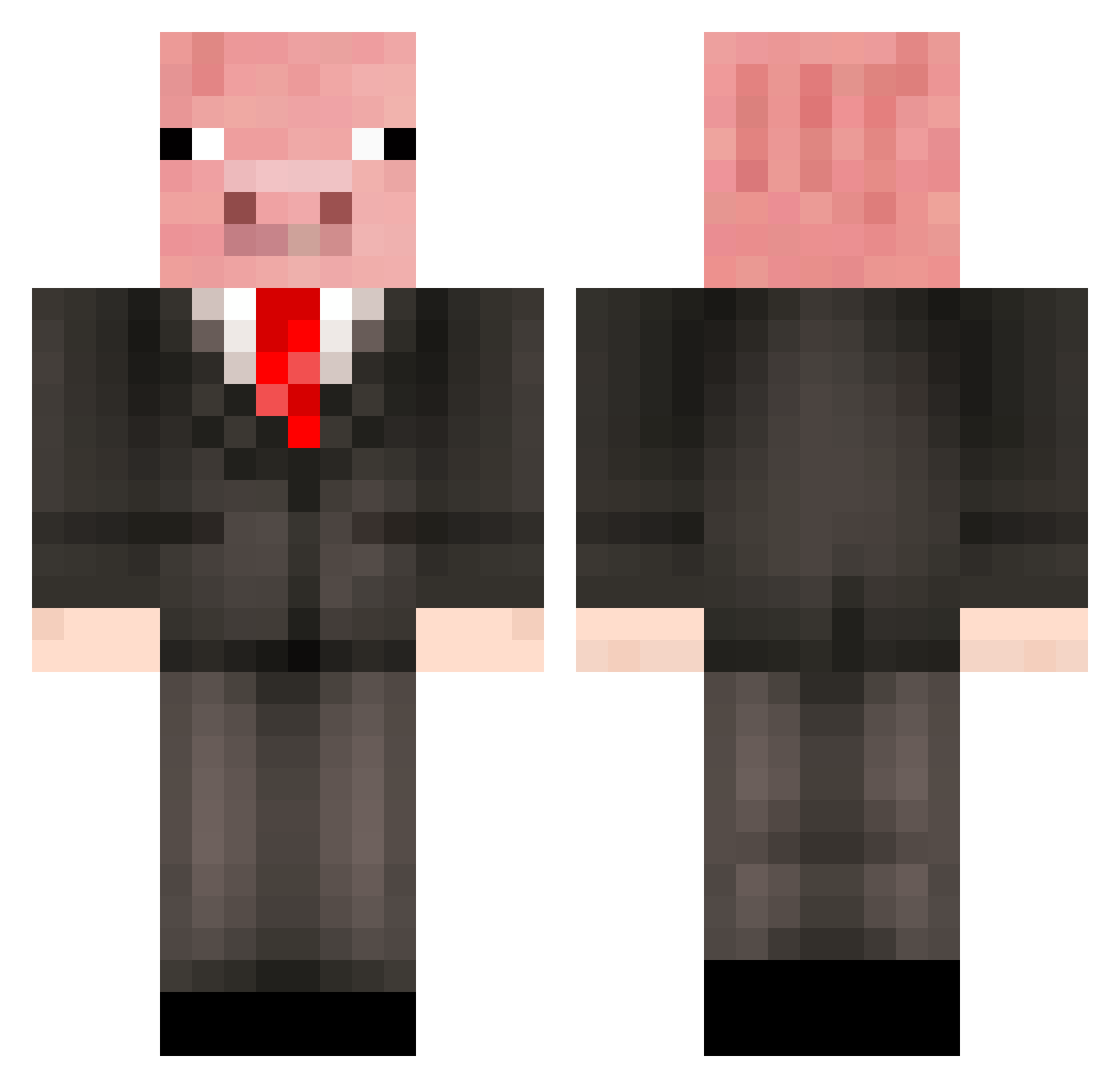
Current Minecraft skin of the player MCtryz, loaded from the official Mojang API. Rotate the 3D model with your mouse or finger, then download the skin as a PNG file and use it in Minecraft: Bedrock Edition or Java Edition for free. When MCtryz changes their skin, this page updates automatically and the old skin stays in the history below.
Other players with this skin (270)
MCtryz was the 64th player we have seen with this skin, first spotted on 22.08.2026. The same skin was seen on these players. Open a nickname to see their current skin and skin history.
 ImpulseCone1313 mindblowinbro Bagoeli Hyung0512 TylerWtf arjplayz J4ck_Mehof JDHIYO NAPUD xHatoriii Season_403 MRPIGGY10 pacyboi RomanianSavage88 TheUeradicator 0Alter Northill2007
 zjarany_wafel pixeld4vid Serv1on StupidFace15 Roaldmeister Timballisto thedagda_ RubyBlyad ofzf kimkimkim05
 kapiq1 natestryker ZZY_O Arkiyo Dernina Mysteriousbb PaperAirpln12 xhtd06 Masen1209 kenny_wills_ harisisgood ezzieboi69 Gatzara mattlimbert1997 TheFloood PreciousBattler likef520 John4S Niquin_uwu calcuated DiscMonkey2 Bobbyspelar F_Fizz LittleArrow6435 Umbros79 Mystical_factor davidbjr PiggyWiggy3 Limbow29 Eman2184 technobutler shenmeguia GeBonBon
More Pig Minecraft skins
How to install the MCtryz skin
- Press the Download button above to save the skin as a PNG file.
- Minecraft: Bedrock Edition (PE): open the Dressing Room from the main menu (or tap your character → Edit Character), go to Classic Skins → Owned, press the + (new skin) button, choose the downloaded PNG and pick the Classic (Steve) model. Works on PC and mobile; consoles cannot import custom skins.
- Minecraft: Java Edition: open the Minecraft Launcher, go to the Skins tab, click New Skin, load the PNG, pick the Classic (Steve) model and press Save & Use. You can also upload it at minecraft.net → Profile → Change Skin.
The skin does not show up after import - what should I do?
Restart Minecraft and open the Dressing Room again - imported skins sometimes appear only after a restart. Also make sure you selected the imported skin and picked the Classic (Steve) model.
Which model should I choose, Classic or Slim?
This skin is designed for the Classic (Steve) model. If you pick the wrong model, the arms of the skin will look stretched or squeezed.
Is the skin of MCtryz free to download?
Yes. Press Download, save the PNG file and use it in Minecraft: Bedrock Edition or Java Edition - no payment or registration needed. The skin also works on multiplayer servers and Realms.
More skins
Looking for more? Go back to all Minecraft skins and check the top skins of the week, month and all time, or find any player's skin by nickname.