
MAXattack619 - Minecraft Skins & Skin History
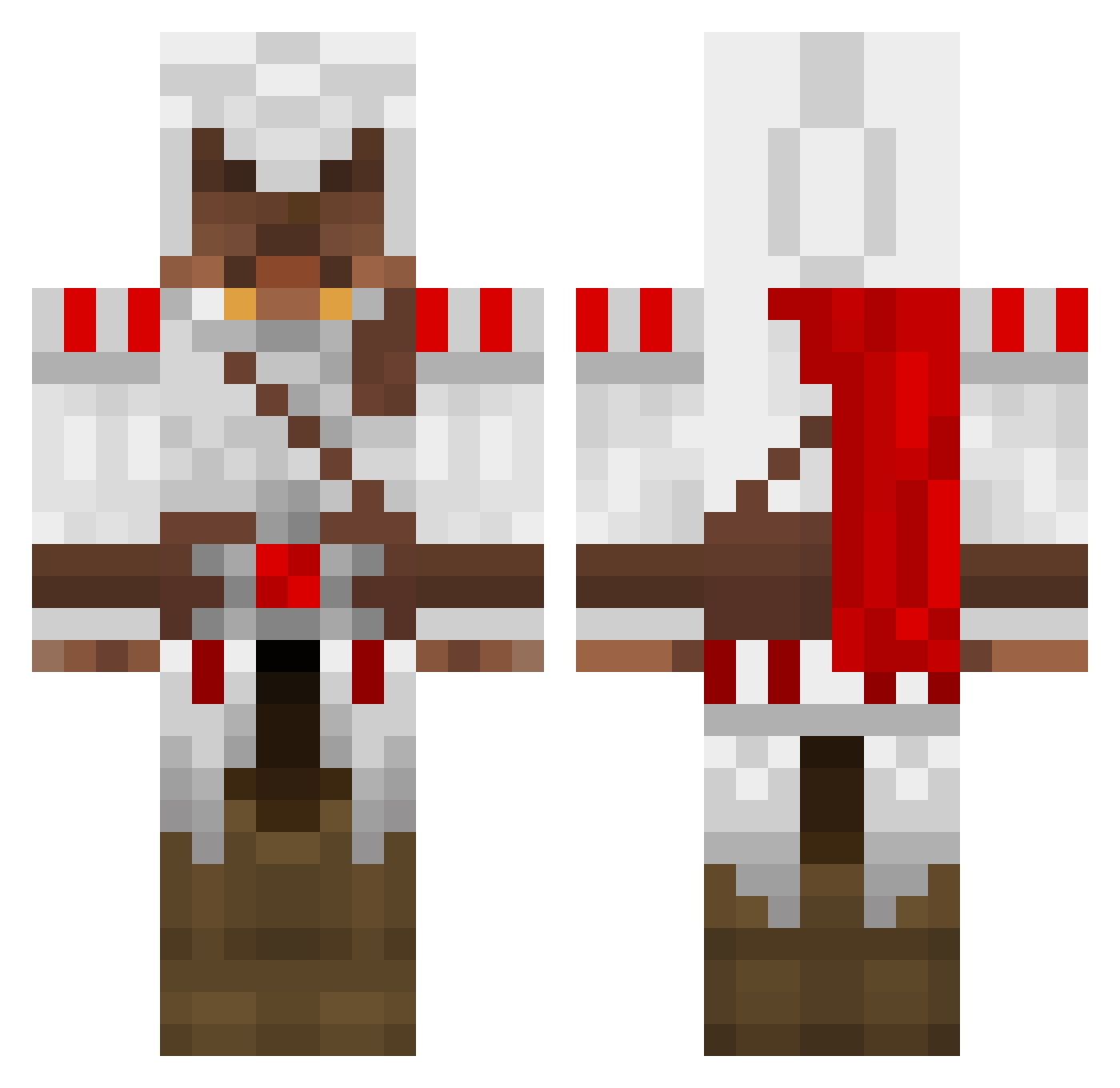
Current Minecraft skin of the player MAXattack619, loaded from the official Mojang API. Rotate the 3D model with your mouse or finger, then download the skin as a PNG file and use it in Minecraft: Bedrock Edition or Java Edition for free. When MAXattack619 changes their skin, this page updates automatically and the old skin stays in the history below.
Other players with this skin (1390)
MAXattack619 was the 1091st player we have seen with this skin, first spotted on 15.10.2026. The same skin was seen on these players. Open a nickname to see their current skin and skin history.
 betvei batista11111 Gebhardt92 Delonche WhiteAether xJAYD3Nx crumblyworms Faultedbuffalo Barfolemew s_chizo PIET101 Gianlu09 jakstar11 sadlyandre ElfsLord Mikurunazume 88jake88 Argusx gunfly4455 sharkman1118 Weedie2695 Senbo BanterousRuse Kataury cherisaw BluStag monkeyfighter6 fatfoo ernie123123 Seversa Vexzileo jaydog2121 danielmarquez422 brenangz tope12345 mailboy95 Trey_Fresh MegaMatt00 TimoiOnTop classy_hobo Cadenater24 atheistgod8901 TaTaWedj theholynoobDK wynsm1bm victrr humprey Funzai_98 Aveyro Zachary1497 MoneyMoney99 SlayTyras jannikrune OFOX2012 Starrater crazyfirem aarolord Thatonebitch wtfhunter mrChasqui
More Altair Ibn La Ahad Minecraft skins
See all 196 Altair Ibn La Ahad skins
How to install the MAXattack619 skin
- Press the Download button above to save the skin as a PNG file.
- Minecraft: Bedrock Edition (PE): open the Dressing Room from the main menu (or tap your character → Edit Character), go to Classic Skins → Owned, press the + (new skin) button, choose the downloaded PNG and pick the Classic (Steve) model. Works on PC and mobile; consoles cannot import custom skins.
- Minecraft: Java Edition: open the Minecraft Launcher, go to the Skins tab, click New Skin, load the PNG, pick the Classic (Steve) model and press Save & Use. You can also upload it at minecraft.net → Profile → Change Skin.
The skin does not show up after import - what should I do?
Restart Minecraft and open the Dressing Room again - imported skins sometimes appear only after a restart. Also make sure you selected the imported skin and picked the Classic (Steve) model.
Which model should I choose, Classic or Slim?
This skin is designed for the Classic (Steve) model. If you pick the wrong model, the arms of the skin will look stretched or squeezed.
Is the skin of MAXattack619 free to download?
Yes. Press Download, save the PNG file and use it in Minecraft: Bedrock Edition or Java Edition - no payment or registration needed. The skin also works on multiplayer servers and Realms.
More skins
Looking for more? Go back to all Minecraft skins and check the top skins of the week, month and all time, or find any player's skin by nickname.