
Lyricewinter - Minecraft Skins & Skin History
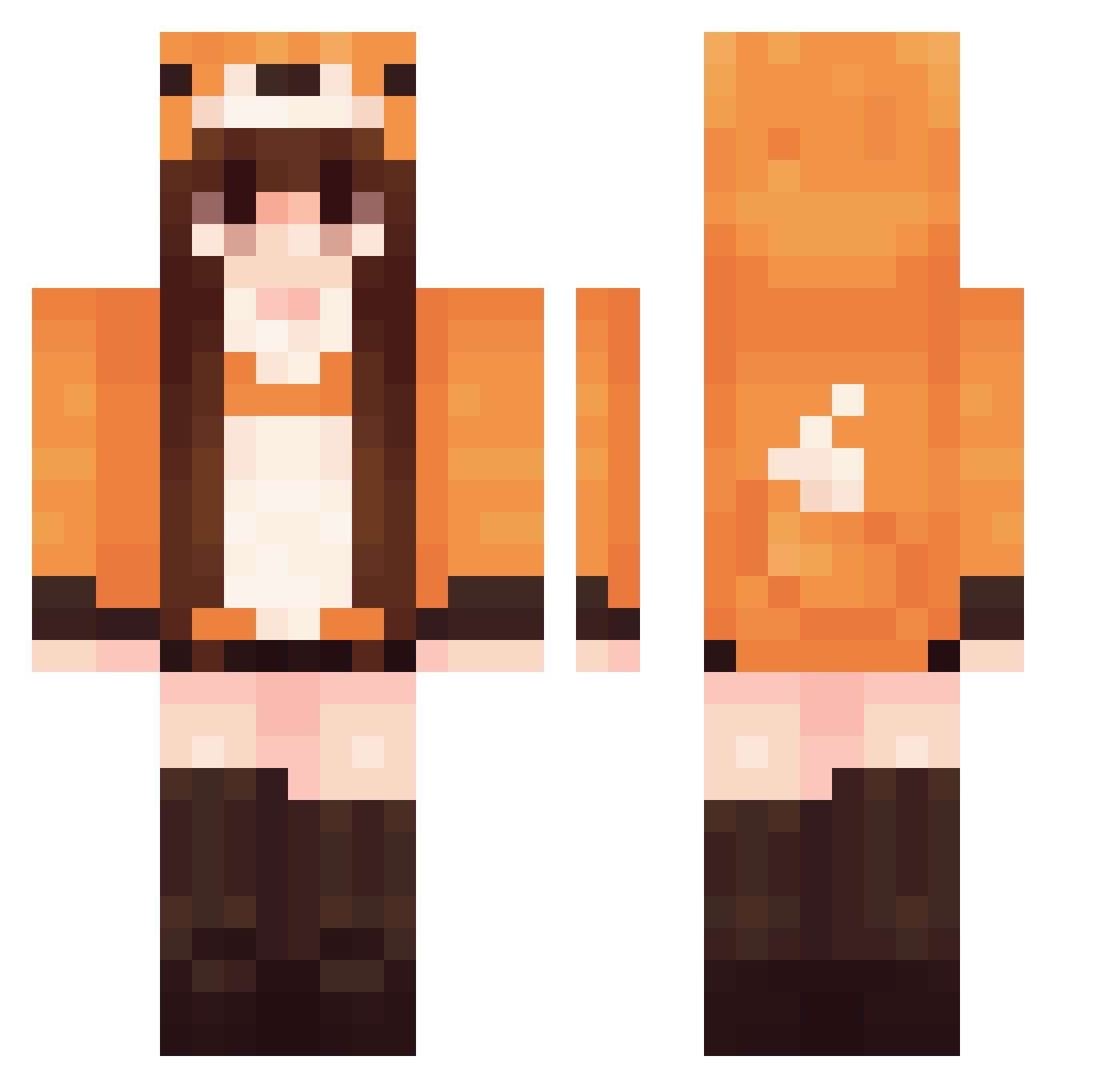
Current Minecraft skin of the player Lyricewinter, loaded from the official Mojang API. Rotate the 3D model with your mouse or finger, then download the skin as a PNG file and use it in Minecraft: Bedrock Edition or Java Edition for free. When Lyricewinter changes their skin, this page updates automatically and the old skin stays in the history below.
Other players with this skin (570)
Lyricewinter was the 492nd player we have seen with this skin, first spotted on 23.10.2026. The same skin was seen on these players. Open a nickname to see their current skin and skin history.
 BlueSailor10 ArtemisPris johnnynewton DricaAbreu sky1225 GloryMaster eric9068 Mnt_Everest syphus42 C1ryn MiieZe Seimy06 Foralein CODDDD ItsManoune FusselTheFox indirathies LadyMC Gabriellapan rebelvv BBIINII JustMadder duckduck555 Squishienosquish inklim Brtter BlackVelcro22 MaiQiya AlixiaSolaris ShadowTheKitsune MrFoxxWorth LuNaMiNo_ mleko26 sedyyyy skypa73 Lisyonok03 MrHenpie Kkalter MoonAnSun_ Torrone jun961020 pattis_0 xX_AMS_Xx Brownoe AshKitsune sarangame Mavnna Smartyx02 jumilan kkng78 yeeun3517 Lorscore TerraCodes Fan_chan uumr HiLoCookie 4Sebastian4 hananoi00 LumosLily lrdsb
More Fox Tail Minecraft skins
How to install the Lyricewinter skin
- Press the Download button above to save the skin as a PNG file.
- Minecraft: Bedrock Edition (PE): open the Dressing Room from the main menu (or tap your character → Edit Character), go to Classic Skins → Owned, press the + (new skin) button, choose the downloaded PNG and pick the Classic (Steve) model. Works on PC and mobile; consoles cannot import custom skins.
- Minecraft: Java Edition: open the Minecraft Launcher, go to the Skins tab, click New Skin, load the PNG, pick the Classic (Steve) model and press Save & Use. You can also upload it at minecraft.net → Profile → Change Skin.
The skin does not show up after import - what should I do?
Restart Minecraft and open the Dressing Room again - imported skins sometimes appear only after a restart. Also make sure you selected the imported skin and picked the Classic (Steve) model.
Which model should I choose, Classic or Slim?
This skin is designed for the Classic (Steve) model. If you pick the wrong model, the arms of the skin will look stretched or squeezed.
Is the skin of Lyricewinter free to download?
Yes. Press Download, save the PNG file and use it in Minecraft: Bedrock Edition or Java Edition - no payment or registration needed. The skin also works on multiplayer servers and Realms.
More skins
Looking for more? Go back to all Minecraft skins and check the top skins of the week, month and all time, or find any player's skin by nickname.