
Lucas778080 - Minecraft Skins & Skin History
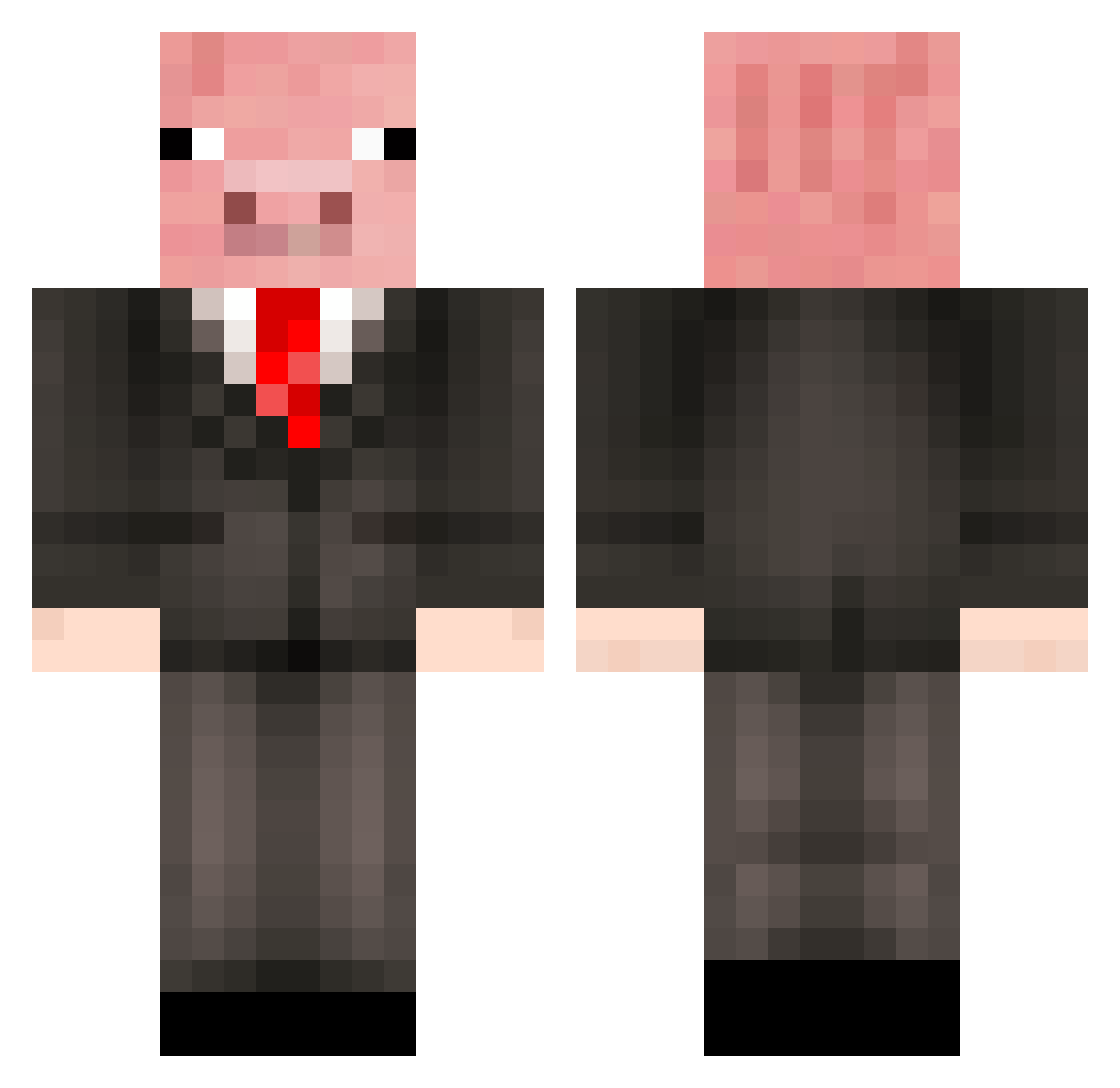
Current Minecraft skin of the player Lucas778080, loaded from the official Mojang API. Rotate the 3D model with your mouse or finger, then download the skin as a PNG file and use it in Minecraft: Bedrock Edition or Java Edition for free. When Lucas778080 changes their skin, this page updates automatically and the old skin stays in the history below.
Other players with this skin (500)
Lucas778080 was the 192nd player we have seen with this skin, first spotted on 13.09.2026. The same skin was seen on these players. Open a nickname to see their current skin and skin history.
 Tacaubel MrSwagical Zenithilior AngryPig479 PigWaffle06 1337_diamonds MattOLOLOL jkbarnettz TimTim005 piggycode6808 matjst33 Blaze_360 YOUR_MOM_33 X_dawg64 Electrohavoc Liike_Me justkeepdiging11 sammie0880 florky14 Pigbum20 Profinity5 spacevarken jaeger138 CugiBoy __Legoman379__ _GreasyPig82_ mrsmeeg Kiwi2004 Baconator157 MJL2004 puntillo123 JJteamet tommoreton Pepsi117 Sashie101 farmersean10 Thehamm mrpiggy14 pigman3793 mrspig10 awesomeguy292003 Leggos11 Mr_Bexan BenDing_TCY Madguitarist99 HeliosHD anni3mon MrPiggy110905 2x_jp Banana_Moonstar Mallory_Owens stegerpa darkkreeper007 EnjoyBlock12 gullepojken Inventor_Of_Ham irnnn neb2110 FireKam RasmunJ
More Pig Minecraft skins
How to install the Lucas778080 skin
- Press the Download button above to save the skin as a PNG file.
- Minecraft: Bedrock Edition (PE): open the Dressing Room from the main menu (or tap your character → Edit Character), go to Classic Skins → Owned, press the + (new skin) button, choose the downloaded PNG and pick the Classic (Steve) model. Works on PC and mobile; consoles cannot import custom skins.
- Minecraft: Java Edition: open the Minecraft Launcher, go to the Skins tab, click New Skin, load the PNG, pick the Classic (Steve) model and press Save & Use. You can also upload it at minecraft.net → Profile → Change Skin.
The skin does not show up after import - what should I do?
Restart Minecraft and open the Dressing Room again - imported skins sometimes appear only after a restart. Also make sure you selected the imported skin and picked the Classic (Steve) model.
Which model should I choose, Classic or Slim?
This skin is designed for the Classic (Steve) model. If you pick the wrong model, the arms of the skin will look stretched or squeezed.
Is the skin of Lucas778080 free to download?
Yes. Press Download, save the PNG file and use it in Minecraft: Bedrock Edition or Java Edition - no payment or registration needed. The skin also works on multiplayer servers and Realms.
More skins
Looking for more? Go back to all Minecraft skins and check the top skins of the week, month and all time, or find any player's skin by nickname.