
Lucara92 - Minecraft Skins & Skin History
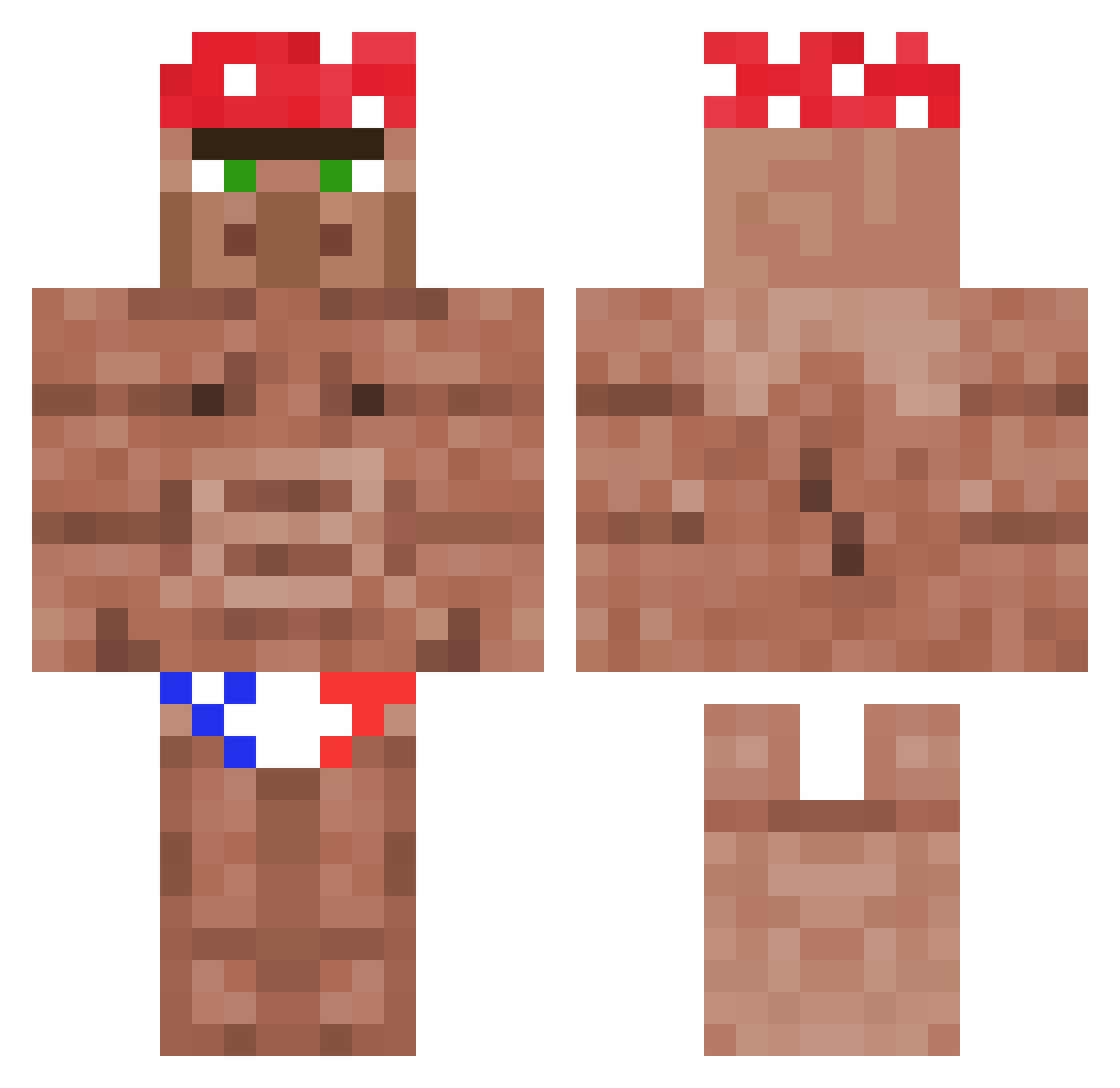
Current Minecraft skin of the player Lucara92, loaded from the official Mojang API. Rotate the 3D model with your mouse or finger, then download the skin as a PNG file and use it in Minecraft: Bedrock Edition or Java Edition for free. When Lucara92 changes their skin, this page updates automatically and the old skin stays in the history below.
Other players with this skin (1120)
Lucara92 was the 774th player we have seen with this skin, first spotted on 07.10.2026. The same skin was seen on these players. Open a nickname to see their current skin and skin history.
 hardbaskov MrGoldencat jaronie22 jksos606 Kennnycrafter Fihster MIYA414 M4STERLUKE Yisus_prime Manrri7675 GGAAPPAA FlotteFlosse LugerParaBellum rensku12 ooLeaf jonnyrup TheSponge_ Pickle_Tickler_ ClayStatz darrang ttthimo simsekmcquen BlekiTV ttvl3gends vandan07 Bakterius123 EvilEve7939 0C72 DaddyShrek7 Sekken974 iiRKRK yomanironman WiseJohn88 TheAvenger2 Smulinen Miray_de deadsilon 76i Viperousship Logancw13 sophiaaleshan33 ReFrUe228 Mosuso StinkenderTaco Soapiest7034 LordMoby rtonba PIG_BENlS Solapa allahu1 Turk3n derZocker1 jojokaka112 SalveKiller pelleboi69 equaz_ JerryLin123456 Oman_Kuk kreuzotter BlondeHalfling
More Ricardo Milos Minecraft skins
See all 96 Ricardo Milos skins
How to install the Lucara92 skin
- Press the Download button above to save the skin as a PNG file.
- Minecraft: Bedrock Edition (PE): open the Dressing Room from the main menu (or tap your character → Edit Character), go to Classic Skins → Owned, press the + (new skin) button, choose the downloaded PNG and pick the Classic (Steve) model. Works on PC and mobile; consoles cannot import custom skins.
- Minecraft: Java Edition: open the Minecraft Launcher, go to the Skins tab, click New Skin, load the PNG, pick the Classic (Steve) model and press Save & Use. You can also upload it at minecraft.net → Profile → Change Skin.
The skin does not show up after import - what should I do?
Restart Minecraft and open the Dressing Room again - imported skins sometimes appear only after a restart. Also make sure you selected the imported skin and picked the Classic (Steve) model.
Which model should I choose, Classic or Slim?
This skin is designed for the Classic (Steve) model. If you pick the wrong model, the arms of the skin will look stretched or squeezed.
Is the skin of Lucara92 free to download?
Yes. Press Download, save the PNG file and use it in Minecraft: Bedrock Edition or Java Edition - no payment or registration needed. The skin also works on multiplayer servers and Realms.
More skins
Looking for more? Go back to all Minecraft skins and check the top skins of the week, month and all time, or find any player's skin by nickname.