
Lqf28 - Minecraft Skins & Skin History
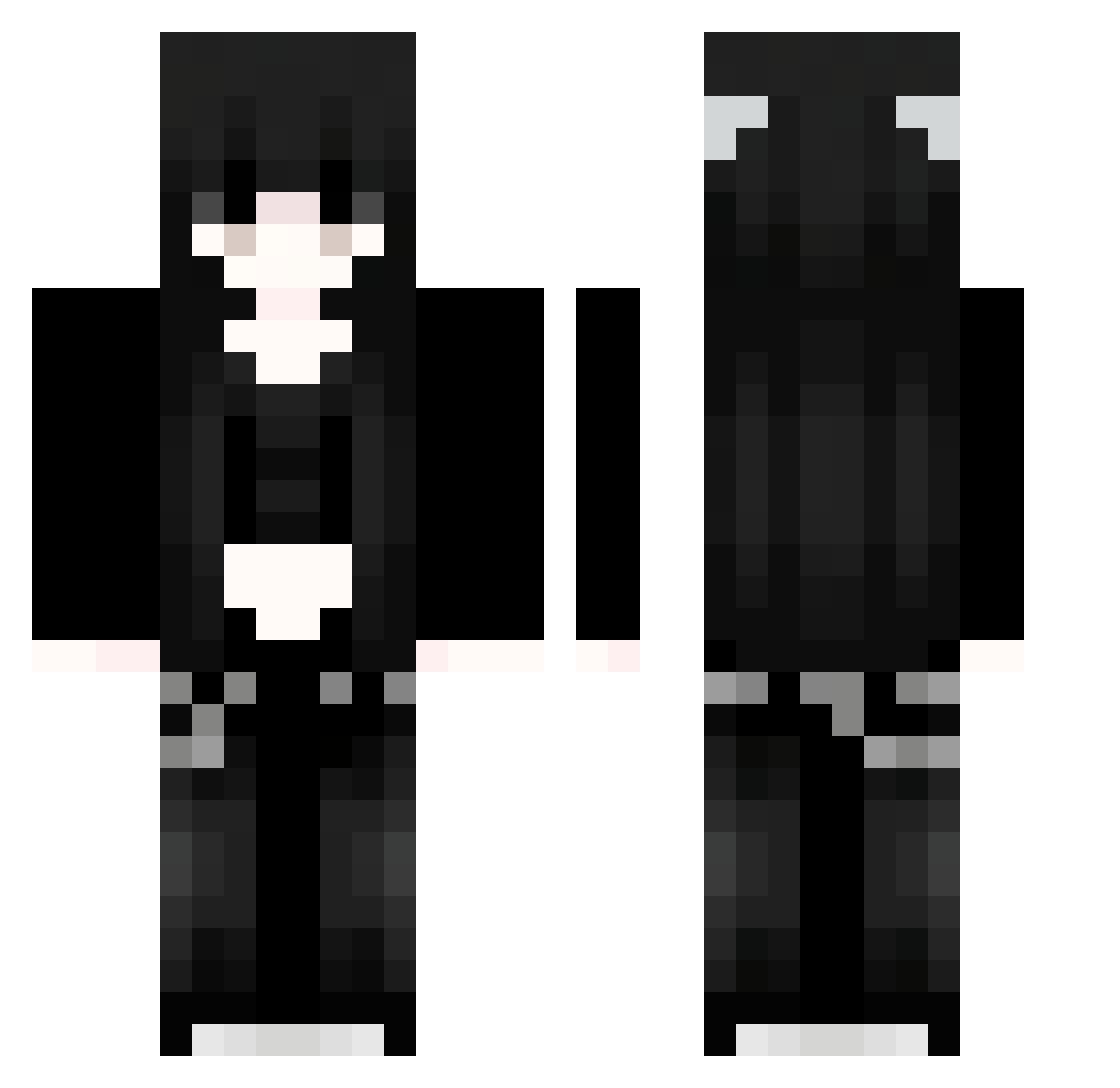
Current Minecraft skin of the player Lqf28, loaded from the official Mojang API. Rotate the 3D model with your mouse or finger, then download the skin as a PNG file and use it in Minecraft: Bedrock Edition or Java Edition for free. When Lqf28 changes their skin, this page updates automatically and the old skin stays in the history below.
Other players with this skin (1127)
Lqf28 was the 666th player we have seen with this skin, first spotted on 01.10.2026. The same skin was seen on these players. Open a nickname to see their current skin and skin history.
 FUs508 VoN150 fIO415 sKC704 Lubyta OIB785 91_ObzzUlYMXA756 guQ619 Zkw463 Sav817 MSb141 KFG165 Xls610 Sakura_gfswyp235 PIs189 uAp59 EmiliaEAV iFs43 91_zZDRdXRYDn331 wGN629 Sakura_TkKiMQ382 akane1311 91_QVq462 Aiyxna MDB234 EllisO_O Hld109 Tinnroth miY619 kOP38 DOR844 orc843 whiteincident ZgX920 yjpj qhV557 pOq397 MonnyS_YT MWH529 Sakura_QjkCYq250 Shigure01 MYZI520 KatsuraXD zlL577 NBF703 91_jOe9 iFT278 RCO743 NiKo_Yu wsP350 RWqCjb4 ycU445 Sakura_mcigBM472 yRN703 uGBmtjVeBxRpM913 Sqs475 BiJ994 asb333 EEL522 gVW869
More Emo Minecraft skins
How to install the Lqf28 skin
- Press the Download button above to save the skin as a PNG file.
- Minecraft: Bedrock Edition (PE): open the Dressing Room from the main menu (or tap your character → Edit Character), go to Classic Skins → Owned, press the + (new skin) button, choose the downloaded PNG and pick the Classic (Steve) model. Works on PC and mobile; consoles cannot import custom skins.
- Minecraft: Java Edition: open the Minecraft Launcher, go to the Skins tab, click New Skin, load the PNG, pick the Classic (Steve) model and press Save & Use. You can also upload it at minecraft.net → Profile → Change Skin.
The skin does not show up after import - what should I do?
Restart Minecraft and open the Dressing Room again - imported skins sometimes appear only after a restart. Also make sure you selected the imported skin and picked the Classic (Steve) model.
Which model should I choose, Classic or Slim?
This skin is designed for the Classic (Steve) model. If you pick the wrong model, the arms of the skin will look stretched or squeezed.
Is the skin of Lqf28 free to download?
Yes. Press Download, save the PNG file and use it in Minecraft: Bedrock Edition or Java Edition - no payment or registration needed. The skin also works on multiplayer servers and Realms.
More skins
Looking for more? Go back to all Minecraft skins and check the top skins of the week, month and all time, or find any player's skin by nickname.