
LostAzure - Minecraft Skins & Skin History
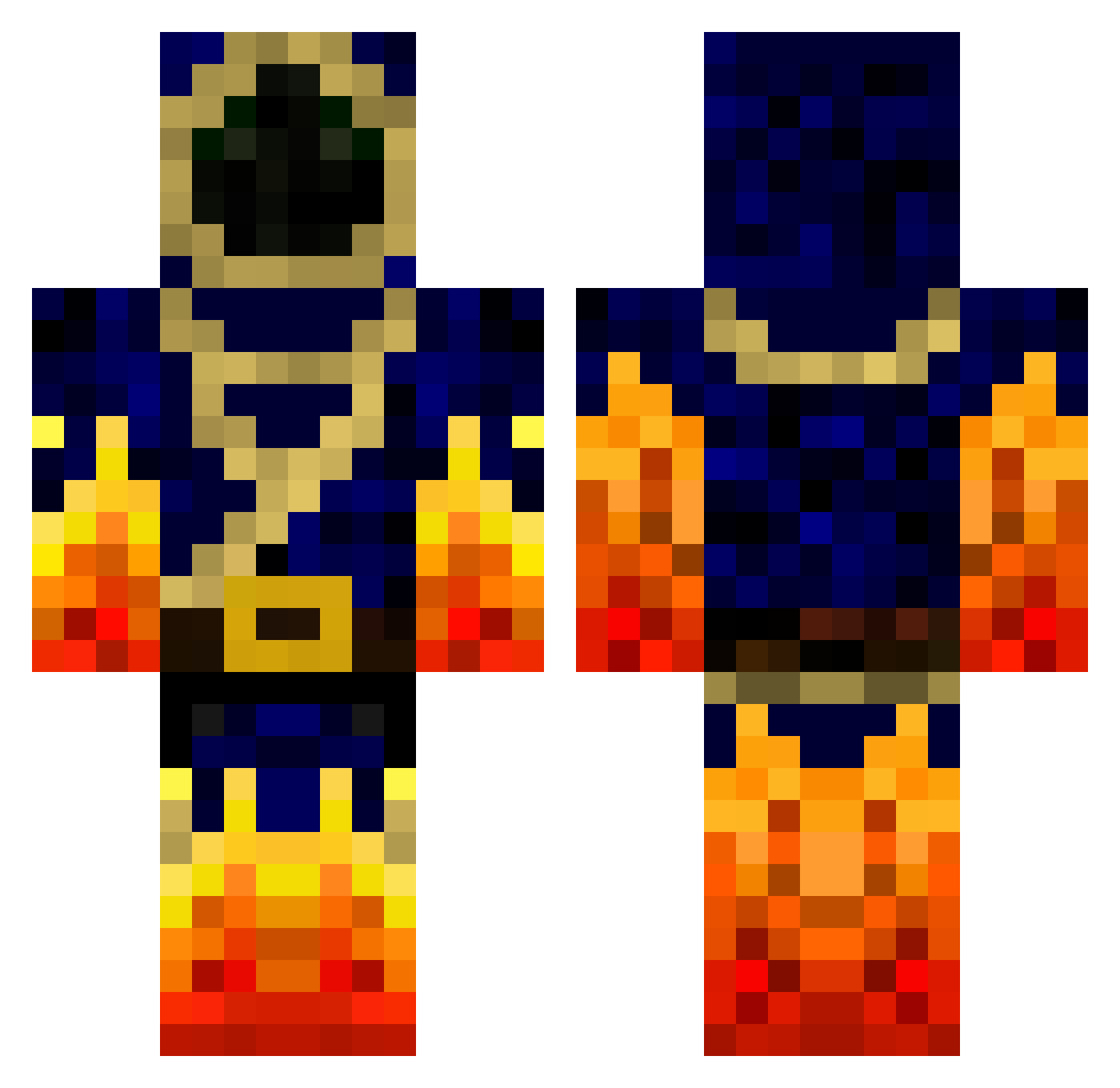
Current Minecraft skin of the player LostAzure, loaded from the official Mojang API. Rotate the 3D model with your mouse or finger, then download the skin as a PNG file and use it in Minecraft: Bedrock Edition or Java Edition for free. When LostAzure changes their skin, this page updates automatically and the old skin stays in the history below.
Other players with this skin (118)
LostAzure was the 31st player we have seen with this skin, first spotted on 16.08.2026. The same skin was seen on these players. Open a nickname to see their current skin and skin history.
 Fredothekid123 Deadshot_14 Shekeo orloved 12saw99 FireRaptor220 theslimjiggins granada25 Banaan20 nexusinox BattlePrizrak_ hugopm8 Jumbah Chief_Lag Harash2019 Cynewulf tatalelama Hidden_Guy2552 Arbolist dragonjlo Amargosa _ST0RM anders1234 magicianMOMO Phoenix_Force710 BerniHard JayLakeview AlphaGiulio imafreetree BettyCrocker lichangqing DADDLGOTT DanielV1209 ollefar1 SiK9 YellowMause KingDaelyn5 Ragnaur_ Live_Mas Niymed Playcrafter27 Compott Fireballdiamond9 Ranichi Shadowxxz Faiirytalez Xiaolonglonmg TisTheBirdMan Gui_Yuan Dudu121104 Infernal_Lich AndyTheDemon ZachFB_Studios Tenfes Ghostdead24 GingerHeart512 Chaos1050 showmaster1 MWY2354 MrWarlockFTW
More Mage Minecraft skins
How to install the LostAzure skin
- Press the Download button above to save the skin as a PNG file.
- Minecraft: Bedrock Edition (PE): open the Dressing Room from the main menu (or tap your character → Edit Character), go to Classic Skins → Owned, press the + (new skin) button, choose the downloaded PNG and pick the Classic (Steve) model. Works on PC and mobile; consoles cannot import custom skins.
- Minecraft: Java Edition: open the Minecraft Launcher, go to the Skins tab, click New Skin, load the PNG, pick the Classic (Steve) model and press Save & Use. You can also upload it at minecraft.net → Profile → Change Skin.
The skin does not show up after import - what should I do?
Restart Minecraft and open the Dressing Room again - imported skins sometimes appear only after a restart. Also make sure you selected the imported skin and picked the Classic (Steve) model.
Which model should I choose, Classic or Slim?
This skin is designed for the Classic (Steve) model. If you pick the wrong model, the arms of the skin will look stretched or squeezed.
Is the skin of LostAzure free to download?
Yes. Press Download, save the PNG file and use it in Minecraft: Bedrock Edition or Java Edition - no payment or registration needed. The skin also works on multiplayer servers and Realms.
More skins
Looking for more? Go back to all Minecraft skins and check the top skins of the week, month and all time, or find any player's skin by nickname.