
Loganx888 - Minecraft Skins & Skin History
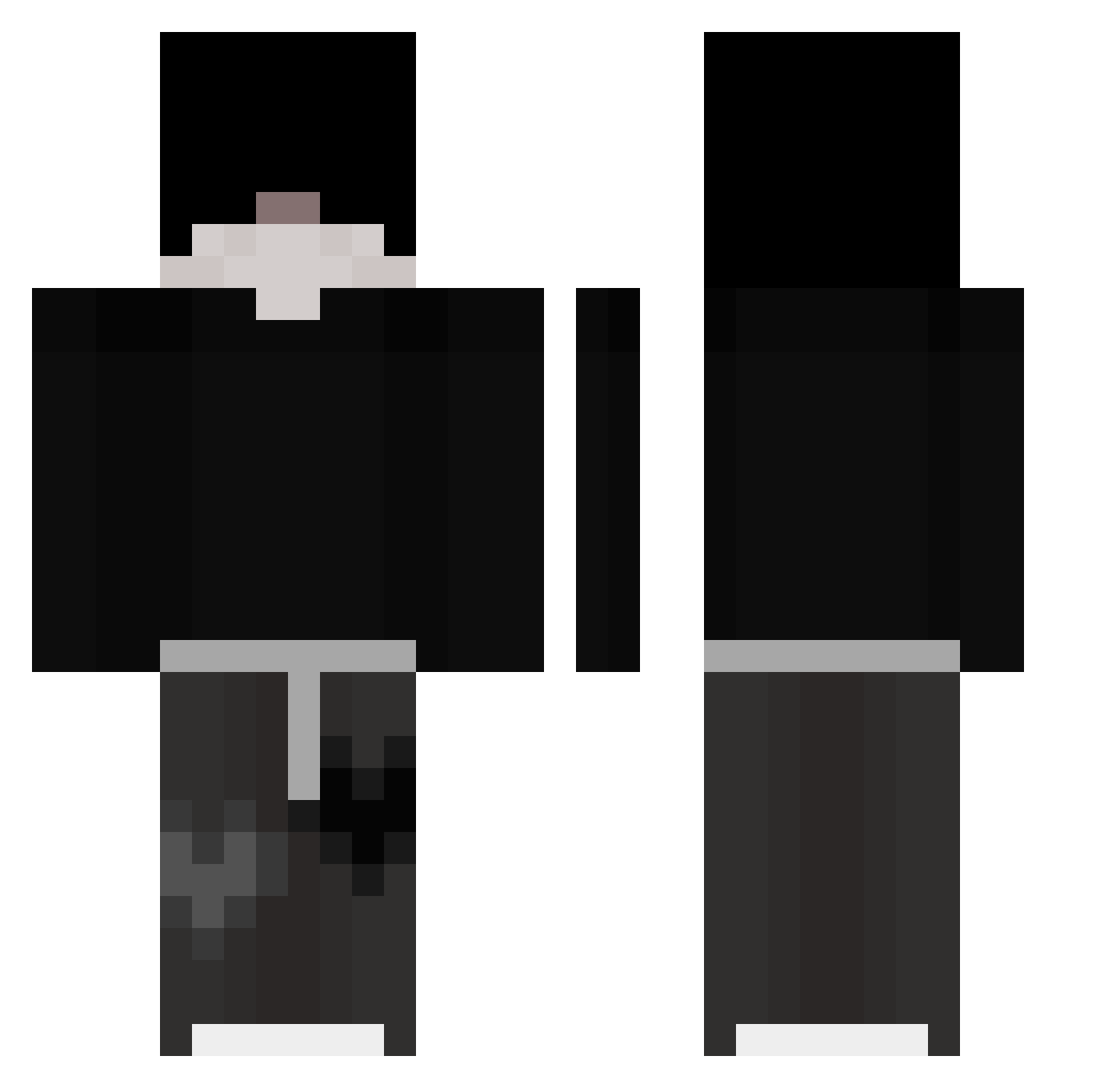
Current Minecraft skin of the player Loganx888, loaded from the official Mojang API. Rotate the 3D model with your mouse or finger, then download the skin as a PNG file and use it in Minecraft: Bedrock Edition or Java Edition for free. When Loganx888 changes their skin, this page updates automatically and the old skin stays in the history below.
Other players with this skin (326)
Loganx888 was the 114th player we have seen with this skin, first spotted on 05.09.2026. The same skin was seen on these players. Open a nickname to see their current skin and skin history.
 Filip963 MonkeymanMadness devourmyheart Niantis_ strikey2 the_pit_King
 ForzaTay Flabou sessionadd SWEX_YT NightZeus434677 HourMane CesarPhenix5180 kyrexlol JestemBrzozek Itz_Ali_007 TheMoonIsAlone twininem douxfamily minecrafto_filip Strygwyr23 bnitw Outhrora SouFrax hasan1166 raqtured ryan0367 zFrigen_ ATOYT55 mxhudson92 hollysz iZythe Myamura_ Sarn3254 ZeiNothing ASL1030 negahs Brandito89 volvordgaminT Godlike271 oluwek Jacob_80x5 Carijuna Skjs Entumia_ Wac0_0 Zbi_ user02202004 2Good4Him PatchRighttY dduwaxxx MrLonely___ qwi1xy Muhffin h0_sung D4rkSoCute HomixideV2 gh_2020 Jonek2005 z1utekkTOPKA
More Emo Minecraft skins
How to install the Loganx888 skin
- Press the Download button above to save the skin as a PNG file.
- Minecraft: Bedrock Edition (PE): open the Dressing Room from the main menu (or tap your character → Edit Character), go to Classic Skins → Owned, press the + (new skin) button, choose the downloaded PNG and pick the Classic (Steve) model. Works on PC and mobile; consoles cannot import custom skins.
- Minecraft: Java Edition: open the Minecraft Launcher, go to the Skins tab, click New Skin, load the PNG, pick the Classic (Steve) model and press Save & Use. You can also upload it at minecraft.net → Profile → Change Skin.
The skin does not show up after import - what should I do?
Restart Minecraft and open the Dressing Room again - imported skins sometimes appear only after a restart. Also make sure you selected the imported skin and picked the Classic (Steve) model.
Which model should I choose, Classic or Slim?
This skin is designed for the Classic (Steve) model. If you pick the wrong model, the arms of the skin will look stretched or squeezed.
Is the skin of Loganx888 free to download?
Yes. Press Download, save the PNG file and use it in Minecraft: Bedrock Edition or Java Edition - no payment or registration needed. The skin also works on multiplayer servers and Realms.
More skins
Looking for more? Go back to all Minecraft skins and check the top skins of the week, month and all time, or find any player's skin by nickname.