
Lister13 - Minecraft Skins & Skin History
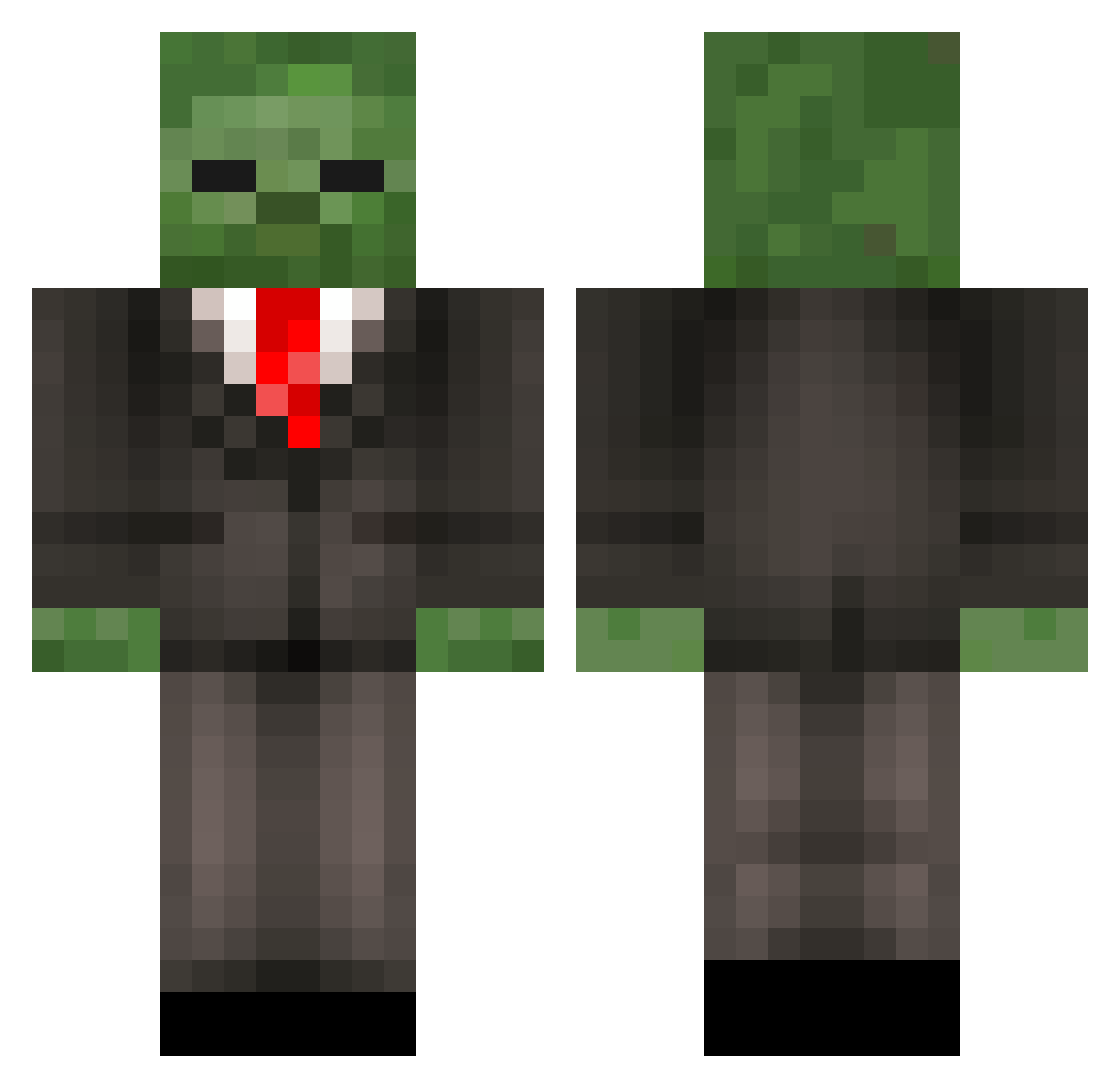
Current Minecraft skin of the player Lister13, loaded from the official Mojang API. Rotate the 3D model with your mouse or finger, then download the skin as a PNG file and use it in Minecraft: Bedrock Edition or Java Edition for free. When Lister13 changes their skin, this page updates automatically and the old skin stays in the history below.
Other players with this skin (452)
Lister13 was the 242nd player we have seen with this skin, first spotted on 28.09.2026. The same skin was seen on these players. Open a nickname to see their current skin and skin history.
 SrIeLbEeNlT Thatspeedtouch TakeTheLBZ Trueboss1 asdf___Movie MineVos BeavisButtmunch zombie_man26 Liamboy765 Miztur Polylil rabbit_dow DragonJam surfsup2002 _hirschi_ _Jjh_ Krafterko ExiledBread NuclerNovice keralis3 TonySauceda mindfreak567 Sentralis ninja_swag28 CaptainKW7 93ua39 tullyflirgle Balonnyggffgfg Destroyer729 matkanlopussa JeffTheChef69 Caisesiume vovkmark Spec_Kross ImTeddyGraham ryanapple641 PsychoUnicornNL Nick9898706 selfa181 SendMeister Sil3nce Grunnfwol muffinsofgold98 Liamthepcgamer10 ATAblackbelt1123 TristannMC l_man2012 zadlaz Newbrg MisterKiller2000 sewell33 jmwright17 HolyMatthew Lord_Africa Nisse_02 Kyros801 tbone201 jacobfootball36 iAmazon iLmuCo
More Zombie Minecraft skins
How to install the Lister13 skin
- Press the Download button above to save the skin as a PNG file.
- Minecraft: Bedrock Edition (PE): open the Dressing Room from the main menu (or tap your character → Edit Character), go to Classic Skins → Owned, press the + (new skin) button, choose the downloaded PNG and pick the Classic (Steve) model. Works on PC and mobile; consoles cannot import custom skins.
- Minecraft: Java Edition: open the Minecraft Launcher, go to the Skins tab, click New Skin, load the PNG, pick the Classic (Steve) model and press Save & Use. You can also upload it at minecraft.net → Profile → Change Skin.
The skin does not show up after import - what should I do?
Restart Minecraft and open the Dressing Room again - imported skins sometimes appear only after a restart. Also make sure you selected the imported skin and picked the Classic (Steve) model.
Which model should I choose, Classic or Slim?
This skin is designed for the Classic (Steve) model. If you pick the wrong model, the arms of the skin will look stretched or squeezed.
Is the skin of Lister13 free to download?
Yes. Press Download, save the PNG file and use it in Minecraft: Bedrock Edition or Java Edition - no payment or registration needed. The skin also works on multiplayer servers and Realms.
More skins
Looking for more? Go back to all Minecraft skins and check the top skins of the week, month and all time, or find any player's skin by nickname.