
Lisetrico - Minecraft Skins & Skin History
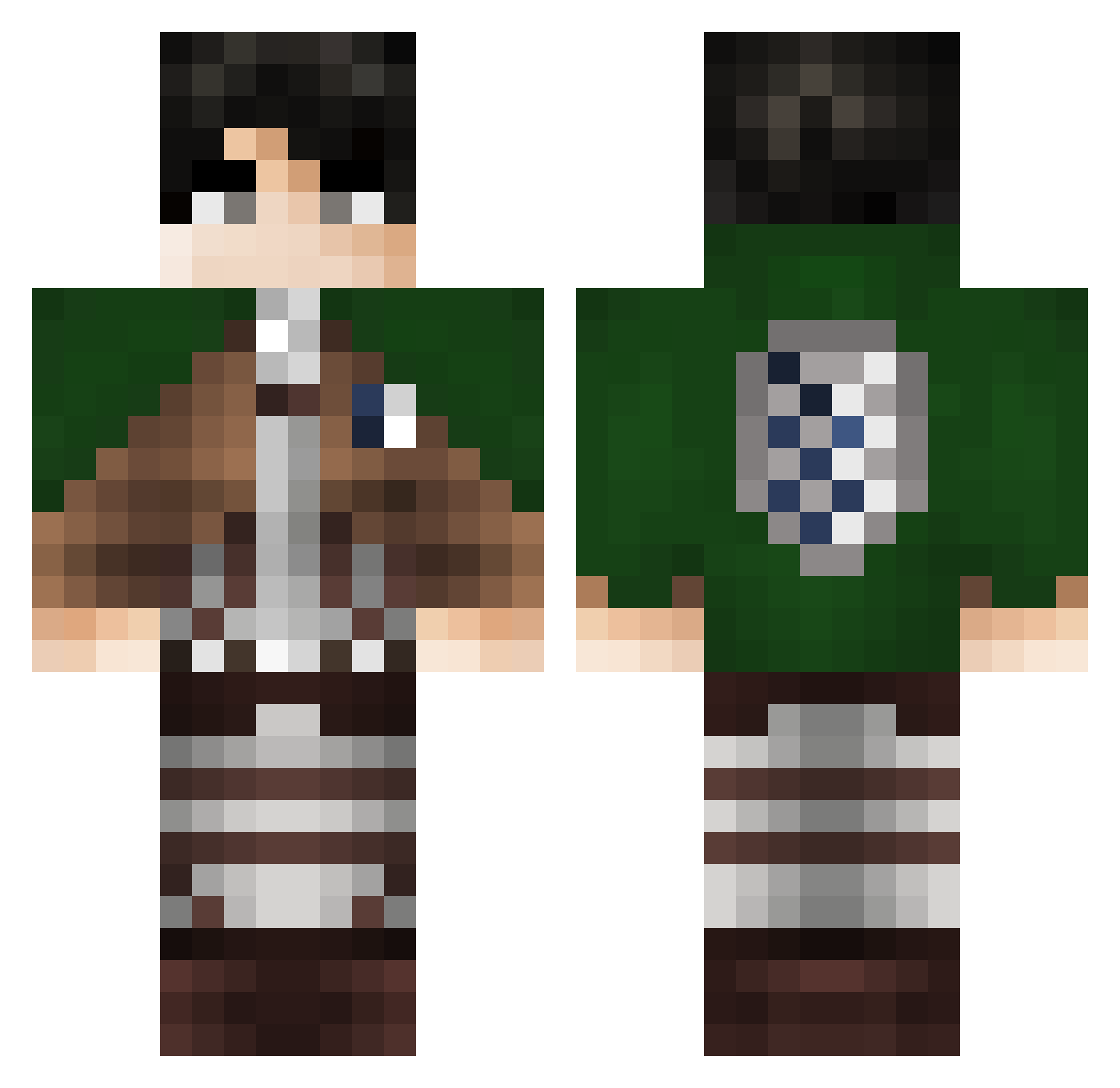
Current Minecraft skin of the player Lisetrico, loaded from the official Mojang API. Rotate the 3D model with your mouse or finger, then download the skin as a PNG file and use it in Minecraft: Bedrock Edition or Java Edition for free. When Lisetrico changes their skin, this page updates automatically and the old skin stays in the history below.
Other players with this skin (335)
Lisetrico was the 219th player we have seen with this skin, first spotted on 05.10.2026. The same skin was seen on these players. Open a nickname to see their current skin and skin history.
 E1TG Zouein26 HELLOPEEPS420 lukaoooo Adnan_The_Man Zenobug XpecanX Tarhem13 Nihonnnokirinn CEOofdabbing Dingenieur Fredowiik Midasss katos4 Kiwiiix_ yukiDA2009 ShamasPlayz Loopifyy mylfslayer04 Thygab Anikin_Airwalker Shasha8978 YeatADL Meow761 Martix_11PL G0DlikeAdes UCHRedEage BielGOD_ Levibarato 002zero_two Eve_Leo Cantbyggivar Adeebee09 Thunderdog567 LlairoDxl9 MinecraftGOLD64 namihei8968 Poumerol Mino3l7 ninjlol_pvp chawanmushi31 ABSUKE Kumjug JakFlak73 Dezzyle zLeiber PreicoXD spearowDELAx WugMonster ojanku macro34 SomethingChild2 Tuam3 Eisuke10 nfisham jocidoll Kraceo Cerealex mk45_ ahmedmohamed1
More Levi Ackerman Minecraft skins
See all 191 Levi Ackerman skins
How to install the Lisetrico skin
- Press the Download button above to save the skin as a PNG file.
- Minecraft: Bedrock Edition (PE): open the Dressing Room from the main menu (or tap your character → Edit Character), go to Classic Skins → Owned, press the + (new skin) button, choose the downloaded PNG and pick the Classic (Steve) model. Works on PC and mobile; consoles cannot import custom skins.
- Minecraft: Java Edition: open the Minecraft Launcher, go to the Skins tab, click New Skin, load the PNG, pick the Classic (Steve) model and press Save & Use. You can also upload it at minecraft.net → Profile → Change Skin.
The skin does not show up after import - what should I do?
Restart Minecraft and open the Dressing Room again - imported skins sometimes appear only after a restart. Also make sure you selected the imported skin and picked the Classic (Steve) model.
Which model should I choose, Classic or Slim?
This skin is designed for the Classic (Steve) model. If you pick the wrong model, the arms of the skin will look stretched or squeezed.
Is the skin of Lisetrico free to download?
Yes. Press Download, save the PNG file and use it in Minecraft: Bedrock Edition or Java Edition - no payment or registration needed. The skin also works on multiplayer servers and Realms.
More skins
Looking for more? Go back to all Minecraft skins and check the top skins of the week, month and all time, or find any player's skin by nickname.