
Liliana_YT0 - Minecraft Skins & Skin History
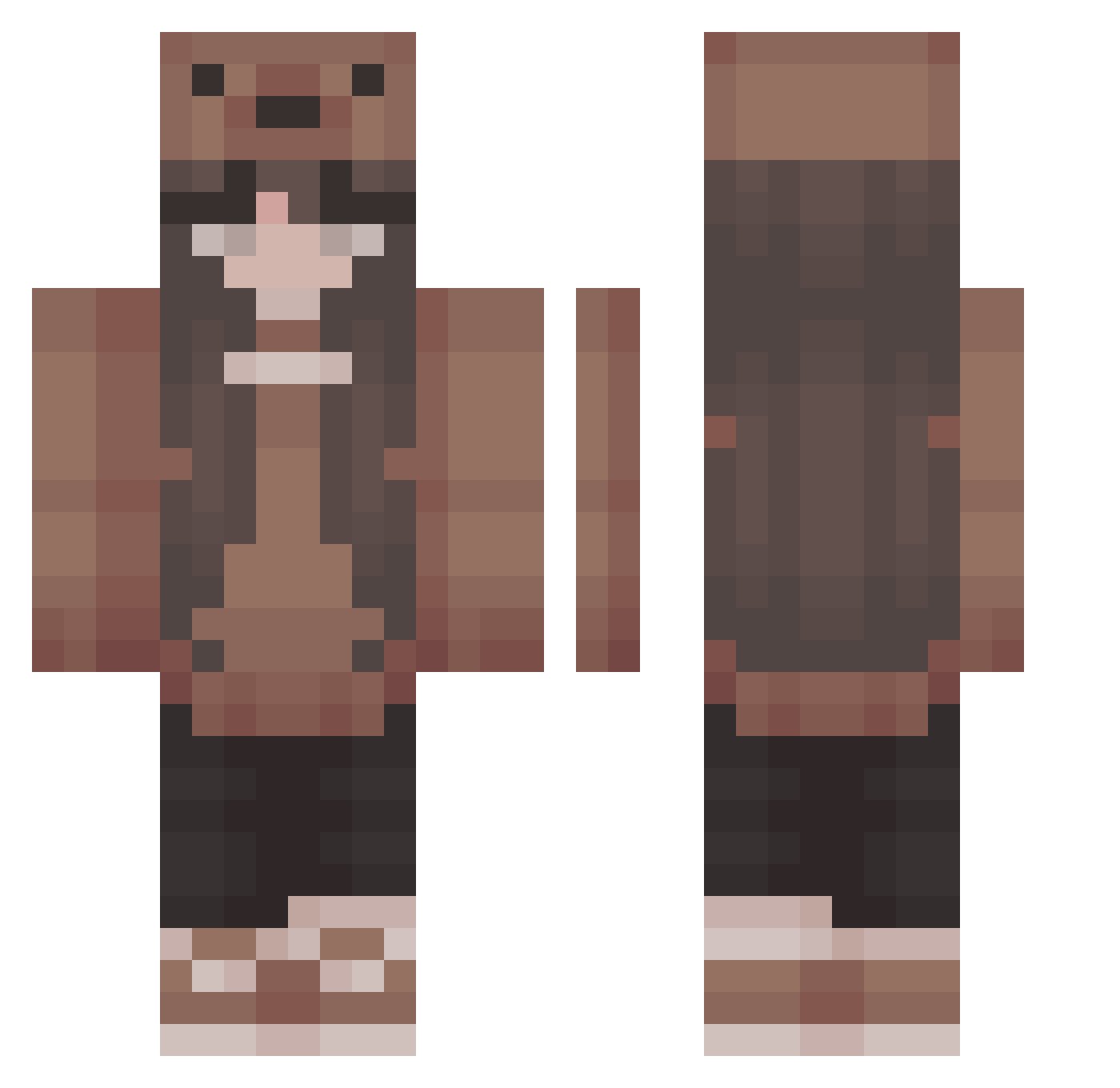
Current Minecraft skin of the player Liliana_YT0, loaded from the official Mojang API. Rotate the 3D model with your mouse or finger, then download the skin as a PNG file and use it in Minecraft: Bedrock Edition or Java Edition for free. When Liliana_YT0 changes their skin, this page updates automatically and the old skin stays in the history below.
Other players with this skin (402)
Liliana_YT0 was the 152nd player we have seen with this skin, first spotted on 03.09.2026. The same skin was seen on these players. Open a nickname to see their current skin and skin history.
 anni85 N_atalie daemondei echoscar18 bea219 JadeBruh sel_bee BUFFAlO706 noahsbean1 TiffanyXNSu Killer_ladybugs K1m_my STORMY4466 DinoNuggets2239 Mariasxe Milki101 victoriase Ncthrine stelichh 1nsomn1ax JustAlyssa18 4e7_msmc_ham GavinWells acidlvrr birdnaomi visndza bearmp4 okipixie Sanola11 LeviBrie ososrave erveki DestinyEyeLord 0Taiga0 tammyh__ ashiskul420 alpacakim luna22116 Choy69240 geodude232324 NiNIoi MatchaBubbles cathi13 huyya luhvale777 cherryyumyum sseraaa zhuzhuzi0v0 ace_is_me joyballs_ Ayabels Mieremiel breadloafies bellaerina Mickey_01 UnicornNinjaGrl emmagarrow Kateryc lilJesse34 Your_Fait
More Cute Minecraft skins
How to install the Liliana_YT0 skin
- Press the Download button above to save the skin as a PNG file.
- Minecraft: Bedrock Edition (PE): open the Dressing Room from the main menu (or tap your character → Edit Character), go to Classic Skins → Owned, press the + (new skin) button, choose the downloaded PNG and pick the Classic (Steve) model. Works on PC and mobile; consoles cannot import custom skins.
- Minecraft: Java Edition: open the Minecraft Launcher, go to the Skins tab, click New Skin, load the PNG, pick the Classic (Steve) model and press Save & Use. You can also upload it at minecraft.net → Profile → Change Skin.
The skin does not show up after import - what should I do?
Restart Minecraft and open the Dressing Room again - imported skins sometimes appear only after a restart. Also make sure you selected the imported skin and picked the Classic (Steve) model.
Which model should I choose, Classic or Slim?
This skin is designed for the Classic (Steve) model. If you pick the wrong model, the arms of the skin will look stretched or squeezed.
Is the skin of Liliana_YT0 free to download?
Yes. Press Download, save the PNG file and use it in Minecraft: Bedrock Edition or Java Edition - no payment or registration needed. The skin also works on multiplayer servers and Realms.
More skins
Looking for more? Go back to all Minecraft skins and check the top skins of the week, month and all time, or find any player's skin by nickname.