
 valerxi Pxffle Shuukaaku Miss_Old_Bob Maacaaxd ShroomPortabello kyliecz Kuiho vAleks4ndrA cle0r Akumii1 AninhaGamePrays Bananorat ghOst71253 not_tori tammyh__ Jada_Star l3ente KittKatt166 Nanabear1991 lawofnature nekodegoma GoogleMyCheats FADE_016 GreenBobble peachybabygoose LiekePieke123 jokashi_chan Explorrerrr Lux127 OneLittleOreo13 EllaShlomo mashmallow1216 cecececilia aaliyah_fenn saramarie Douhan_ cartischaya DanyNX lucky67670 69Cyan69 Cluckyy iOwOpad pukerat_ clarinettt Jeneral7 _M_21 Cupcakegirl0505 Bhavs99 autulynn __Popcorn h0rtens1a PinkSparkling AbbeyDaddy moonglowww truejoan kcbubblegum Feelix82 ButterflyCricket kerridwenjr
Minecraft skin of Fuka0128. Rotate the 3D model with your mouse or finger to view the skin from every angle, then download it as a PNG file and use it in Minecraft: Bedrock Edition or Java Edition for free. Rate the skin with stars to help other players find the best skins in our collection.
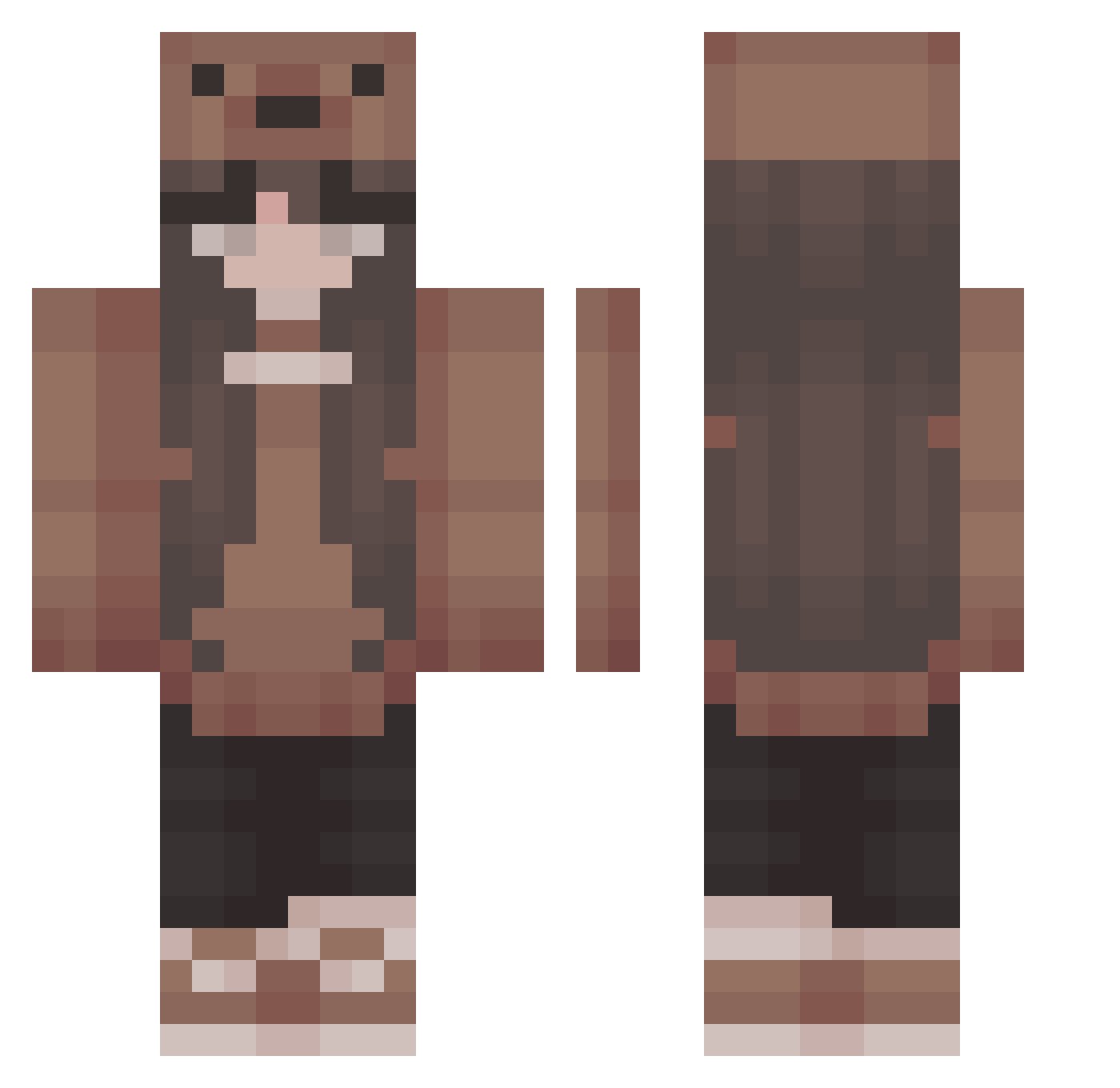
How to install the Fuka0128 skin
- Press the Download button above to save the skin as a PNG file.
- Minecraft: Bedrock Edition (PE): open the Dressing Room from the main menu (or tap your character → Edit Character), go to Classic Skins → Owned, press the + (new skin) button, choose the downloaded PNG and pick the Classic (Steve) model. Works on PC and mobile; consoles cannot import custom skins.
- Minecraft: Java Edition: open the Minecraft Launcher, go to the Skins tab, click New Skin, load the PNG, pick the Classic (Steve) model and press Save & Use. You can also upload it at minecraft.net → Profile → Change Skin.
The skin does not show up after import - what should I do?
Restart Minecraft and open the Dressing Room again - imported skins sometimes appear only after a restart. Also make sure you selected the imported skin and picked the Classic (Steve) model.
Which model should I choose, Classic or Slim?
This skin is designed for the Classic (Steve) model. If you pick the wrong model, the arms of the skin will look stretched or squeezed.
Is this skin free to use?
Yes. Press Download, save the PNG file and use it in Minecraft: Bedrock Edition or Java Edition - no payment or registration needed. The skin also works on multiplayer servers and Realms.
More Cute Minecraft skins
More skins
Looking for more? Go back to all Minecraft skins and check the top skins of the week, month and all time, or find any player's skin by nickname.