
LilNig - Minecraft Skins & Skin History
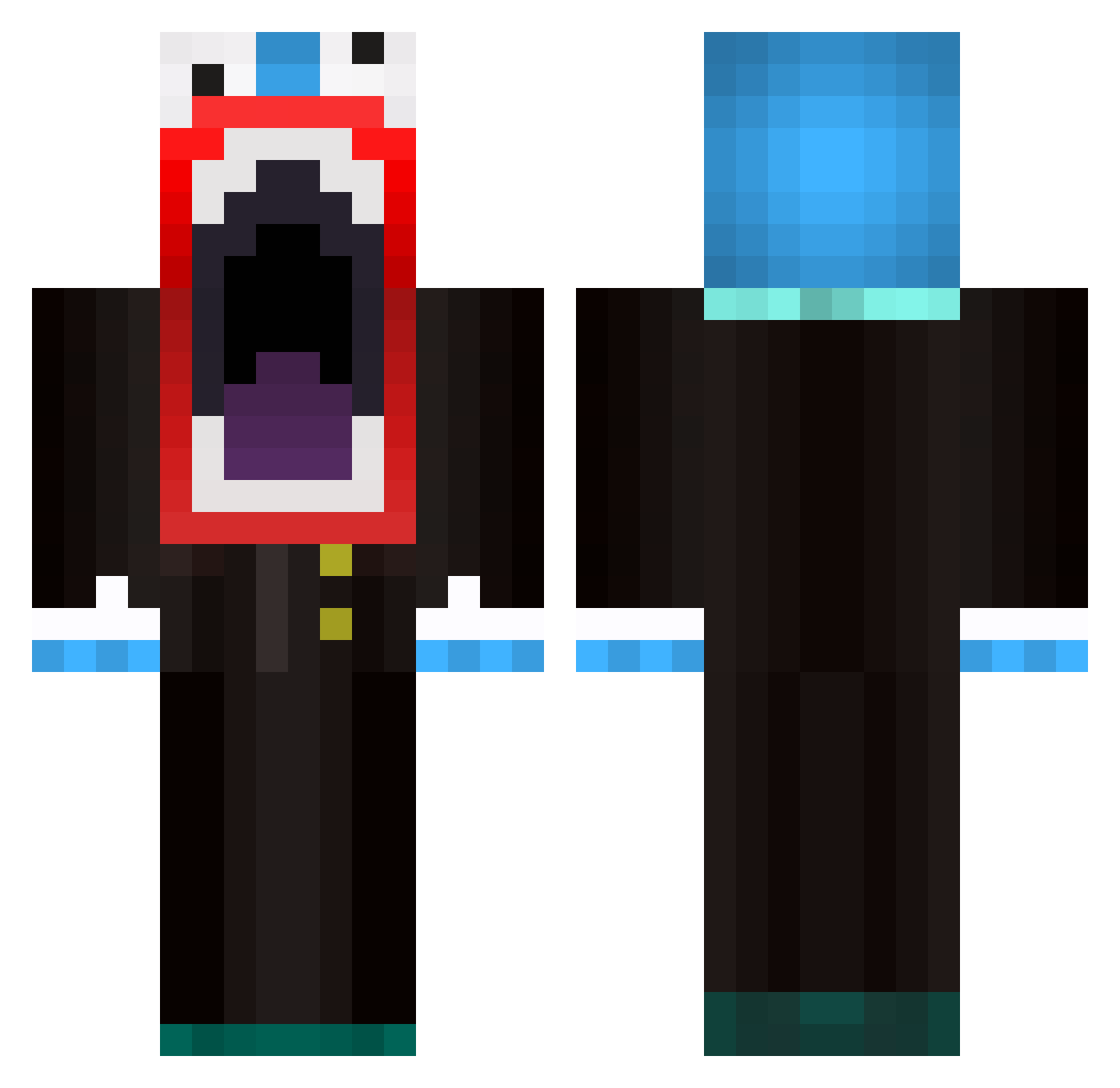
Current Minecraft skin of the player LilNig, loaded from the official Mojang API. Rotate the 3D model with your mouse or finger, then download the skin as a PNG file and use it in Minecraft: Bedrock Edition or Java Edition for free. When LilNig changes their skin, this page updates automatically and the old skin stays in the history below.
Other players with this skin (596)
LilNig was the 237th player we have seen with this skin, first spotted on 09.09.2026. The same skin was seen on these players. Open a nickname to see their current skin and skin history.
 TomDavis95 XxGissixX MrLewiscaroll Willie_Stroker JayZack8 OzzeBoii Reaa doctorpoo76 Crazydude_212 GreenOdysseus Fontainize1996 Jason_unicorn sodaman2939 n4nno daloons FreeCandy4Sale CanineAnimal YoungCalo FirePocket yoyoyoyo15 Tomma246 FatManChums galadam7 LEMONATOR1313 dose_vader dazg1982 shiftie IntellectualXD SolsticexPro iSolitude MONKEYYUM IFrit_Enemy BigBallsThatsME MastermindJD sidess MASONSMOAK Reapzzter Blue_Badger Mtvalex bart170 chloesoccer Crimson_Autumn unverloren tacx thebund_8 MeteorPig naviivan2003 CoopHann LillApiz Neo8536 BeureAwailledonc Odysseus227 Mahem51 baileysbro99 dbreen17 Pichirucho Hidden_Threat paleaf itsssZelos TJ02
More The Amazing Digital Circus Caine Minecraft skins
See all 6 The Amazing Digital Circus Caine skins
How to install the LilNig skin
- Press the Download button above to save the skin as a PNG file.
- Minecraft: Bedrock Edition (PE): open the Dressing Room from the main menu (or tap your character → Edit Character), go to Classic Skins → Owned, press the + (new skin) button, choose the downloaded PNG and pick the Classic (Steve) model. Works on PC and mobile; consoles cannot import custom skins.
- Minecraft: Java Edition: open the Minecraft Launcher, go to the Skins tab, click New Skin, load the PNG, pick the Classic (Steve) model and press Save & Use. You can also upload it at minecraft.net → Profile → Change Skin.
The skin does not show up after import - what should I do?
Restart Minecraft and open the Dressing Room again - imported skins sometimes appear only after a restart. Also make sure you selected the imported skin and picked the Classic (Steve) model.
Which model should I choose, Classic or Slim?
This skin is designed for the Classic (Steve) model. If you pick the wrong model, the arms of the skin will look stretched or squeezed.
Is the skin of LilNig free to download?
Yes. Press Download, save the PNG file and use it in Minecraft: Bedrock Edition or Java Edition - no payment or registration needed. The skin also works on multiplayer servers and Realms.
More skins
Looking for more? Go back to all Minecraft skins and check the top skins of the week, month and all time, or find any player's skin by nickname.