
Likesh - Minecraft Skins & Skin History
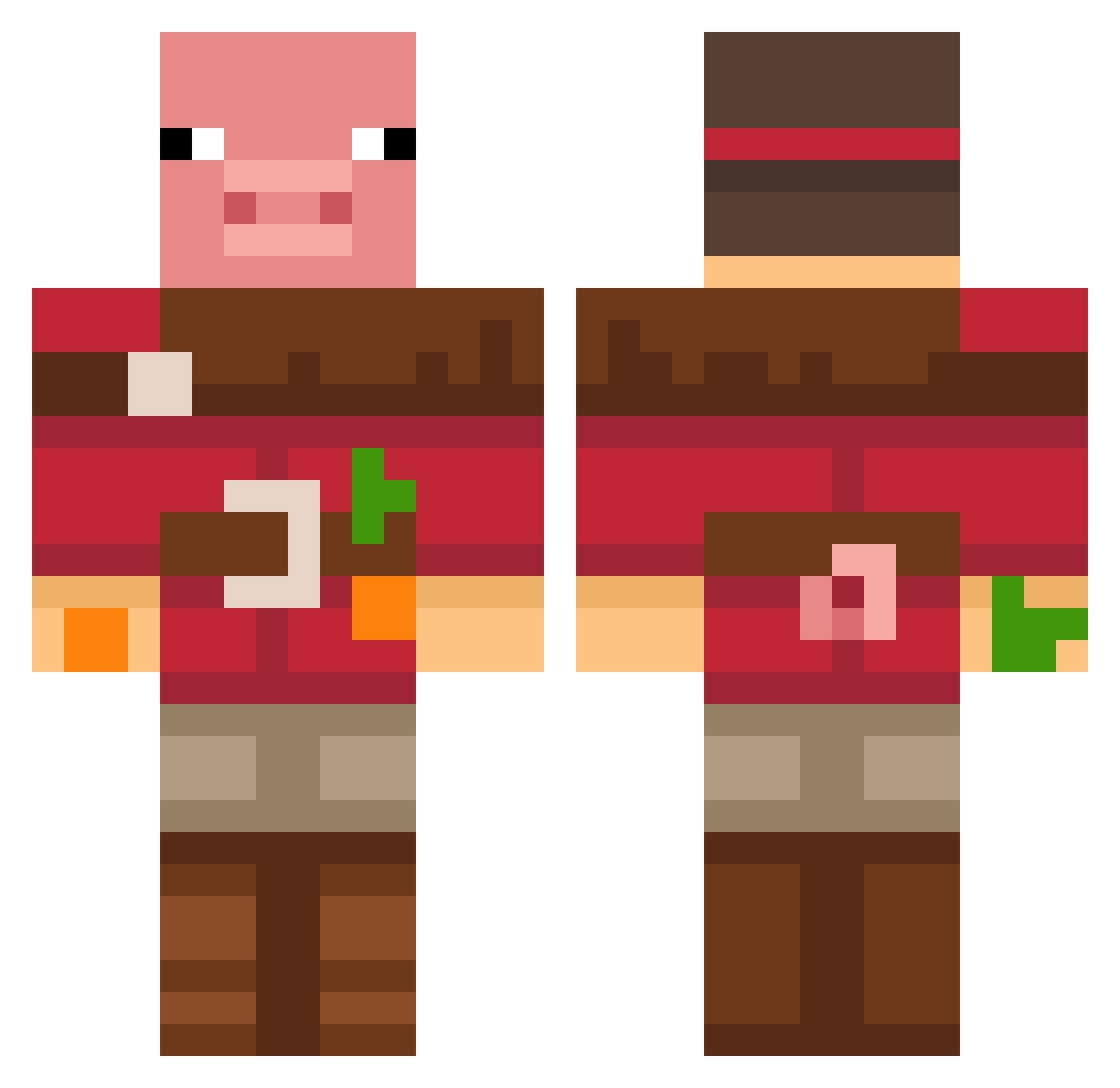
Current Minecraft skin of the player Likesh, loaded from the official Mojang API. Rotate the 3D model with your mouse or finger, then download the skin as a PNG file and use it in Minecraft: Bedrock Edition or Java Edition for free. When Likesh changes their skin, this page updates automatically and the old skin stays in the history below.
Other players with this skin (677)
Likesh was the 173rd player we have seen with this skin, first spotted on 21.08.2026. The same skin was seen on these players. Open a nickname to see their current skin and skin history.
 Fasen13 ElxNerea99 Kinger1015 TimeYt_04 simplyzee Piskot345 SoccerKingAR SamEliasA suckjun10 LittleOreo994 bobby_67 Master_Duck_MC kspplayer123 weelamm cursed102 Brayern masterhacker122 jun147 Lotus__otaku NOMADIC160 maximed04 krazydino26 critolg TTR_23 Jonas_512 STARTPLEJ Maxinator5660 Emmett1234567890 Mondritter1234 Alizhan14 vicente12345 stley5 Rok5968 CASTA643
 FruigyMC llamat4 Theking14566 SevkaBurka whispr404 DeformedWaffle fireyfrombfdi Jonespistola Polvii Lozzabogan Jojun_7 Motteoo RedisMogging TheW3ird1 Dani17m Project_Tabletop ddong_y HardMaui Gabethegrey BallisticWeenis LordKevinator CRUMMx BadHatHarry86 DandriffEater18 beby345 ethan05153
More Pig Minecraft skins
How to install the Likesh skin
- Press the Download button above to save the skin as a PNG file.
- Minecraft: Bedrock Edition (PE): open the Dressing Room from the main menu (or tap your character → Edit Character), go to Classic Skins → Owned, press the + (new skin) button, choose the downloaded PNG and pick the Classic (Steve) model. Works on PC and mobile; consoles cannot import custom skins.
- Minecraft: Java Edition: open the Minecraft Launcher, go to the Skins tab, click New Skin, load the PNG, pick the Classic (Steve) model and press Save & Use. You can also upload it at minecraft.net → Profile → Change Skin.
The skin does not show up after import - what should I do?
Restart Minecraft and open the Dressing Room again - imported skins sometimes appear only after a restart. Also make sure you selected the imported skin and picked the Classic (Steve) model.
Which model should I choose, Classic or Slim?
This skin is designed for the Classic (Steve) model. If you pick the wrong model, the arms of the skin will look stretched or squeezed.
Is the skin of Likesh free to download?
Yes. Press Download, save the PNG file and use it in Minecraft: Bedrock Edition or Java Edition - no payment or registration needed. The skin also works on multiplayer servers and Realms.
More skins
Looking for more? Go back to all Minecraft skins and check the top skins of the week, month and all time, or find any player's skin by nickname.