
Lemonmoth166 - Minecraft Skins & Skin History
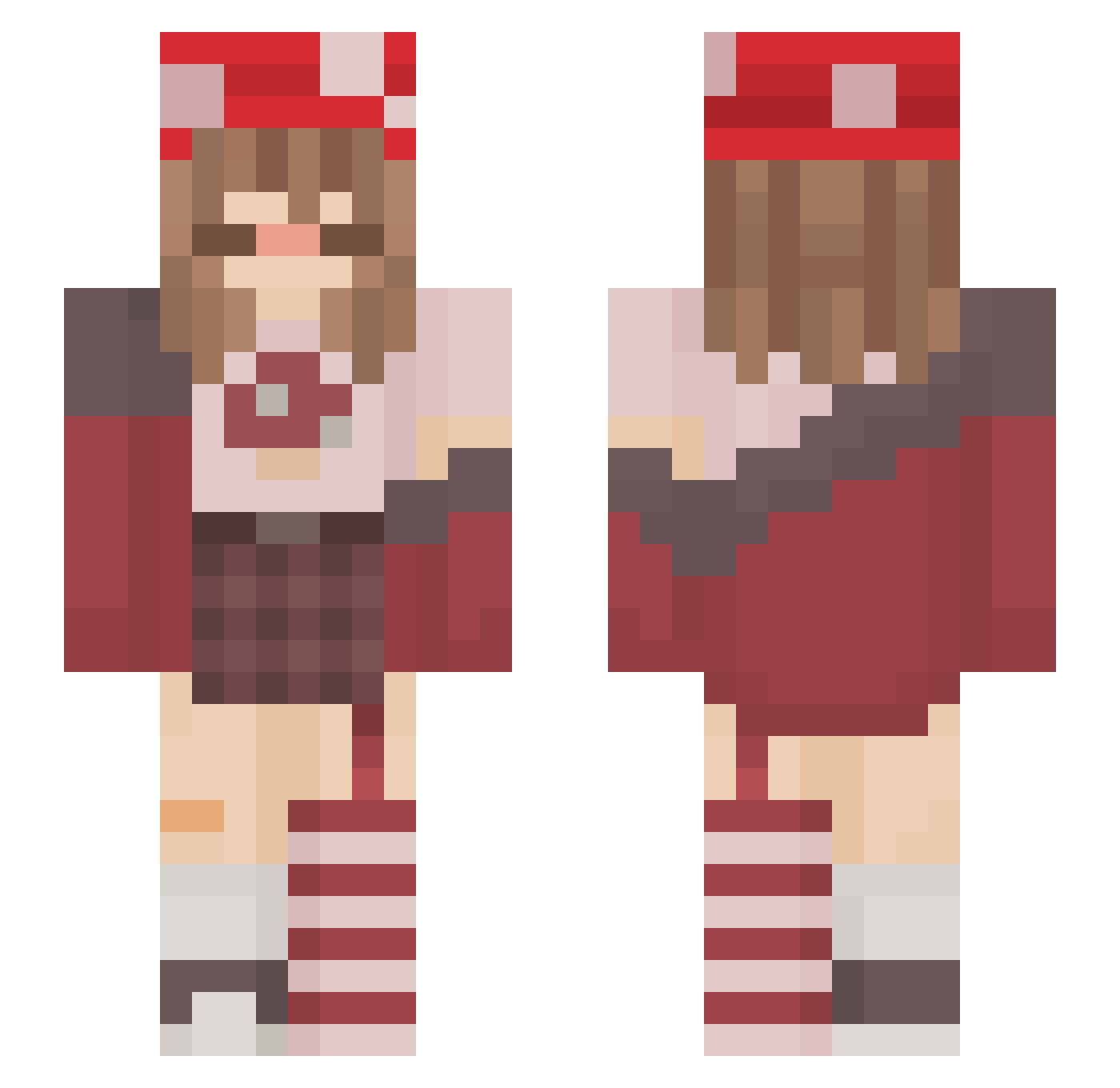
Current Minecraft skin of the player Lemonmoth166, loaded from the official Mojang API. Rotate the 3D model with your mouse or finger, then download the skin as a PNG file and use it in Minecraft: Bedrock Edition or Java Edition for free. When Lemonmoth166 changes their skin, this page updates automatically and the old skin stays in the history below.
Other players with this skin (217)
Lemonmoth166 was the 142nd player we have seen with this skin, first spotted on 02.10.2026. The same skin was seen on these players. Open a nickname to see their current skin and skin history.
 notxjess _hobixx cookie213p XandruuX strawb3rry_fr0g NiviaNyx DrJollyA sussymushroom JuuustPeachy3 xAlexa_x Willow_mushroom rubyx_x JuneJuly_ Wesha27 lakrai C4SP3Rplant HiraethJo Shroomlite Ellika_102 TrulyBeans waikiki25 Rikarikira BlackcatK13 QueenLot12 Svixi_ marinara_saucee sondogg69 Lumiell3 Satana08 iClaudel mckennahoran FlowerPower3 MiRk393 Liv001 SharkYwY cloudysid Hearts4Brandon yong1968 llxney Art_Bl0tch kyliews ShyChloe20 Ittybitty823 hailey_iscool orangech1cken butteredturtle Albercikowy Karlapida Bonfyasf HFE EvaKaktus Candy_Cane_Chaos Enafloria Shtarka cybrfreak SarZiggy Fish8887 Laujita_ chimmerscent bxbynora
More Mushroom Minecraft skins
How to install the Lemonmoth166 skin
- Press the Download button above to save the skin as a PNG file.
- Minecraft: Bedrock Edition (PE): open the Dressing Room from the main menu (or tap your character → Edit Character), go to Classic Skins → Owned, press the + (new skin) button, choose the downloaded PNG and pick the Slim (Alex) model. Works on PC and mobile; consoles cannot import custom skins.
- Minecraft: Java Edition: open the Minecraft Launcher, go to the Skins tab, click New Skin, load the PNG, pick the Slim (Alex) model and press Save & Use. You can also upload it at minecraft.net → Profile → Change Skin.
The skin does not show up after import - what should I do?
Restart Minecraft and open the Dressing Room again - imported skins sometimes appear only after a restart. Also make sure you selected the imported skin and picked the Slim (Alex) model.
Which model should I choose, Classic or Slim?
This skin is designed for the Slim (Alex) model. If you pick the wrong model, the arms of the skin will look stretched or squeezed.
Is the skin of Lemonmoth166 free to download?
Yes. Press Download, save the PNG file and use it in Minecraft: Bedrock Edition or Java Edition - no payment or registration needed. The skin also works on multiplayer servers and Realms.
More skins
Looking for more? Go back to all Minecraft skins and check the top skins of the week, month and all time, or find any player's skin by nickname.