
LarryTheLarry - Minecraft Skins & Skin History
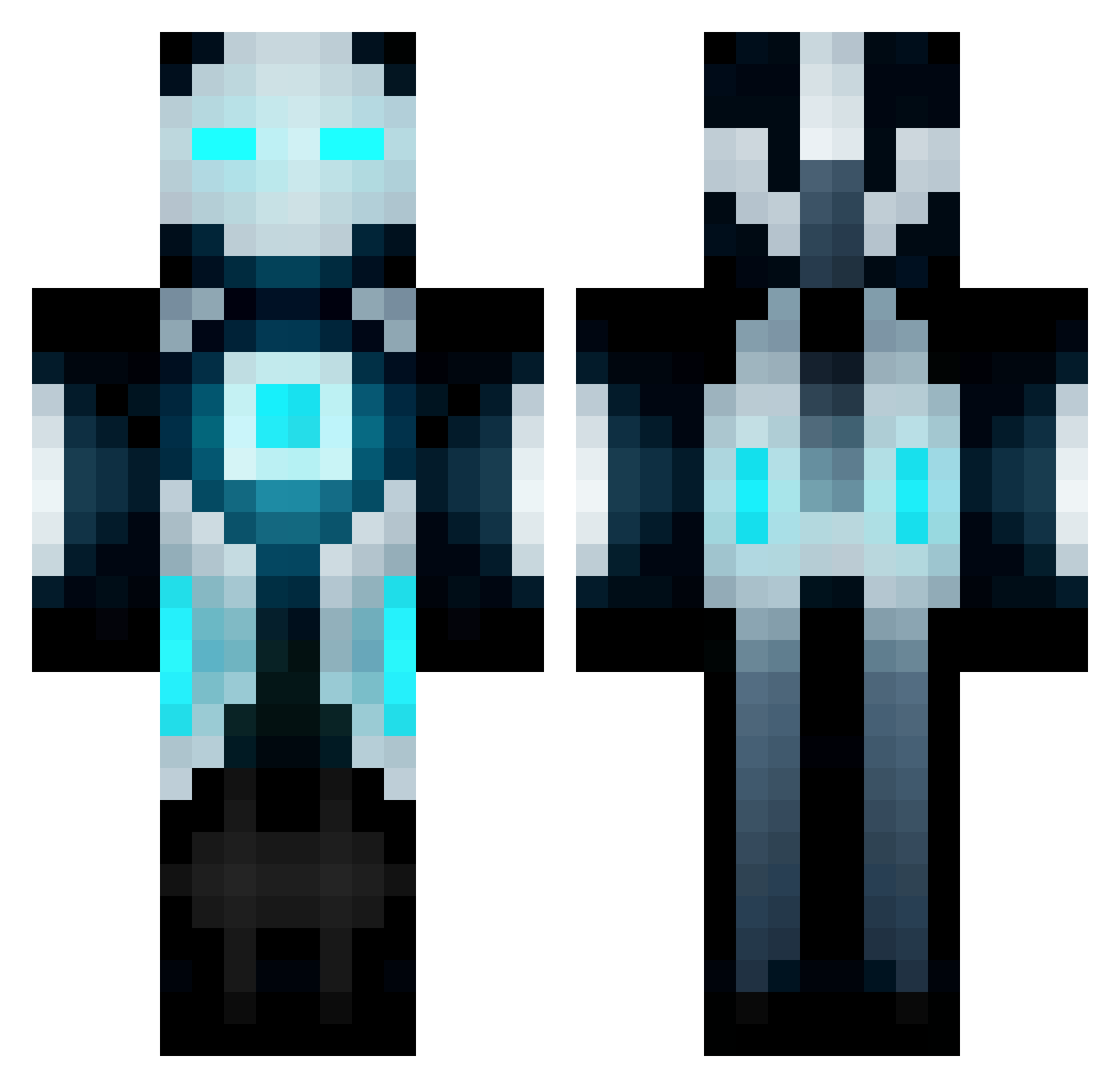
Current Minecraft skin of the player LarryTheLarry, loaded from the official Mojang API. Rotate the 3D model with your mouse or finger, then download the skin as a PNG file and use it in Minecraft: Bedrock Edition or Java Edition for free. When LarryTheLarry changes their skin, this page updates automatically and the old skin stays in the history below.
Other players with this skin (672)
LarryTheLarry was the 277th player we have seen with this skin, first spotted on 19.09.2026. The same skin was seen on these players. Open a nickname to see their current skin and skin history.
 kempachi_zaraki YuhBoyO paw919 Mastermax465 craft_wiz broly621 deLLeter SynapticNeuron October000 ShinkuPhantom michaeliskool100 zachrose994 emmanuellaaziz B0SSN1NJA salvam Unarmed_gunman charliethecgreat mbrbadger BinaryRune Drizzle0267 borae _T4NN3R_ JBStones Strainer20 Monster_Mania13 WerDNAx Insane_spy_ XxIndefinatexX just_coding theRB178 Trixo94 LegitPvPSkills treyw96 Alex8Skillz Its_LeVo GOBOY2005 _Bombshell_ cartman6300 ven361 Yikem Squeeker_Boy Pozza5 epic_travis Sky_Quarter _____XYZ_____ sebo1799 GamJaBoB MisterPingu Silver_Spoony autfast Pontan7 dernsome TheJrpm2 nijirigoke173923 petritis XanatosReaper SSW_Impwd MininiM tomkorocks23 All_Mighty_POWA
More Futuristic Minecraft skins
How to install the LarryTheLarry skin
- Press the Download button above to save the skin as a PNG file.
- Minecraft: Bedrock Edition (PE): open the Dressing Room from the main menu (or tap your character → Edit Character), go to Classic Skins → Owned, press the + (new skin) button, choose the downloaded PNG and pick the Classic (Steve) model. Works on PC and mobile; consoles cannot import custom skins.
- Minecraft: Java Edition: open the Minecraft Launcher, go to the Skins tab, click New Skin, load the PNG, pick the Classic (Steve) model and press Save & Use. You can also upload it at minecraft.net → Profile → Change Skin.
The skin does not show up after import - what should I do?
Restart Minecraft and open the Dressing Room again - imported skins sometimes appear only after a restart. Also make sure you selected the imported skin and picked the Classic (Steve) model.
Which model should I choose, Classic or Slim?
This skin is designed for the Classic (Steve) model. If you pick the wrong model, the arms of the skin will look stretched or squeezed.
Is the skin of LarryTheLarry free to download?
Yes. Press Download, save the PNG file and use it in Minecraft: Bedrock Edition or Java Edition - no payment or registration needed. The skin also works on multiplayer servers and Realms.
More skins
Looking for more? Go back to all Minecraft skins and check the top skins of the week, month and all time, or find any player's skin by nickname.