
LanchryWantD - Minecraft Skins & Skin History
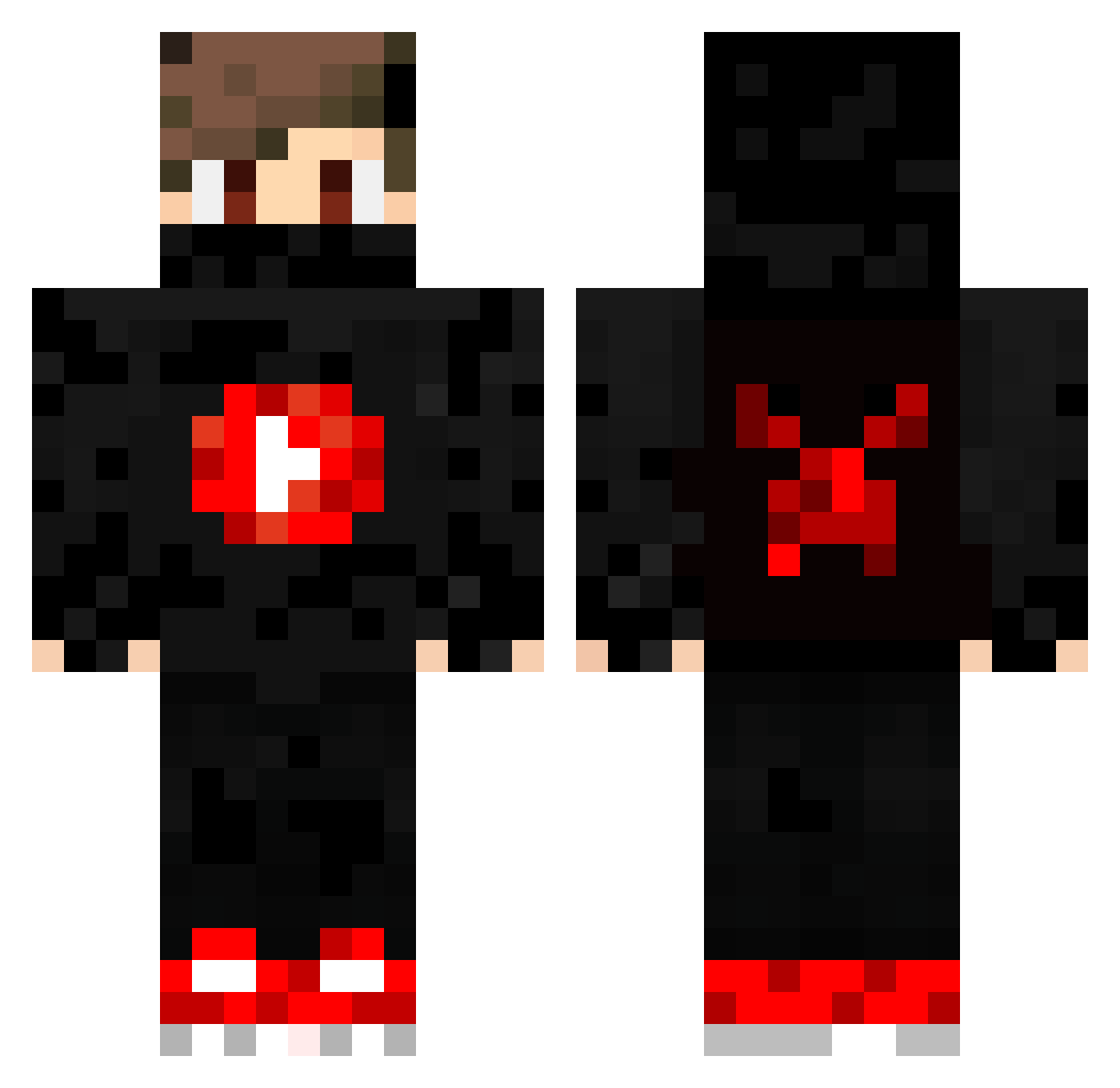
Current Minecraft skin of the player LanchryWantD, loaded from the official Mojang API. Rotate the 3D model with your mouse or finger, then download the skin as a PNG file and use it in Minecraft: Bedrock Edition or Java Edition for free. When LanchryWantD changes their skin, this page updates automatically and the old skin stays in the history below.
Other players with this skin (196)
LanchryWantD was the 111th player we have seen with this skin, first spotted on 09.10.2026. The same skin was seen on these players. Open a nickname to see their current skin and skin history.
 BrennerGamerBR silver642006 itzMario4 zedosblocos thelegend50 UygarSiperYT ArturBroker Ozanbatin xxseanthegamerxx Midilix PabloGabriel ZIPZOOM IAMDIDOU Blak66 BlackDuty BedFuckerReapex Theoretischhero_ TheAykanHKA InkomtetenteEnte TheBlackAngels vagosprogamer A_Hound skyhigh3250 __knicklicht_ ToxicTiny_TTV JFS_J0rn Kn0ck15 AronOfficiaL JackubYT1 ojisama mydadisagirl FaZeReplays Camping4god FlezZ_ AK_gaming0411 HOBNBBBBBBBBBBB Dinomen xWound Davidboss04 Bigjonh555 TurkishName1 NickyMonster88 THEIS_FAMILY Crazy_Mirnes2007 GuilhermeeGu P4RK33r danieldd14 CubeHype raio1622 LeAlpha Eagleszin yanZynho HungerB AustinDMeyer talkabout167 JesseCombo Vickrion agus7894 CuckelberryFinn TonnamTH25
More Youtuber Minecraft skins
How to install the LanchryWantD skin
- Press the Download button above to save the skin as a PNG file.
- Minecraft: Bedrock Edition (PE): open the Dressing Room from the main menu (or tap your character → Edit Character), go to Classic Skins → Owned, press the + (new skin) button, choose the downloaded PNG and pick the Classic (Steve) model. Works on PC and mobile; consoles cannot import custom skins.
- Minecraft: Java Edition: open the Minecraft Launcher, go to the Skins tab, click New Skin, load the PNG, pick the Classic (Steve) model and press Save & Use. You can also upload it at minecraft.net → Profile → Change Skin.
The skin does not show up after import - what should I do?
Restart Minecraft and open the Dressing Room again - imported skins sometimes appear only after a restart. Also make sure you selected the imported skin and picked the Classic (Steve) model.
Which model should I choose, Classic or Slim?
This skin is designed for the Classic (Steve) model. If you pick the wrong model, the arms of the skin will look stretched or squeezed.
Is the skin of LanchryWantD free to download?
Yes. Press Download, save the PNG file and use it in Minecraft: Bedrock Edition or Java Edition - no payment or registration needed. The skin also works on multiplayer servers and Realms.
More skins
Looking for more? Go back to all Minecraft skins and check the top skins of the week, month and all time, or find any player's skin by nickname.