
Lament17 - Minecraft Skins & Skin History
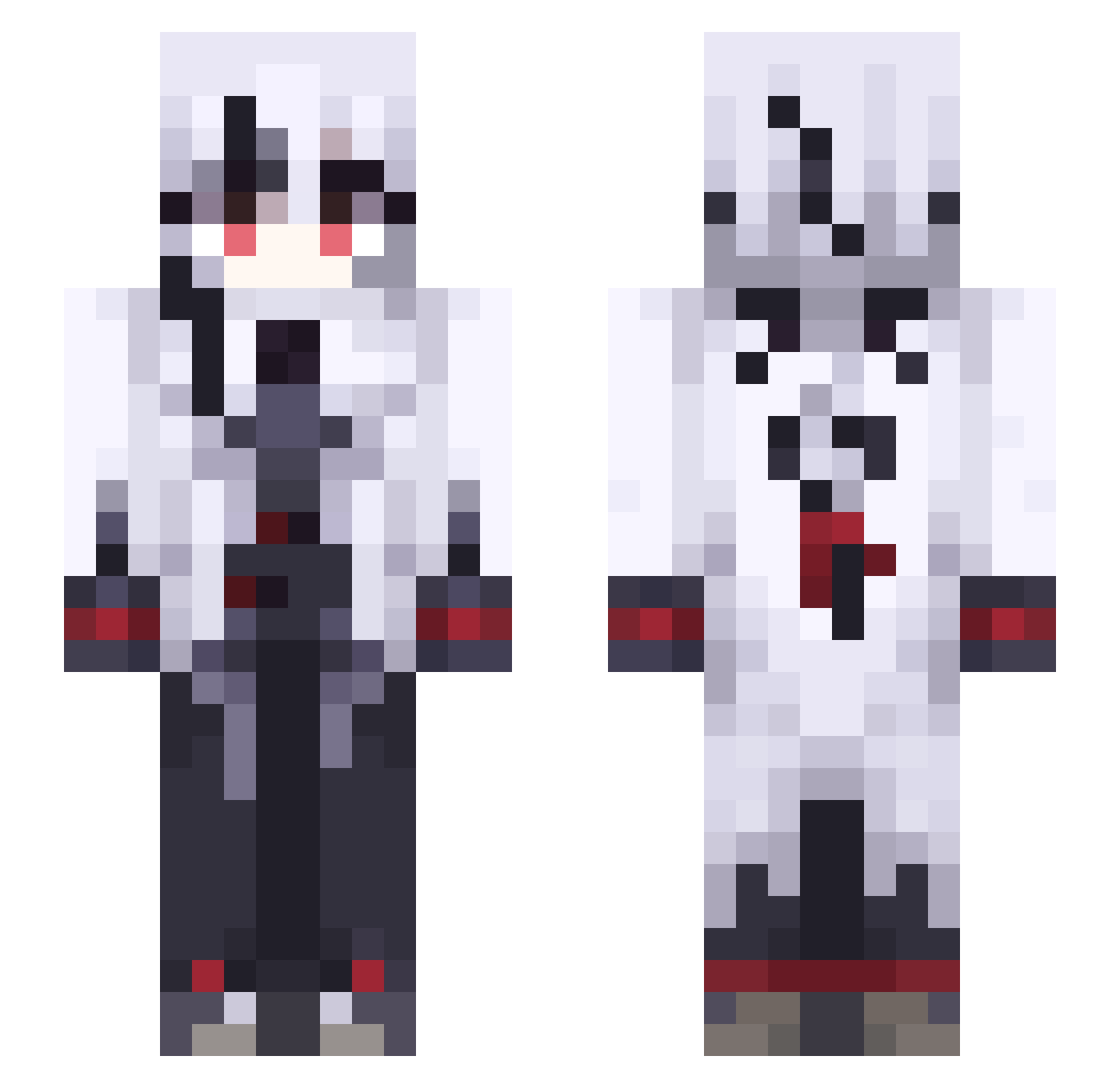
Current Minecraft skin of the player Lament17, loaded from the official Mojang API. Rotate the 3D model with your mouse or finger, then download the skin as a PNG file and use it in Minecraft: Bedrock Edition or Java Edition for free. When Lament17 changes their skin, this page updates automatically and the old skin stays in the history below.
Other players with this skin (491)
Lament17 was the 289th player we have seen with this skin, first spotted on 24.09.2026. The same skin was seen on these players. Open a nickname to see their current skin and skin history.
 Right0103 Yoshi1202 Kasai_Coin NookNTTN ta_ka_ HXACXWN Starcaster501 Cabbage143 BLbR984 YaniMikuyuki sekubro luigishadow2 _meramipop WMagno Sry4_Nothing KoegniseggM f1ney TheEthericShadow pkxwy SDkO738 GuLiiiii_ agw_Houzz_ns9 huijingwy Neolibertarian BreadJack04 mxy8 HME_Ahrens_Fox darkmoonlight88 Crane66 zChryssi FMr103 flayx26 Sast997 Joris117 Foxkiin QLv480 kitchiko Chien_1nu TakeoverDrop481 Syrasyn Ferbusse Allexxes ZephaxOne TumblingTomato ODP_Tanariel susuzy SuitableCousin SpankThatShank kwwio RoxesQ SCA821 siraori01 kikari44 Tet_0923 MicaYuma xchuvya BasementPavement YxN1z creaper222 yottyan0508
More Goth Minecraft skins
How to install the Lament17 skin
- Press the Download button above to save the skin as a PNG file.
- Minecraft: Bedrock Edition (PE): open the Dressing Room from the main menu (or tap your character → Edit Character), go to Classic Skins → Owned, press the + (new skin) button, choose the downloaded PNG and pick the Slim (Alex) model. Works on PC and mobile; consoles cannot import custom skins.
- Minecraft: Java Edition: open the Minecraft Launcher, go to the Skins tab, click New Skin, load the PNG, pick the Slim (Alex) model and press Save & Use. You can also upload it at minecraft.net → Profile → Change Skin.
The skin does not show up after import - what should I do?
Restart Minecraft and open the Dressing Room again - imported skins sometimes appear only after a restart. Also make sure you selected the imported skin and picked the Slim (Alex) model.
Which model should I choose, Classic or Slim?
This skin is designed for the Slim (Alex) model. If you pick the wrong model, the arms of the skin will look stretched or squeezed.
Is the skin of Lament17 free to download?
Yes. Press Download, save the PNG file and use it in Minecraft: Bedrock Edition or Java Edition - no payment or registration needed. The skin also works on multiplayer servers and Realms.
More skins
Looking for more? Go back to all Minecraft skins and check the top skins of the week, month and all time, or find any player's skin by nickname.