
LY354tl7oa1h8 - Minecraft Skins & Skin History
Current Minecraft skin of the player LY354tl7oa1h8, loaded from the official Mojang API. Rotate the 3D model with your mouse or finger, then download the skin as a PNG file and use it in Minecraft: Bedrock Edition or Java Edition for free. When LY354tl7oa1h8 changes their skin, this page updates automatically and the old skin stays in the history below.
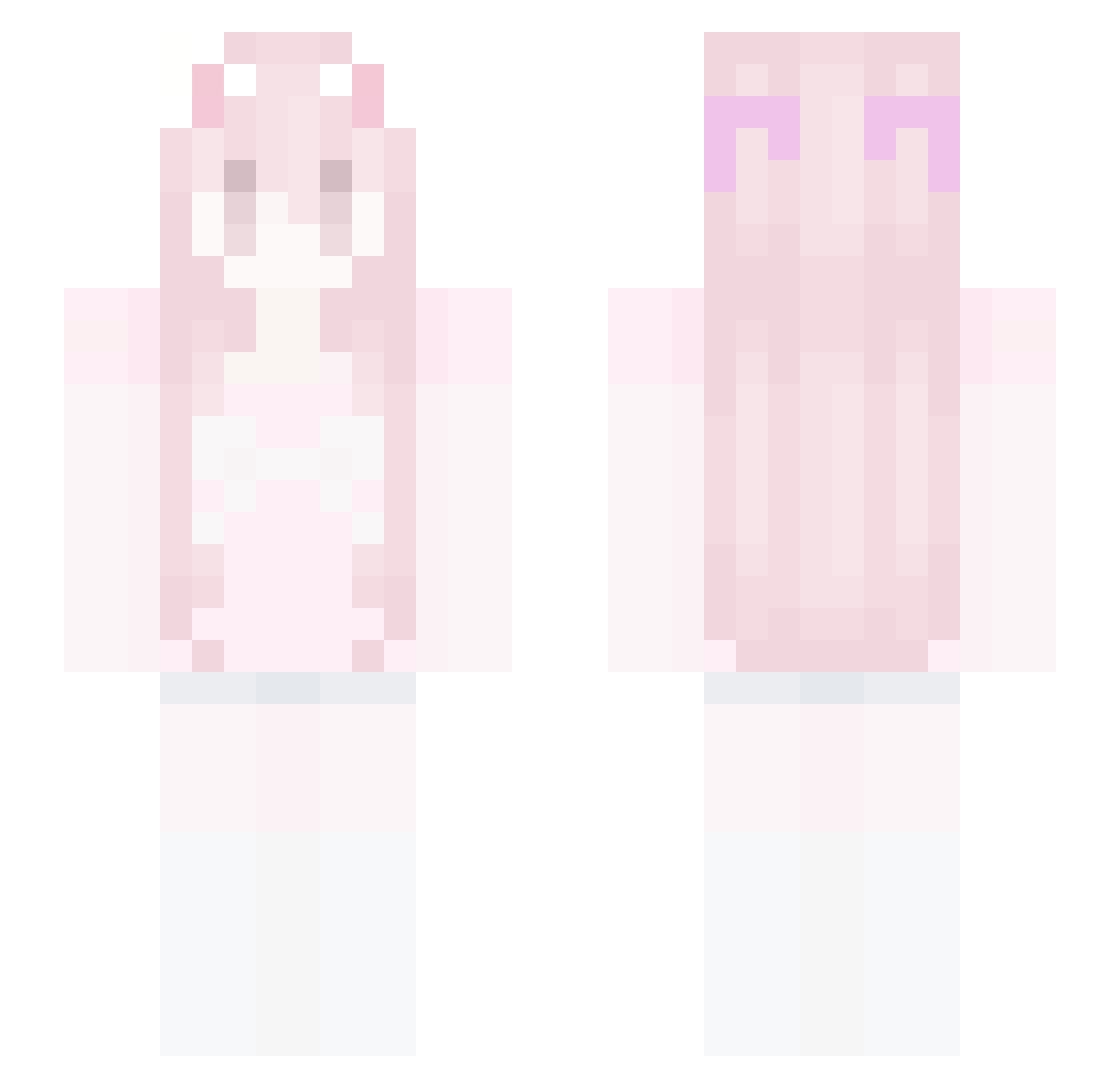
Other players with this skin (53)
LY354tl7oa1h8 was the 13th player we have seen with this skin, first spotted on 23.08.2026. The same skin was seen on these players. Open a nickname to see their current skin and skin history.
 slikea xZenawuf Camilia35 privateparry Hunterlee7252004
 sl4shn 2t2t Jung0618 WillMeowForScara
 Yeon_271 kyabetsu_ meryture Hangi_Sama
 IcedShards zongmu Wa1T_24
 WLBA Ochlyss xvxsupremacy Yeeter4evaXD Miao_S2
 BBQYYDEDIE siphanolecheque CThuysakura SW_HUY VnAmaGoticas Kar0la666 xiao_dai_bi nznvg nleatess hmvv catsq ILIKECATS6145 yllyyl qcrime uRfrienDx3 catgirlvrooooum Flying_Monkey925 bjarnney oacj youronmymind svetlana_137 MissCraft890 9809 woooooooa 34wt Jwnniferr WBRN catgirlally marwyvi femboycute XiaoKeNai0 BabyRina33
More Bow Minecraft skins
How to install the LY354tl7oa1h8 skin
- Press the Download button above to save the skin as a PNG file.
- Minecraft: Bedrock Edition (PE): open the Dressing Room from the main menu (or tap your character → Edit Character), go to Classic Skins → Owned, press the + (new skin) button, choose the downloaded PNG and pick the Slim (Alex) model. Works on PC and mobile; consoles cannot import custom skins.
- Minecraft: Java Edition: open the Minecraft Launcher, go to the Skins tab, click New Skin, load the PNG, pick the Slim (Alex) model and press Save & Use. You can also upload it at minecraft.net → Profile → Change Skin.
The skin does not show up after import - what should I do?
Restart Minecraft and open the Dressing Room again - imported skins sometimes appear only after a restart. Also make sure you selected the imported skin and picked the Slim (Alex) model.
Which model should I choose, Classic or Slim?
This skin is designed for the Slim (Alex) model. If you pick the wrong model, the arms of the skin will look stretched or squeezed.
Is the skin of LY354tl7oa1h8 free to download?
Yes. Press Download, save the PNG file and use it in Minecraft: Bedrock Edition or Java Edition - no payment or registration needed. The skin also works on multiplayer servers and Realms.
More skins
Looking for more? Go back to all Minecraft skins and check the top skins of the week, month and all time, or find any player's skin by nickname.