
LTMAG0 - Minecraft Skins & Skin History
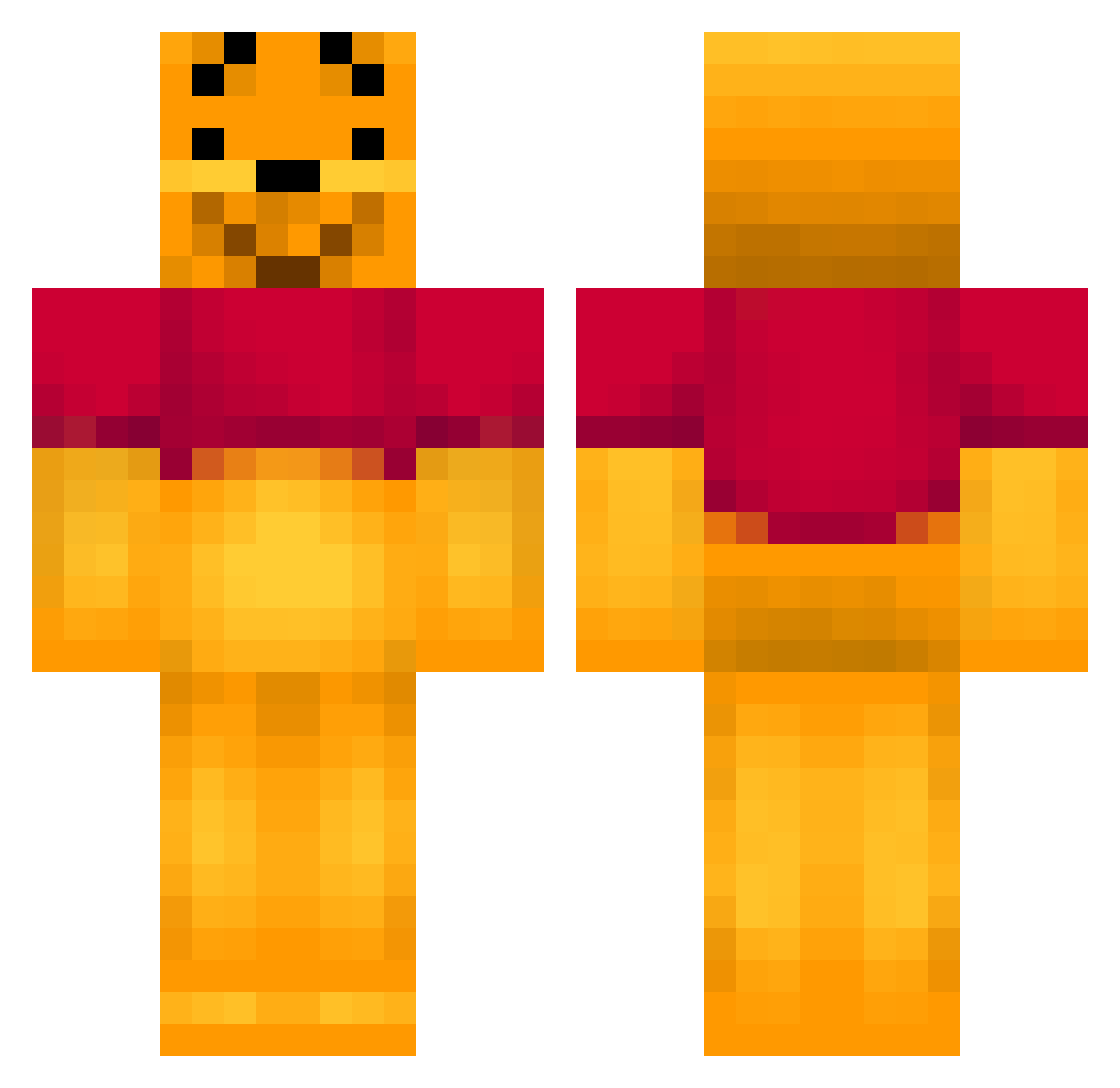
Current Minecraft skin of the player LTMAG0, loaded from the official Mojang API. Rotate the 3D model with your mouse or finger, then download the skin as a PNG file and use it in Minecraft: Bedrock Edition or Java Edition for free. When LTMAG0 changes their skin, this page updates automatically and the old skin stays in the history below.
Other players with this skin (143)
LTMAG0 was the 104th player we have seen with this skin, first spotted on 30.09.2026. The same skin was seen on these players. Open a nickname to see their current skin and skin history.
 SparkleHeaven Edsweb xufandi PhD_Juan WinnieSuaPoud CaramelShake Ck_Chee HoneyGamesCB1 Cyan233 Fhaall CarbonatErol1 bigtaesty Xi_jinping666 popesteb pegasusbot bando00 YJD_ThannnN Pezelj HolyBigfish aSadBlueBerry sparadrat dopaminebaby Paigeb7 FischBisch FinoGod6 MLXT Jassay Plysmeister SxinessIncarnate ImRizer Googsy32 FinoGod8 LordNeeOn FinoGod Brewczyk SpawnGamingYTB 0hDen DauntlessFox laineyrae CHN_Waka ChiaRui_ JYOOOKUN MrZeeHond111 Haku115 angeelaa26 Mofen_NB pk5500 RobotGrasmaaier TiTis_1110 Jason890626 yukkuri890 kek_top patiED TurtleNoob29 x1nku1e Wayne0404 envoitaikina mtxif LilConcha Mikioaj
More Winnie The Pooh Minecraft skins
See all 305 Winnie The Pooh skins
How to install the LTMAG0 skin
- Press the Download button above to save the skin as a PNG file.
- Minecraft: Bedrock Edition (PE): open the Dressing Room from the main menu (or tap your character → Edit Character), go to Classic Skins → Owned, press the + (new skin) button, choose the downloaded PNG and pick the Classic (Steve) model. Works on PC and mobile; consoles cannot import custom skins.
- Minecraft: Java Edition: open the Minecraft Launcher, go to the Skins tab, click New Skin, load the PNG, pick the Classic (Steve) model and press Save & Use. You can also upload it at minecraft.net → Profile → Change Skin.
The skin does not show up after import - what should I do?
Restart Minecraft and open the Dressing Room again - imported skins sometimes appear only after a restart. Also make sure you selected the imported skin and picked the Classic (Steve) model.
Which model should I choose, Classic or Slim?
This skin is designed for the Classic (Steve) model. If you pick the wrong model, the arms of the skin will look stretched or squeezed.
Is the skin of LTMAG0 free to download?
Yes. Press Download, save the PNG file and use it in Minecraft: Bedrock Edition or Java Edition - no payment or registration needed. The skin also works on multiplayer servers and Realms.
More skins
Looking for more? Go back to all Minecraft skins and check the top skins of the week, month and all time, or find any player's skin by nickname.