
LLCCSS2 - Minecraft Skins & Skin History
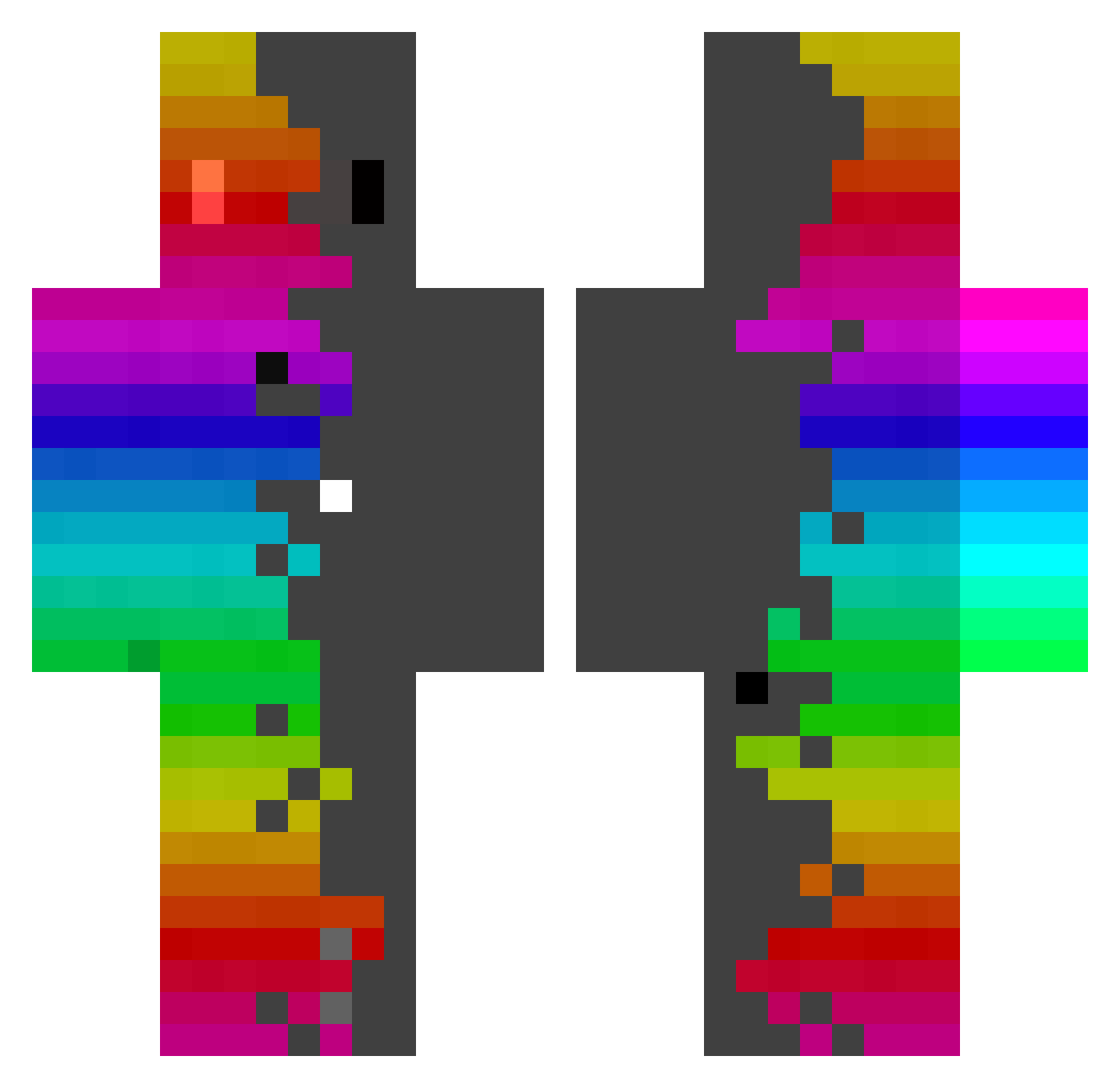
Current Minecraft skin of the player LLCCSS2, loaded from the official Mojang API. Rotate the 3D model with your mouse or finger, then download the skin as a PNG file and use it in Minecraft: Bedrock Edition or Java Edition for free. When LLCCSS2 changes their skin, this page updates automatically and the old skin stays in the history below.
Other players with this skin (440)
LLCCSS2 was the 196th player we have seen with this skin, first spotted on 16.09.2026. The same skin was seen on these players. Open a nickname to see their current skin and skin history.
 TonBombace DrHakim12 sam_doin_well yuji0117 KIDDALAIR OngleeSlayer FireniZz Skinnyturtle36 FiLSiM321 JankosPankos
 SaileR2415 Gotted_exe SAADSAIF MaKsIo_On_MaCrO superbrumbrum SpeedySlime001 nekosama14 Vergulz
 jill614 DDoongPen IzauRon tillob2 Briansyah Junior_Goiaba TakuyaNaito ImHorion BlockDesTroYer_9 MiNi_CaTo kilkan01 Grilo__ Dylan_2204 Y_x72e motoki100 mrchickenimre ItzNiqht_ detelar01 LORDOKING Makura9603 mizosoupe AdamGibiAdamMemo YIPPPEEEEE OverLegends rangniwanle123 Neumatik199_ 420_12 italo203 Aequinoctium_ ChipsDeLaCarotte J_me_P Rainbow_boi2 CalicoCascade25 SamMineman Dash064 Akiri474 StarBroom TrevorTrain10 QTEAMNOOBZQ whiffsicks LucaRosss Ghost_990
How to install the LLCCSS2 skin
- Press the Download button above to save the skin as a PNG file.
- Minecraft: Bedrock Edition (PE): open the Dressing Room from the main menu (or tap your character → Edit Character), go to Classic Skins → Owned, press the + (new skin) button, choose the downloaded PNG and pick the Classic (Steve) model. Works on PC and mobile; consoles cannot import custom skins.
- Minecraft: Java Edition: open the Minecraft Launcher, go to the Skins tab, click New Skin, load the PNG, pick the Classic (Steve) model and press Save & Use. You can also upload it at minecraft.net → Profile → Change Skin.
The skin does not show up after import - what should I do?
Restart Minecraft and open the Dressing Room again - imported skins sometimes appear only after a restart. Also make sure you selected the imported skin and picked the Classic (Steve) model.
Which model should I choose, Classic or Slim?
This skin is designed for the Classic (Steve) model. If you pick the wrong model, the arms of the skin will look stretched or squeezed.
Is the skin of LLCCSS2 free to download?
Yes. Press Download, save the PNG file and use it in Minecraft: Bedrock Edition or Java Edition - no payment or registration needed. The skin also works on multiplayer servers and Realms.
More skins
Looking for more? Go back to all Minecraft skins and check the top skins of the week, month and all time, or find any player's skin by nickname.