
LG_Maple - Minecraft Skins & Skin History
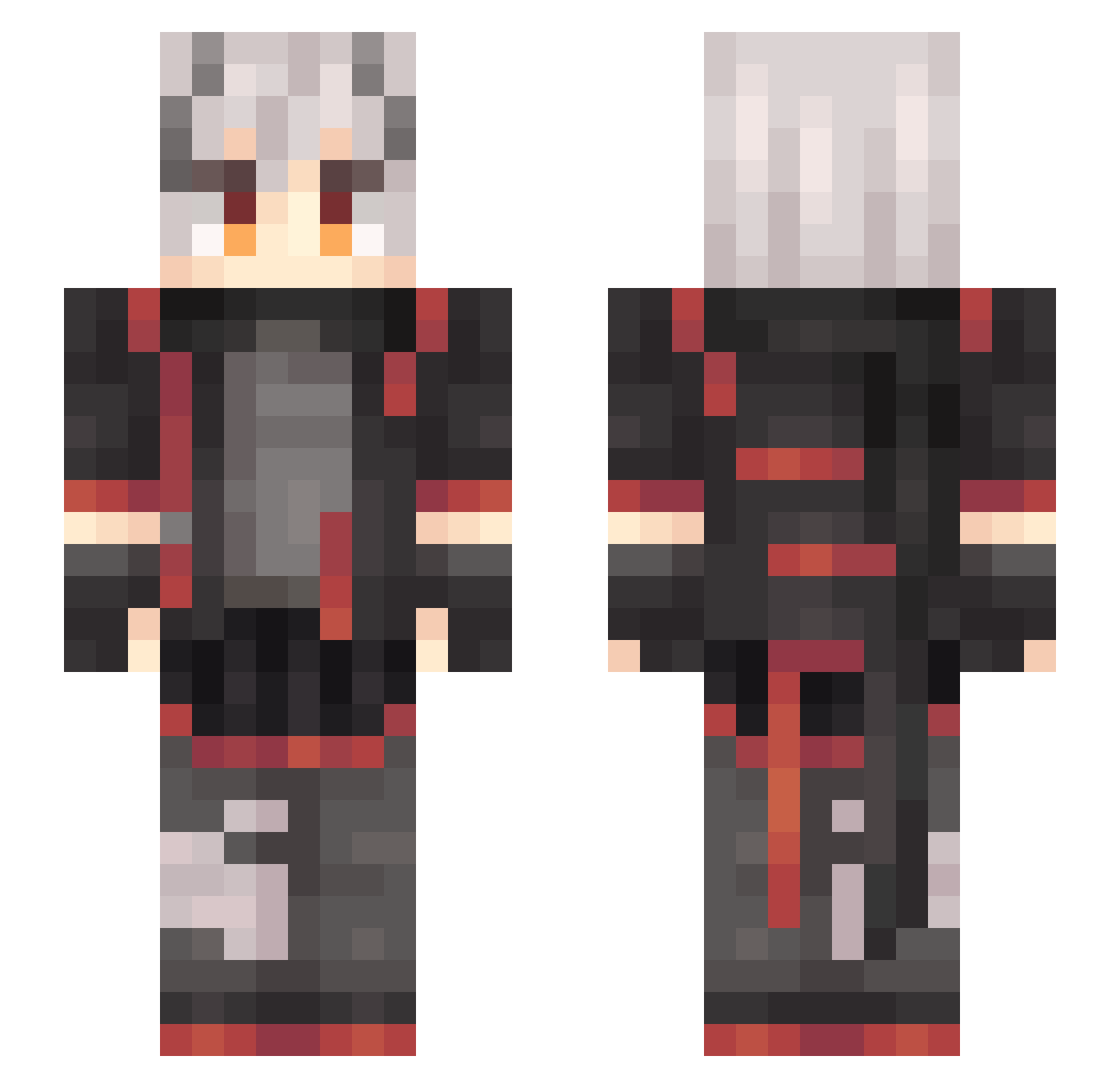
Current Minecraft skin of the player LG_Maple, loaded from the official Mojang API. Rotate the 3D model with your mouse or finger, then download the skin as a PNG file and use it in Minecraft: Bedrock Edition or Java Edition for free. When LG_Maple changes their skin, this page updates automatically and the old skin stays in the history below.
Other players with this skin (637)
LG_Maple was the 214th player we have seen with this skin, first spotted on 30.08.2026. The same skin was seen on these players. Open a nickname to see their current skin and skin history.
 duanhen xiao_tianL Potatmto Afreedoman yuchen987 ink303 Thatgoodnight dumuxi 1TACHI0228 Woolen_duck Zack_Ray FXZHNG MMMercer L1ngYd Sakura_eterna1 Glaseele MoCaGe Whale_J XYwheat 0Nahida0 xbatt SWAPyuki JILMN xianyu168 Ballou_44 Vsent illiilliiiill Bigxianyu MapleCa zate6666 lxyddice GarciaIII fxlsabc Feng_Sang huanrenjun FarE_YF Storm_j20 Darren9412 Ruronikenxin123 DeltaOneActual TdK_Jeckh AlterMoon OSilverLiningO Cmoon1113 BlueDestiny66 Yadzka Blackpoi younvwansui Canour Shierteer42 youbing12138 Passerby10010 MichiKuoKri xiaoyisen Kyouko42 YYYYYYYXXX WildCard65 AKAKC Nolanac_LOL lcy123
More Cyberpunk Minecraft skins
How to install the LG_Maple skin
- Press the Download button above to save the skin as a PNG file.
- Minecraft: Bedrock Edition (PE): open the Dressing Room from the main menu (or tap your character → Edit Character), go to Classic Skins → Owned, press the + (new skin) button, choose the downloaded PNG and pick the Slim (Alex) model. Works on PC and mobile; consoles cannot import custom skins.
- Minecraft: Java Edition: open the Minecraft Launcher, go to the Skins tab, click New Skin, load the PNG, pick the Slim (Alex) model and press Save & Use. You can also upload it at minecraft.net → Profile → Change Skin.
The skin does not show up after import - what should I do?
Restart Minecraft and open the Dressing Room again - imported skins sometimes appear only after a restart. Also make sure you selected the imported skin and picked the Slim (Alex) model.
Which model should I choose, Classic or Slim?
This skin is designed for the Slim (Alex) model. If you pick the wrong model, the arms of the skin will look stretched or squeezed.
Is the skin of LG_Maple free to download?
Yes. Press Download, save the PNG file and use it in Minecraft: Bedrock Edition or Java Edition - no payment or registration needed. The skin also works on multiplayer servers and Realms.
More skins
Looking for more? Go back to all Minecraft skins and check the top skins of the week, month and all time, or find any player's skin by nickname.