
KyuByG - Minecraft Skins & Skin History
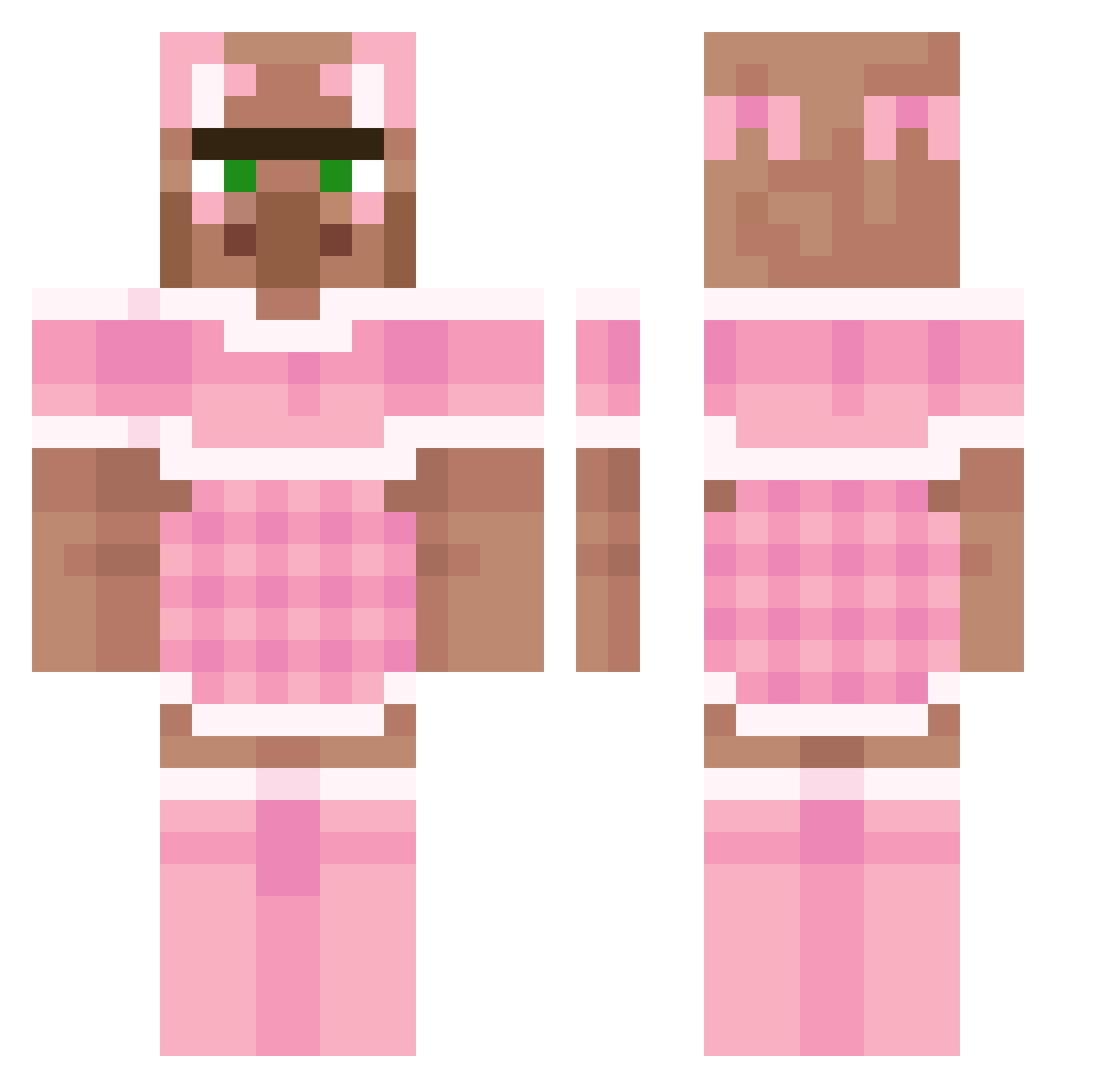
Current Minecraft skin of the player KyuByG, loaded from the official Mojang API. Rotate the 3D model with your mouse or finger, then download the skin as a PNG file and use it in Minecraft: Bedrock Edition or Java Edition for free. When KyuByG changes their skin, this page updates automatically and the old skin stays in the history below.
Other players with this skin (193)
KyuByG was the 29th player we have seen with this skin, first spotted on 05.08.2026. The same skin was seen on these players. Open a nickname to see their current skin and skin history.
 iiEmii ZOOPSYCHOLOGICAL TonPereLeChauve_ TubeView zeuskii veronicaflores CurrySmuggler shawteez Ajaxxje prodigi mayaa_ yLenaBR_ frutinop zaphalia
 Ashtalabista picardythird eexcypee YouAreAdopted Iqonk team_noobz IEatCoins_nomnom carmoosh ERRzajraht FiluternaZofia prcnet Adj3n benadoo Darluu Drays4ible ping_gun
 guygt be11ebaby ERTUGRULUNTORUNU Yrozest raphy08_ IchBinDufte Korndog19 Artem_qwerty KDRWH0RE zgnilejajka iLikeSmogWEEd melaniexnewform1 ur_mom_69 Colidgilo evylinaah Greenllamas1 RedSkyZx livilac Sooshi03 nicoleta05 arimaner ONCE5 balraber DasTofTofGHG gustavsii Kpansano SelvagemBesta Mortixsus HP_Pr1nter ____SCARLET_____
More Villager Minecraft skins
How to install the KyuByG skin
- Press the Download button above to save the skin as a PNG file.
- Minecraft: Bedrock Edition (PE): open the Dressing Room from the main menu (or tap your character → Edit Character), go to Classic Skins → Owned, press the + (new skin) button, choose the downloaded PNG and pick the Classic (Steve) model. Works on PC and mobile; consoles cannot import custom skins.
- Minecraft: Java Edition: open the Minecraft Launcher, go to the Skins tab, click New Skin, load the PNG, pick the Classic (Steve) model and press Save & Use. You can also upload it at minecraft.net → Profile → Change Skin.
The skin does not show up after import - what should I do?
Restart Minecraft and open the Dressing Room again - imported skins sometimes appear only after a restart. Also make sure you selected the imported skin and picked the Classic (Steve) model.
Which model should I choose, Classic or Slim?
This skin is designed for the Classic (Steve) model. If you pick the wrong model, the arms of the skin will look stretched or squeezed.
Is the skin of KyuByG free to download?
Yes. Press Download, save the PNG file and use it in Minecraft: Bedrock Edition or Java Edition - no payment or registration needed. The skin also works on multiplayer servers and Realms.
More skins
Looking for more? Go back to all Minecraft skins and check the top skins of the week, month and all time, or find any player's skin by nickname.