
Kwarmi - Minecraft Skins & Skin History
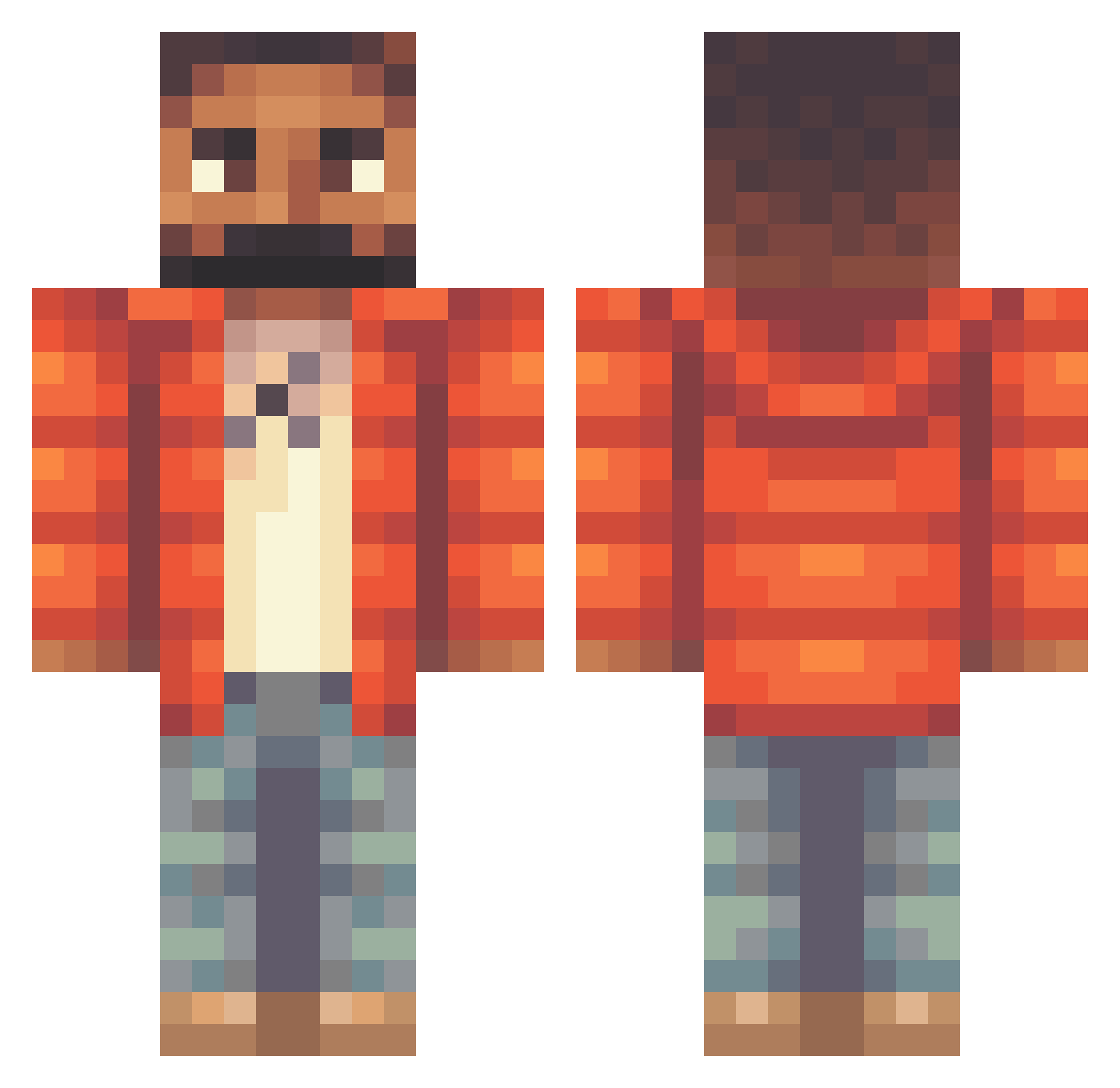
Current Minecraft skin of the player Kwarmi, loaded from the official Mojang API. Rotate the 3D model with your mouse or finger, then download the skin as a PNG file and use it in Minecraft: Bedrock Edition or Java Edition for free. When Kwarmi changes their skin, this page updates automatically and the old skin stays in the history below.
Other players with this skin (319)
Kwarmi was the 27th player we have seen with this skin, first spotted on 06.08.2026. The same skin was seen on these players. Open a nickname to see their current skin and skin history.
 MADISONJACKSON BellaDaho certifiedlwrboyy Haebber dimondhunter1091 Joecliff22 ayytim Jesxs32 6DrizzyDrake6 MeMilan N1njo BigDaddyBoy12 NeedFreakyGothGF anabolic_arthur NLE_CHOPPA7 kprzaum gagboi Smitttyy punafing nekminut23 SteveFMS Invoker229 Thomas_Dinh NawelChill Shamrlox Amazonlieferant goloviu SLATTMIKE isaacthethird kpczkk kiddix ravask_ MorsGoat BabbaBogi talinho_1 GreatDuke silkysunday niqqqer Fishy_GoGo FriD1x bigfif Jackostaaa
 TK07
TK07 Fungefrans BaguetteMonk FeLOOPx iamharveylane BigRobbyRich wiggleshark1235 gahser FatalNecro CukkLord Loyiu ReimaMangruda Teddyrex9 AubreyGrahamm adentheairplane Gmoneyyy07 AdiKteD SmallAdy_
More Beard Minecraft skins
How to install the Kwarmi skin
- Press the Download button above to save the skin as a PNG file.
- Minecraft: Bedrock Edition (PE): open the Dressing Room from the main menu (or tap your character → Edit Character), go to Classic Skins → Owned, press the + (new skin) button, choose the downloaded PNG and pick the Classic (Steve) model. Works on PC and mobile; consoles cannot import custom skins.
- Minecraft: Java Edition: open the Minecraft Launcher, go to the Skins tab, click New Skin, load the PNG, pick the Classic (Steve) model and press Save & Use. You can also upload it at minecraft.net → Profile → Change Skin.
The skin does not show up after import - what should I do?
Restart Minecraft and open the Dressing Room again - imported skins sometimes appear only after a restart. Also make sure you selected the imported skin and picked the Classic (Steve) model.
Which model should I choose, Classic or Slim?
This skin is designed for the Classic (Steve) model. If you pick the wrong model, the arms of the skin will look stretched or squeezed.
Is the skin of Kwarmi free to download?
Yes. Press Download, save the PNG file and use it in Minecraft: Bedrock Edition or Java Edition - no payment or registration needed. The skin also works on multiplayer servers and Realms.
More skins
Looking for more? Go back to all Minecraft skins and check the top skins of the week, month and all time, or find any player's skin by nickname.